


Email marketing is the practice of sending commercial messages to email subscribers who opted in to hear from you: promotional campaigns, newsletters, transactional receipts, and behavior-triggered automations.
It still matters in 2026 because nothing else comes close in return. Most companies see between $10 and $50 for every $1 spent, with results clustering in the $36 to $42 range according to Litmus’s 2025 State of Email survey. The channel is direct, owned, and measurable in ways no algorithm-gated platform can match.
This guide is built for marketers, marketing managers, founders, and in-house teams setting up or rebuilding an email marketing strategy that actually works: what to send, how to build a list, which platform fits your stage, how to land in the inbox, and how to design, write, automate, and measure campaigns that move revenue.
It does not cover enterprise-scale deliverability infrastructure, dedicated IP management, or high-volume transactional email; those problems come with their own dedicated tooling once you’re past this stage.
By the end, you’ll know what to set up first, what to fix next, and where AI helps versus where it gets in the way.
What is Email Marketing?
It works for almost everyone: ecommerce brands recovering lost sales, SaaS companies onboarding users, creators monetizing audiences, B2B teams sending lead nurturing emails, nonprofits driving donations.
The barrier to entry is low, and the channel scales from your first 100 subscribers to millions. If you’ve ever gotten a welcome email after signing up for a service or an abandoned cart reminder from a store, you’ve been on the receiving end. For the full breakdown, see our guide to what email marketing is.
Where email fits within the broader digital marketing mix comes down to ownership and intent. You rent your audience on social media and paid channels; algorithms and ad costs decide who sees you. SMS gets opened faster but tolerates far less volume before people unsubscribe.
Email sits in the middle: you own the list, subscribers expect regular contact, and you control the timing, design, and message. Most teams run all four channels together, with email carrying the heaviest lift on retention and revenue per send compared with other marketing channels.
Is Email Marketing Still Worth it in 2026?
Email outperforms every other digital channel on return per dollar spent, and the gap isn’t closing. The reasons are structural: you own the list, inboxes still get checked daily, and email marketing trends confirm that no algorithm-gated platform can match its direct reach.
Stats
The numbers back the case. Roughly 4.7 billion people use email worldwide in 2026, over half the global population, per the Radicati Group’s Email Statistics Report. Global email volume runs around 392.5 billion messages sent and received daily, on the trajectory set out in Radicati’s Email Statistics Report, 2024 to 2028 (361.6 billion in 2024, climbing toward 424.2 billion by 2028).
93% of users check email every day, with 42% checking three to five times daily, and 35% spend two to five hours a day in their inbox (the same people who say email stresses them out).
Mobile dominates the read: roughly 42-60% of opens happen on phones depending on audience, which means a desktop-only design costs you a major chunk of your audience before they read a word.
For the full breakdown, see our email marketing statistics roundup.
ROI
Email returns range from $10 to $50 for every $1 spent, with most companies clustering in the $36 to $42 range, per Litmus’s 2025 State of Email survey of nearly 500 marketing professionals.
By comparison, paid search returns hover around $2 per dollar for many programs. The reason isn’t complicated: you’re sending to people who opted in, on a channel you own, with no auction inflating your costs. 41% of marketers rank email the single most effective channel they run, more than double the share for social or paid search.
But the headline hides the catch: in 2026, that ROI tracks tightly to relevance and inbox placement. Send irrelevant emails to a stale list, and the number collapses.
For the full math, see our breakdown of email marketing ROI.
Examples
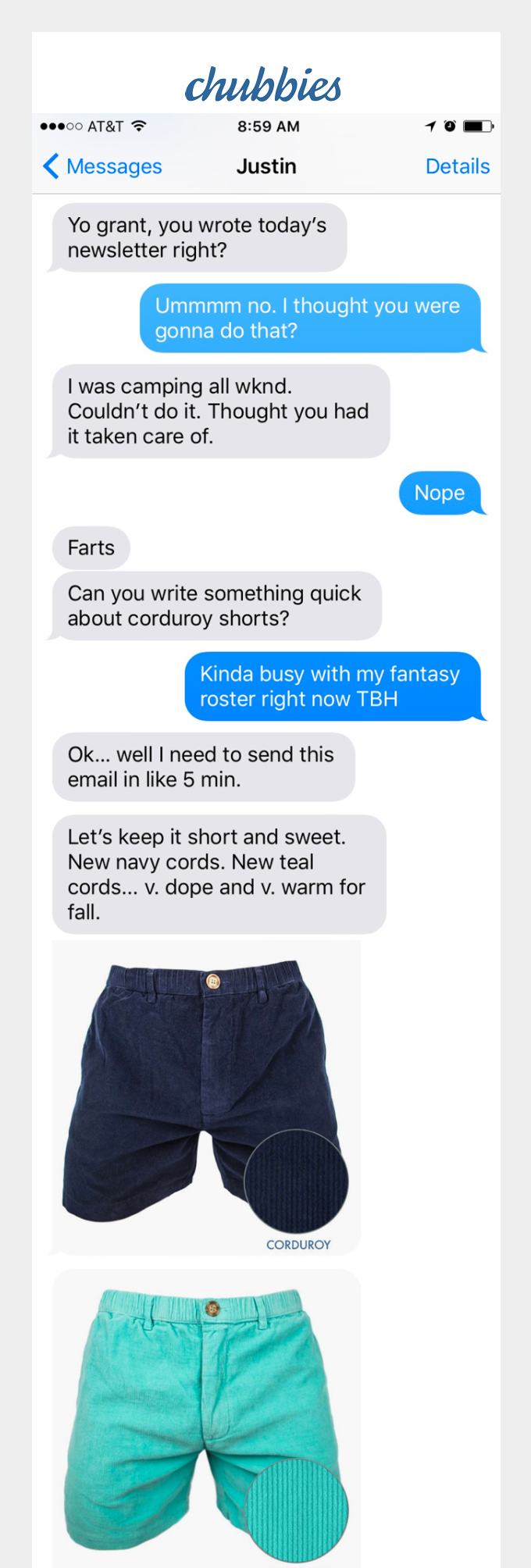
The brands winning at email aren’t doing anything mysterious; they’re relentlessly relevant. Chubbies (B2C) ships short, voice-driven campaigns that read like a friend’s text, leaning hard on humor and product drops to keep open rates well above retail averages.
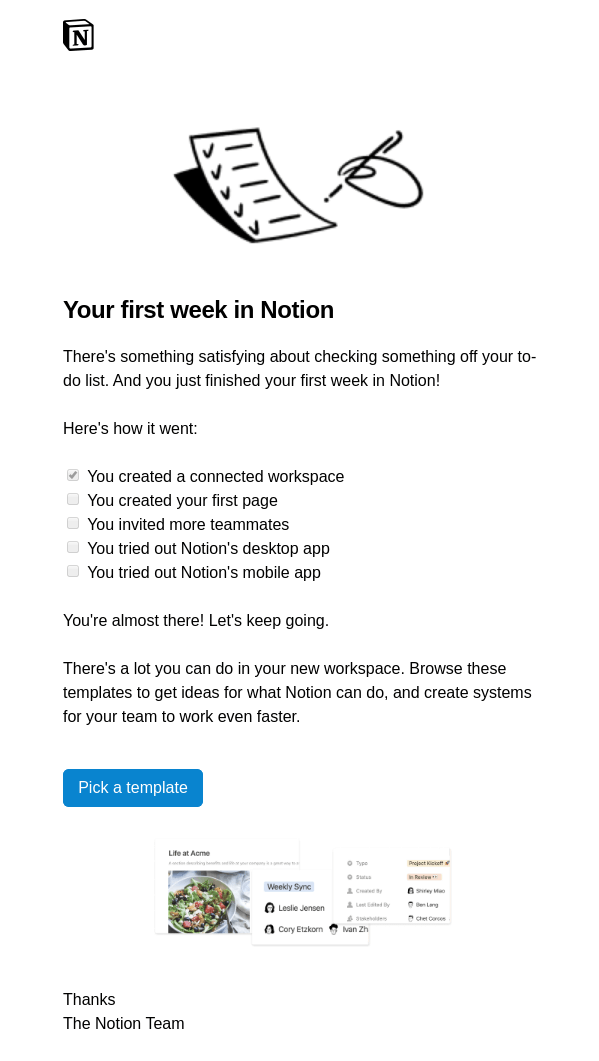
Notion (B2B) onboards new users with behavior-triggered sequences that surface specific templates based on what you set up first: sales nurture without the sales feel.
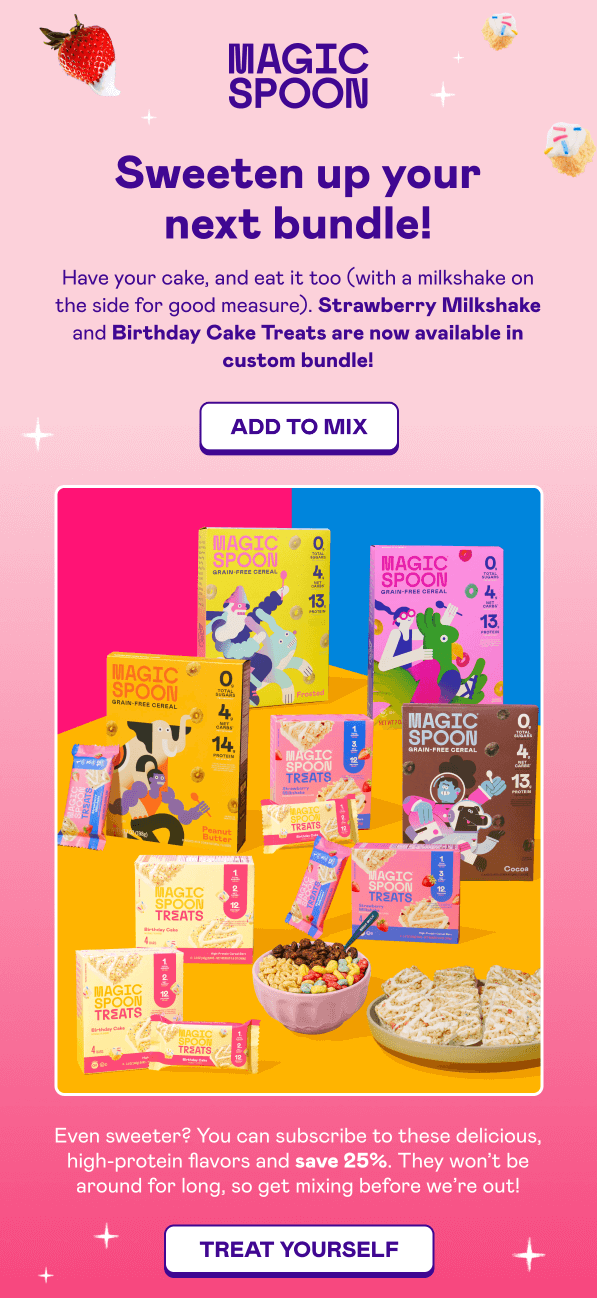
Magic Spoon, a smaller cereal SMB, runs simple post-purchase flows and a referral email that reportedly drives a meaningful share of new customer revenue.
For more, see our email marketing examples breakdown.
Types of Email Campaigns
Most email programs run on the same handful of types of marketing emails. Knowing what each one does, and when it earns its slot in the calendar, keeps you from sending the same generic email blast and calling it a content strategy.
This breakdown is here so you can create email marketing campaigns that fit the moment, not just the calendar.
For deeper breakdowns of each format, see our email campaign guide.
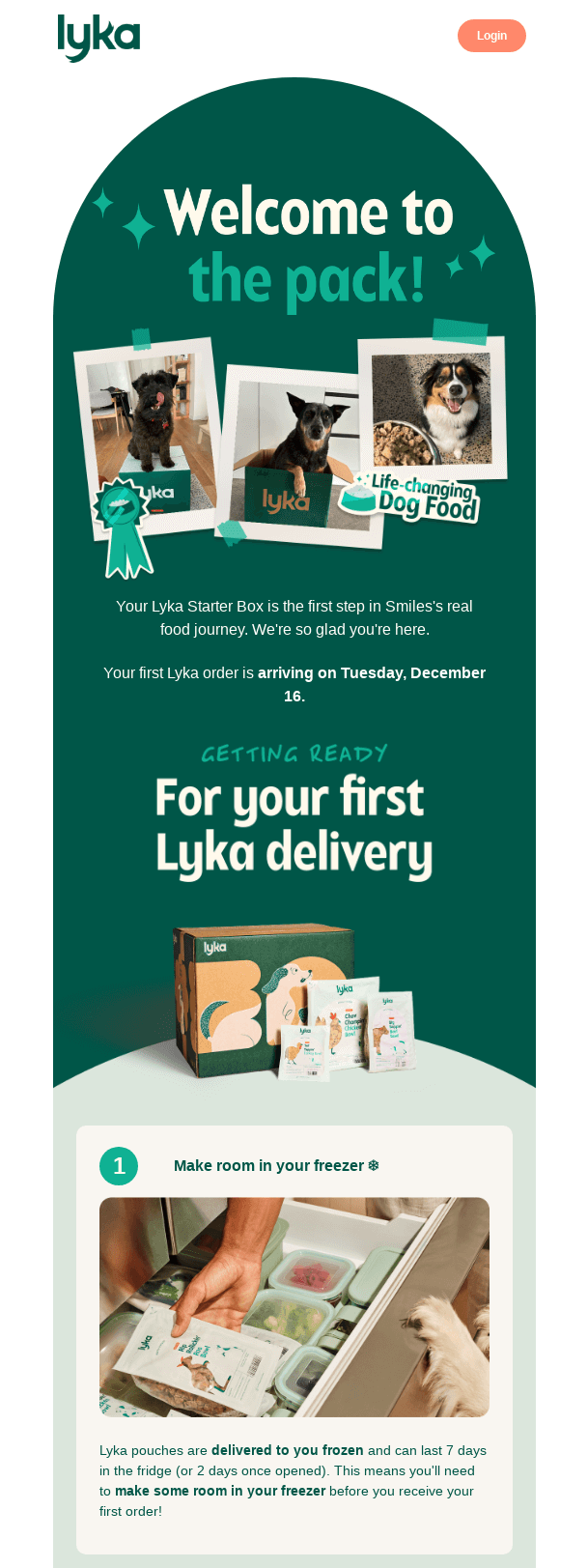
Welcome emails. The first message a new subscriber gets after signing up, and usually the first step of a longer welcome drip campaign or onboarding email workflow. Send the first one immediately, within minutes, not days, while intent is highest. Welcome emails consistently pull the highest open rates of any campaign type because subscribers actually expect them.
Newsletters. Recurring sends with content, updates, or curated picks. Send on a predictable cadence (weekly or biweekly works for most lists), so subscribers know when to expect you. Newsletters build brand awareness and the habit that makes every other campaign land better.
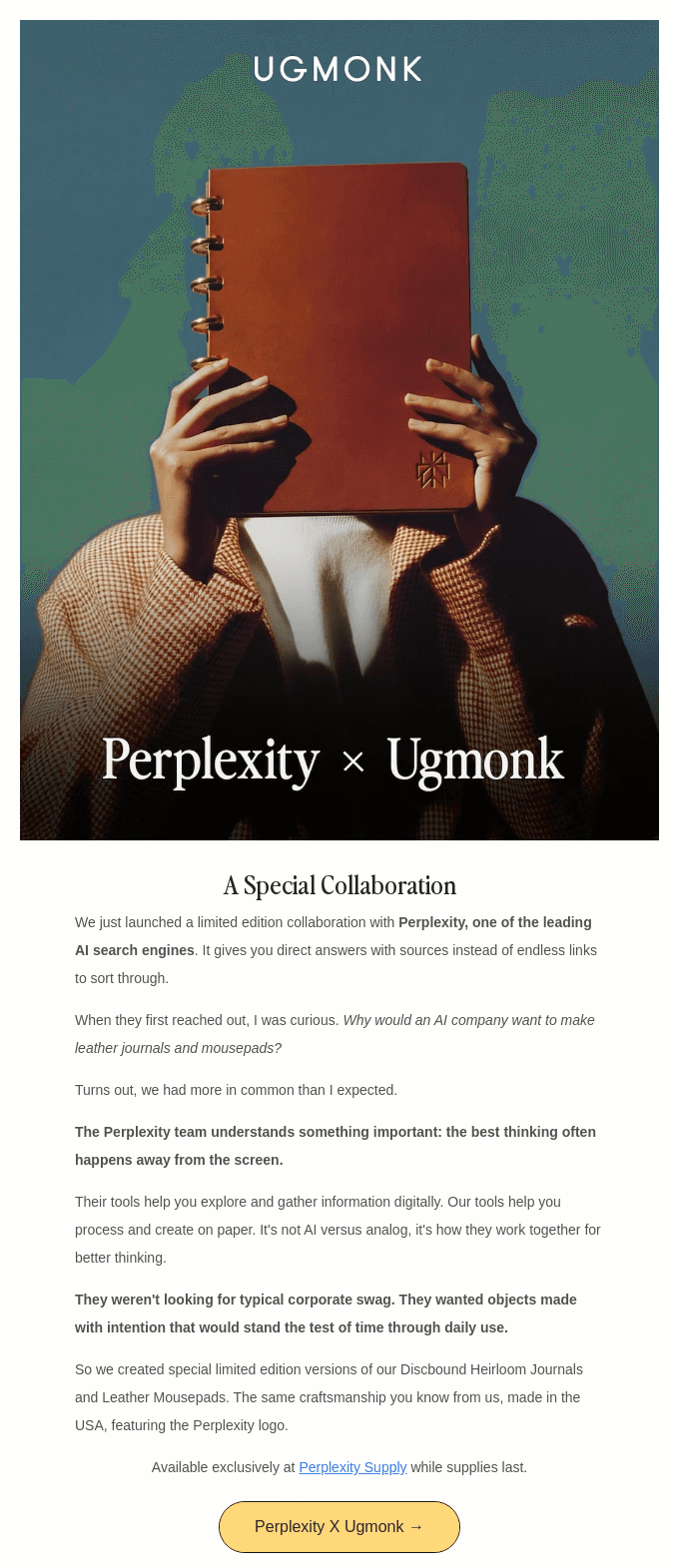
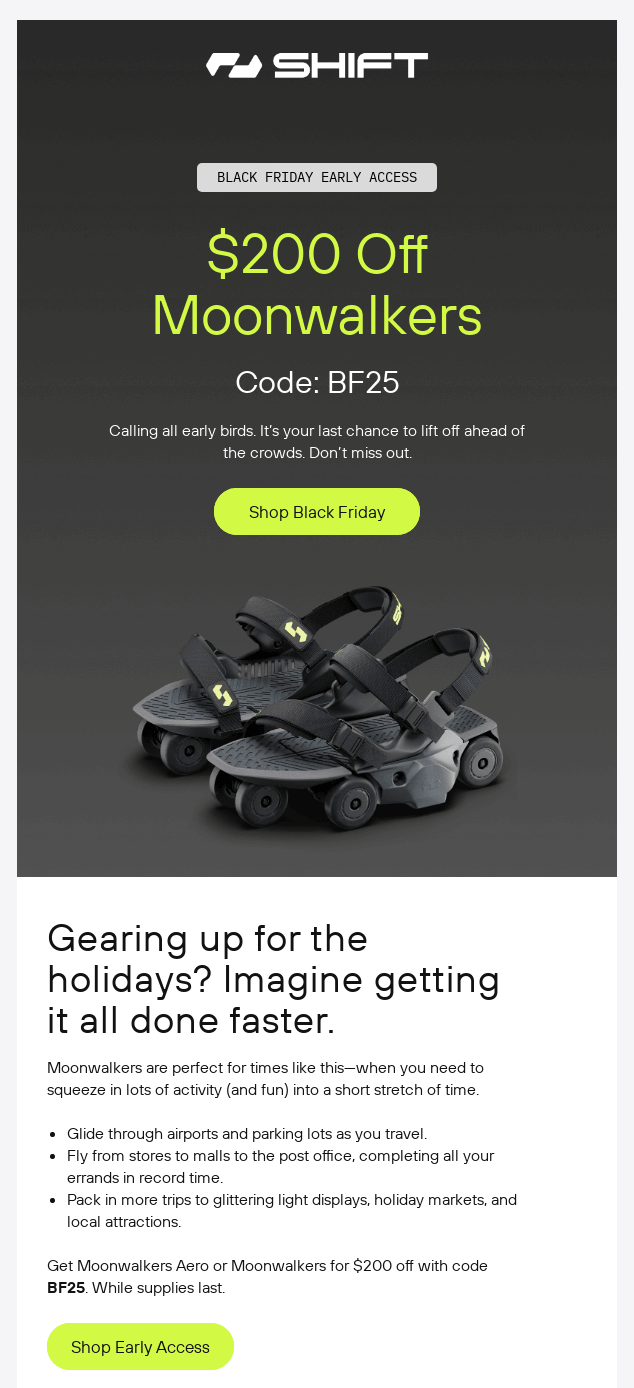
Promotional emails. Sales, launches, limited-time offers, seasonal pushes. Send around revenue moments: product drops, holidays, end-of-quarter pushes. While they serve as a form of direct email advertising, space them so promos don’t become the only thing subscribers hear from you.
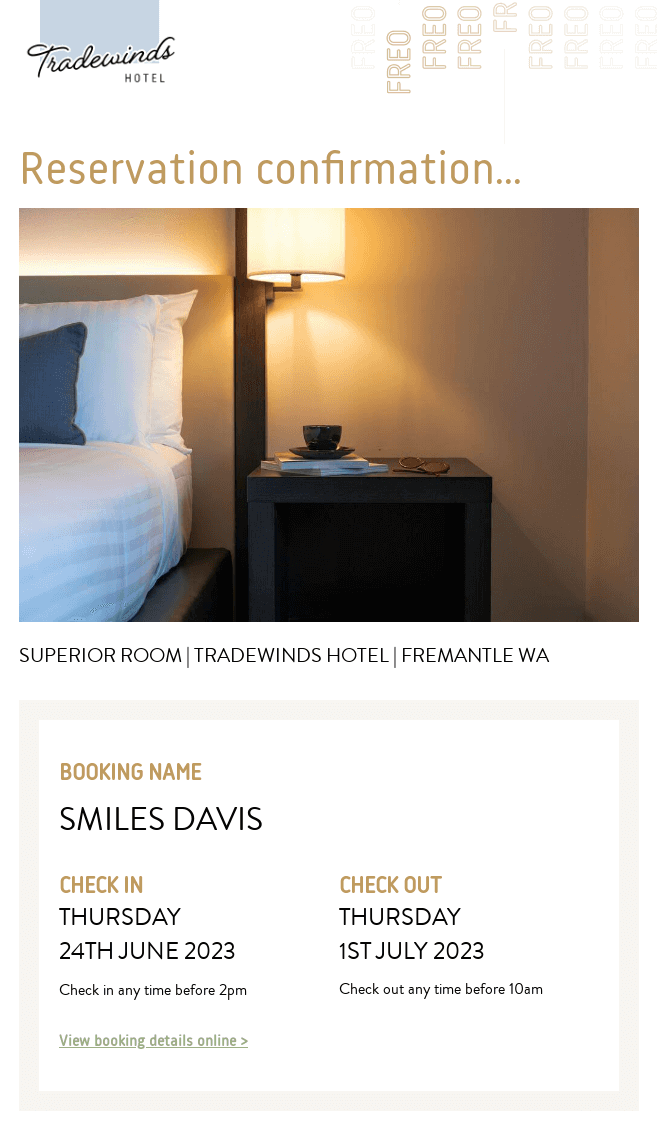
Transactional emails. Order confirmations, shipping updates, password resets, receipts. These trigger off a specific action and go out instantly. They’re functional, but they get opened far more often than marketing sends: commonly 2 to 4x higher, per Mailgun’s benchmark data, so they’re worth designing well.
Abandoned cart emails. Reminders sent to shoppers who added items but didn’t check out. Send the first within an hour, a follow-up at 24 hours, and a final at 48 to 72 hours if needed. Cart recovery flows routinely drive the highest revenue-per-send of any ecommerce campaign.
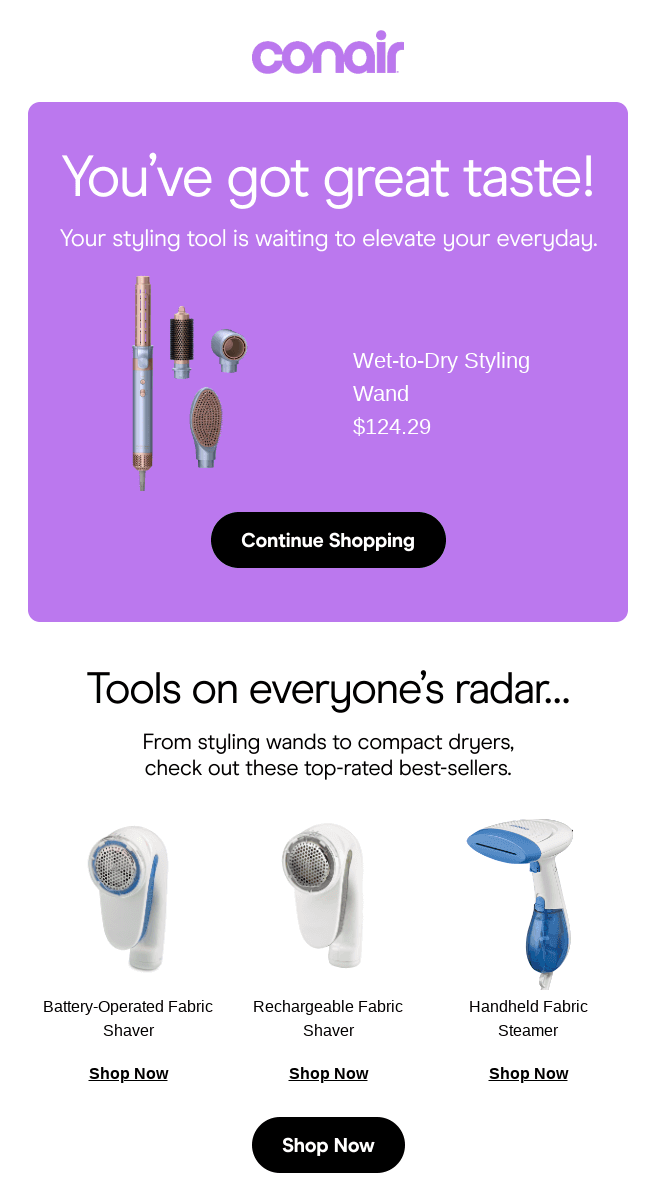
Re-engagement emails. Targeted sends to existing customers who’ve gone quiet for 60 to 90 days. Ask if they still want to hear from you, offer an incentive, or remind them what they signed up for. Pointing them to an email preference center, where they can adjust frequency or topics instead of unsubscribing entirely, often saves subscribers who’d otherwise leave.
Anyone who doesn’t respond gets removed. Keeping a dead list around for sentimental reasons hurts deliverability for everyone still reading.
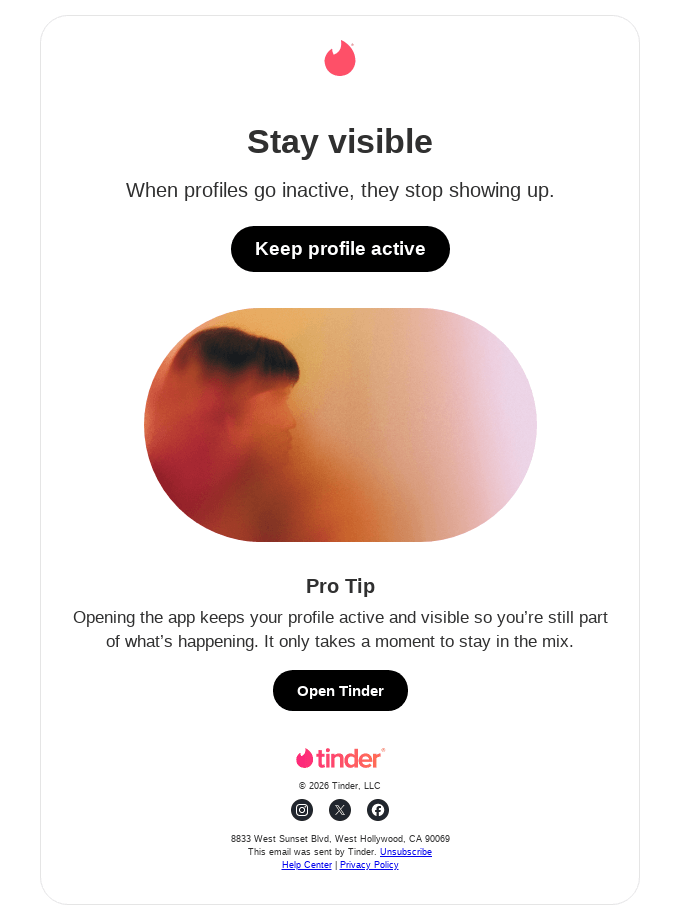
Post-purchase emails. Thank-yous, product care tips, review requests, cross-sell suggestions. Start within a day of delivery and stagger follow-ups over the next few weeks. Done well, post-purchase flows encourage customer loyalty and turn one-time buyers into repeat customers without the cost of acquiring them again.
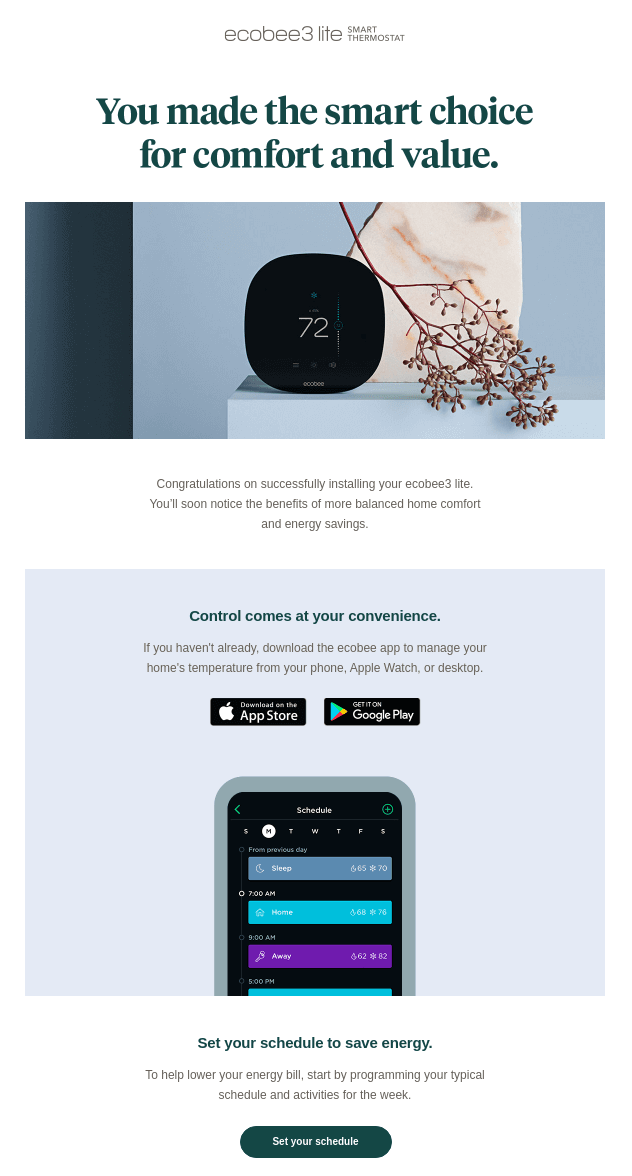
How do You Build an Email List?
In 2026, a list of 5,000 engaged subscribers outperforms a list of 50,000 dead ones. Inbox providers (Gmail, Yahoo, Apple) now grade your sender reputation on engagement signals, not volume. Sending to people who don’t open or click drags down deliverability for everyone on the list, including the subscribers who do want to hear from you.
The shift toward first-party data makes this even sharper: a list you built yourself, with explicit consent, is worth more than any rented audience or an old spreadsheet someone forwarded you.
How you grow depends on where you’re starting.
If you’re starting from zero, focus on the basics before chasing volume. Pick one or two acquisition sources, such as a signup form on your site, a content offer, or a checkout signup built on a landing page, and make sure each one sets clear expectations about what subscribers will get and how often.
This is the entry point of your email marketing customer journey. The goal in the first 90 days isn’t a big number. It’s a base of subscribers who actually want your emails, which gives you the deliverability foundation to scale on later.
If you’re scaling an existing list, the work shifts from more subscribers to better subscribers. That means auditing where new sign-ups come from, cutting acquisition channels that bring in people who never engage, and adding sources that match your best customers.
Brands at this stage often find that one or two segments, such as a lead magnet audience or a particular product page, produce subscribers who buy more often and stay subscribed longer. Doubling down on those sources beats casting a wider net.
Either way, the principle holds: you’re building an asset, not a vanity metric.
A strong email marketing plan begins with a quality list, verified before it ever reaches a send. Learn how to build an email list from scratch.
For advanced acquisition tactics beyond the basics covered here, see our full lead generation guide.
What are the Rules for Email Marketing?
Last verified September 2026.
Email marketing compliance rests on four laws: GDPR, CAN-SPAM, CCPA, and CASL, which set who needs consent, what disclosures are required, and how fast you must honor an unsubscribe. Getting it wrong is expensive: fines can scale with company revenue, and inbox providers now treat compliance signals as deliverability signals.
GDPR (European Union). If you email anyone in the EU or EEA, you need explicit, opt-in consent before sending; pre-checked boxes don’t count. Subscribers have the right to access their data, correct it, and request deletion.
You’re also required to document where and when each subscriber opted in. Double opt-in, where a subscriber confirms via a follow-up email, is the safest way to document that consent. Penalties can reach €20 million or 4% of global annual revenue, whichever is higher.
CAN-SPAM (United States). Less strict than GDPR but still mandatory for any commercial email sent in the US. You need accurate “From” and “Reply-to” information, a non-deceptive subject line, a clear unsubscribe link that works for at least 30 days after sending, and a valid physical mailing address in every email.
Honoring unsubscribes within 10 business days is a hard requirement, and each violating email can carry a civil penalty of up to $53,088, effective January 17, 2025 and adjusted annually for inflation under 16 CFR Section 1.98.
CCPA (California). Gives California residents the right to know what personal data you’ve collected, request deletion, and opt out of having their data sold or shared. If your list includes Californians, and most US lists do, you need a privacy policy that spells out your data practices and a process for handling consumer requests. Several other states (Virginia, Colorado, Texas) now have similar laws, and the patchwork is growing.
CASL (Canada). If your list reaches Canadian subscribers, CASL requires express consent and identification requirements that are stricter than the CAN-SPAM Act in several respects.
Beyond the legal floor, the strategic shift in 2026 is toward zero-party and first-party data: information subscribers give you directly, with clear intent. It’s more durable, more accurate, and easier to defend.
Staying compliant protects your business and your sender reputation.
Choosing a Platform
Your email service provider (ESP) shapes more than where you click send. It determines deliverability ceilings, what automation you can actually build, how segmentation scales, and what you’ll pay as the list grows.
Switching providers later is painful: migrating subscribers, rebuilding flows, retraining the team, explaining why everything broke for a week. It’s worth getting right the first time. Two decisions narrow the field fast: what you’re sending, and what you can spend.
Platforms by Use Case
The biggest split among email marketing services is between general platforms and newsletter-first tools.
General platforms (Klaviyo, Mailchimp, HubSpot, ActiveCampaign, and our own email marketing platform) handle promotional campaigns, transactional sends, and behavioral automation across ecommerce and SaaS use cases. They prioritize segmentation depth, integrations, and revenue attribution.
Newsletter platforms (Substack, Beehiiv, Ghost, Kit, formerly ConvertKit) optimize for creators publishing on a regular cadence, with built-in subscription billing, referral programs, and lighter automation.
Pick the lane that matches what you’re actually sending. See our full comparison of the best email marketing services for all-purpose platforms.
For newsletter-first publishing specifically, see the best newsletter platforms.
Platforms by Budget
Pricing for any email marketing tool scales with list size and feature depth, and the spread is wide. The free tiers from Mailchimp, Brevo, MailerLite, and Sender cover most senders under 250 to 2,500 subscribers.
Once you cross 5,000 to 10,000, plans typically run $30 to $150 a month depending on the platform. At 50,000-plus subscribers with automation, segmentation, and deliverability tooling, you’re looking at $300 to $1,500-plus a month; Klaviyo and HubSpot land at the higher end, MailerLite and Sender at the lower.
Budget for at least 12 months ahead, since switching mid-growth costs more than the price difference. On a budget? Our guide to cheap email marketing tools covers the strongest low-cost email marketing cost options.
Our email marketing costs breakdown helps you budget realistically as you scale.
Deliverability
Email deliverability is the layer nobody sees until it breaks. The best subject line and the sharpest copy don’t matter if the email lands in spam folders, or never reaches the inbox at all.
As of 2024, Google and Yahoo’s bulk sender requirements made authentication non-negotiable: senders pushing more than 5,000 emails a day to Gmail or Yahoo addresses without proper SPF, DKIM, and DMARC setup get filtered or rejected outright. Skip this layer and the rest of your work is invisible.
How Deliverability Works
Three things determine whether an email reaches the inbox: who you are, whether you can prove it, and how recipients have treated your past emails.
Sender reputation is a score inbox providers assign to your sending domain and IP based on complaint rates, bounce rates, spam trap hits, and email engagement history. It’s the single biggest factor in inbox placement.
Authentication proves you’re a legitimate sender. Three protocols make up the core of email authentication: SPF tells receiving servers which IPs can send on your behalf; DKIM adds a cryptographic signature that confirms the email wasn’t tampered with in transit; DMARC ties the two together and tells inbox providers what to do when checks fail.
A newer layer, BIMI, lets authenticated senders display their logo next to the message in supporting inboxes, but it requires DMARC enforcement first. SPF, DKIM, and DMARC are table stakes in 2026; BIMI is the emerging next step.
Customer engagement signals (opens, clicks, replies, forwards, deletes-without-reading, spam complaints) feed back into your reputation. Active subscribers lift it; ignored emails drag it down.
Before scaling, read our email deliverability guide: authentication, list hygiene, and sender reputation determine whether your work actually gets seen.
How to Improve Deliverability
If your inbox placement is slipping, or you’re starting fresh, these are the moves that actually shift the needle on email deliverability.
Clean your list regularly. Remove hard bounces immediately and move inactive subscribers who haven’t opened anything in 90 to 180 days to a suppression list. Regular list cleaning beats a bloated, stale list every time.
Authenticate your domain. Set up SPF, DKIM, and DMARC before your first send. Most platforms walk you through it; skipping it caps your deliverability from day one.
Warm up new IPs and domains. Start with a few hundred sends a day to your most engaged subscribers, then ramp volume gradually over 4 to 6 weeks. Cold email blasting a fresh domain is the fastest way to land in spam.
Monitor bounces and complaints. Keep hard bounces under 2% and aim for spam complaints under 0.1%. Google’s hard threshold is 0.3%; cross it and your deliverability tanks fast.
Segment by engagement. Send your most-engaged subscribers more often and your least-engaged less often. Engagement compounds.
Designing Campaigns
The same email copy in two different layouts can pull radically different click rates. Design carries more weight than people give it credit for: hierarchy, spacing, button placement, and image-to-text balance all change how a subscriber processes the message in the three seconds you’ve got their attention.
Every choice has to survive the rendering chaos of dozens of email clients, each with its own quirks: Outlook strips CSS, Gmail clips long emails, Apple Mail handles dark mode differently than Yahoo, and somewhere out there, someone is still using a 2014 BlackBerry.
The 2026 shift is toward simpler layouts. Single-column designs read better on phones and render more reliably across clients. Heavy templates with multiple columns, dense imagery, and stacked CTAs underperform clean designs with one obvious next action. Pick one primary CTA per email, give it visual weight (a button at least 44×44 pixels, high-contrast color, action verb), and let everything else support it.
A few principles hold regardless of brand:
- Lead with hierarchy. A clear headline, supporting subhead, body, and CTA, in that order. Subscribers scan; reward scanning.
- Use imagery purposefully. One strong image beats three filler shots. Always include alt text, since many clients block images by default and Outlook still does so on first load.
- Keep load light. Aim for under 100KB total. Gmail clips emails over 102KB, hiding your visible unsubscribe link and tanking deliverability signals.
- Mobile. With 42 to 60% of opens happening on phones, design mobile-first, not mobile-also. Tap targets at least 44px, single column, body text at 16px minimum.
- Accessibility. The European Accessibility Act (in force June 2025) covers a defined set of products and services for EU customers, and accessible email is a practical compliance implication for businesses in scope: sufficient color contrast, semantic HTML, alt text, logical reading order. It’s also good design.
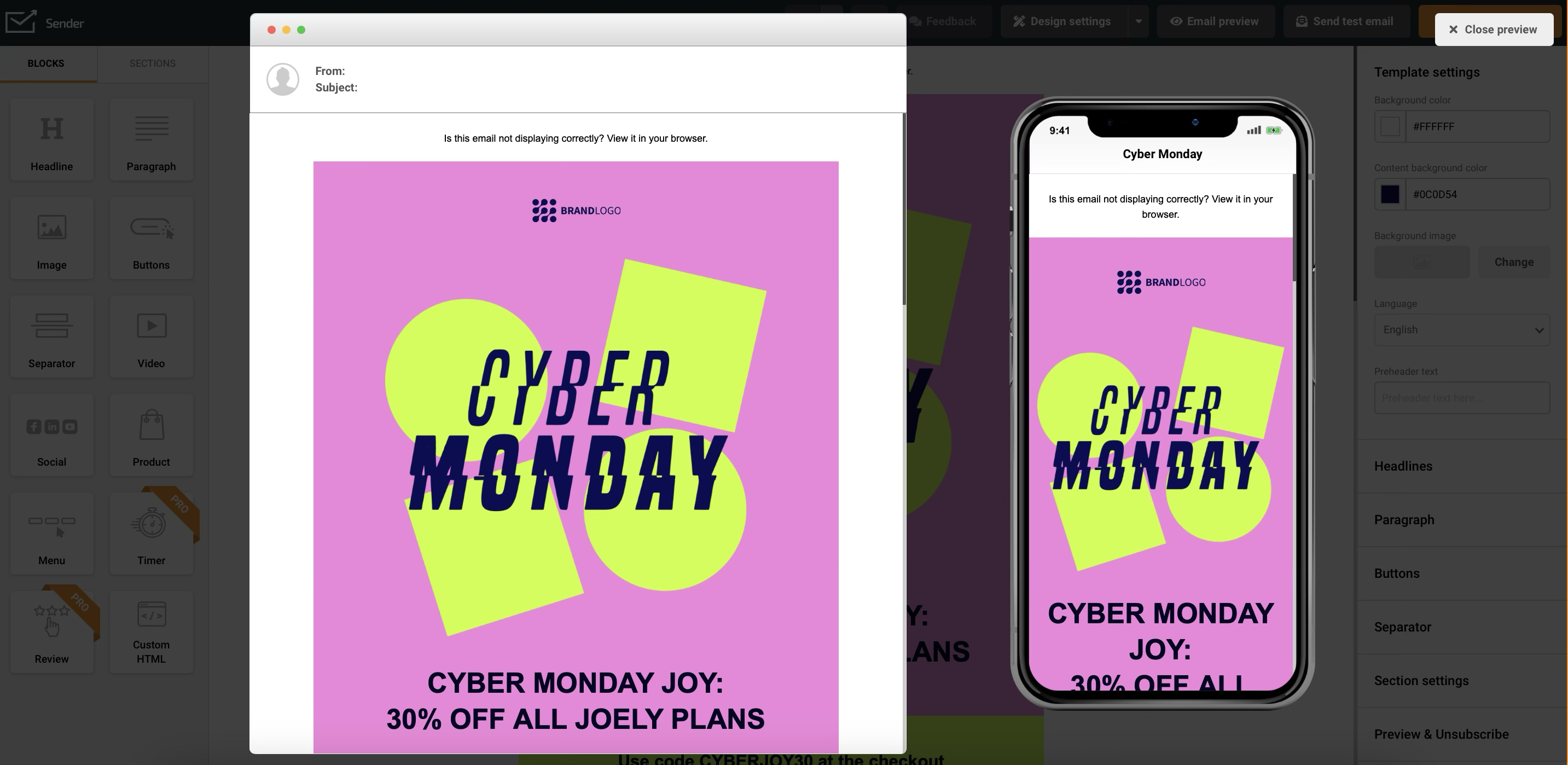
Design is its own discipline. Our email design guide covers layout principles, mobile responsiveness, and typography in more detail. And if you need a head start, you can always pick a premade responsive email template that will look great on any screen:
Subject Lines
The subject line is the single most consequential piece of copy in any email. Everything you spent hours on – the design, the offer, the personalization – only matters if subscribers open it, and a compelling subject line is what earns that open. In an inbox that delivers 100-plus messages a day, you’ve got maybe two seconds to earn the click.
The fundamentals haven’t changed much. Keep it short: mobile clients cut off around 40 characters, so frontload the value. Lead with curiosity, specificity, or a clear benefit; vague headlines like “March Newsletter” lose to “Three changes to your dashboard this week” every time.
Avoid the words and patterns that trigger spam filters: ALL CAPS, excessive punctuation, “free money,” “act now,” dollar signs in the subject. If your subject line reads like a 2007 Nigerian prince email, fix it.
And treat preview text, sometimes called the preheader, as a second headline, not an afterthought. Litmus has documented case-study lifts of around 8% just from optimizing the line that runs alongside your subject in your audience’s inbox preview.
AI-generated subject lines are everywhere now, and they’re useful for getting past the blank page. But they need a human pass. AI tends toward generic, drifts off-brand, and misses context that only you have about your list.
Your subject line decides whether anyone reads the rest. Browse our subject line library organized by industry, tone, and campaign type.
Content, Personalization & Segmentation
Content, personalization, and segmentation together form the relevance layer, the difference between a good email program and a great one. It starts with knowing your target audience well enough to send relevant content instead of a generic blast.
Segmented, personalized sends outperform one-size-fits-all campaigns by a wide margin. Marketers running segmented campaigns report as much as 760% more revenue than unsegmented sends, per Campaign Monitor’s benchmark data. They’re not sending better-looking emails. They’re sending the right message, to the right person, at the right moment.
Email Content & Copywriting
Voice carries the email. Subscribers spot generic copy in two seconds, and once they’ve tagged you as filler, opens slide. Pick a voice (direct, warm, dry, expert, however your brand actually sounds) and stay consistent across every send.
Structure matters as much as voice. Lead with the one thing the email is about. Cut the throat-clearing opener. Keep paragraphs to 1 to 3 lines. Make the CTA copy specific: “See the new collection” beats “Click here,” and “Get your shipping estimate” beats “Learn more.”
The 2026 backlash against fully AI-generated copy is real. Subscribers can clock the rhythm, and the brands shipping the most-clicked emails are using AI for drafts and humans for voice. Valuable content is the substance behind every send. See our email content guide.
Personalization
First-name tokens stopped being personalization a decade ago. Subscribers know “Hi {{first_name}}” is a mail merge, especially when it shows up as “Hi {{first_name}}” because something broke. In 2026, real personalization is behavioral: adapting to customer behavior, meaning what subscribers actually do.
That means browsing history (showing the category they viewed last), purchase history (recommending complements, not the thing they already bought), lifecycle stage (a 30-day customer gets different content than a 2-year repeat buyer), and engagement patterns (frequent openers can handle more sends; quiet subscribers need lighter cadence).
The data is sitting in your platform; most teams just don’t wire it into the send.
Done well, behavioral personalization can drive a 10 to 15% revenue lift, with top performers reaching 25% or more. Done badly, it feels invasive. The line is whether the data use serves the subscriber or just the sender. Done right, personalization builds customer relationships instead of just moving product.
For more tips, see our personalization playbook.
Segmentation
Hyper-segmentation is the 2026 standard. Splitting your list by “engaged vs. unengaged” doesn’t cut it anymore; the lift comes from micro-segments built on behavior and lifecycle stage combined.
A useful segment isn’t “ecommerce buyers.” It’s “subscribers who bought twice in the last 90 days, browsed a new category last week, and haven’t opened in 14 days.” That’s a re-engagement opportunity with a specific product angle. Build five or six segments like this, and the same list starts producing meaningfully more revenue without a single new subscriber.
Most platforms support this; most teams underuse it. Start with three high-value micro-segments (recent buyers, high-intent browsers, lapsed engaged) and build from there. If you want to go deeper, check out our segmentation guide.
Automation
Email automation is where small teams get the most leverage, and it sits inside the wider practice of marketing automation. Set up a flow once, and it sends to every new subscriber, every abandoned cart, every birthday, without you touching it again. In ecommerce, automated emails make up roughly 2% of volume but drive around 30 to 37% of email revenue.
How Automation Works
Marketing automation runs on triggers, conditions, and actions. A trigger is the event that starts the flow: a new signup, a cart abandonment, a 60-day silence, a birthday.
Conditions filter who actually gets which message: only first-time buyers, only subscribers in a certain segment, only opens within 24 hours. Actions are what happens next: send email A, wait 2 days, check if they clicked, branch to email B or C.
The whole point is that the logic runs on its own. A subscriber browses a product on Tuesday, abandons the cart Wednesday, gets the recovery email Thursday morning as part of a short drip sequence, buys Thursday night, and drops into a post-purchase flow Friday, all without anyone on your team lifting a finger.
For a deeper breakdown, see our marketing automation workflow guide.
Pre-built Workflow Templates
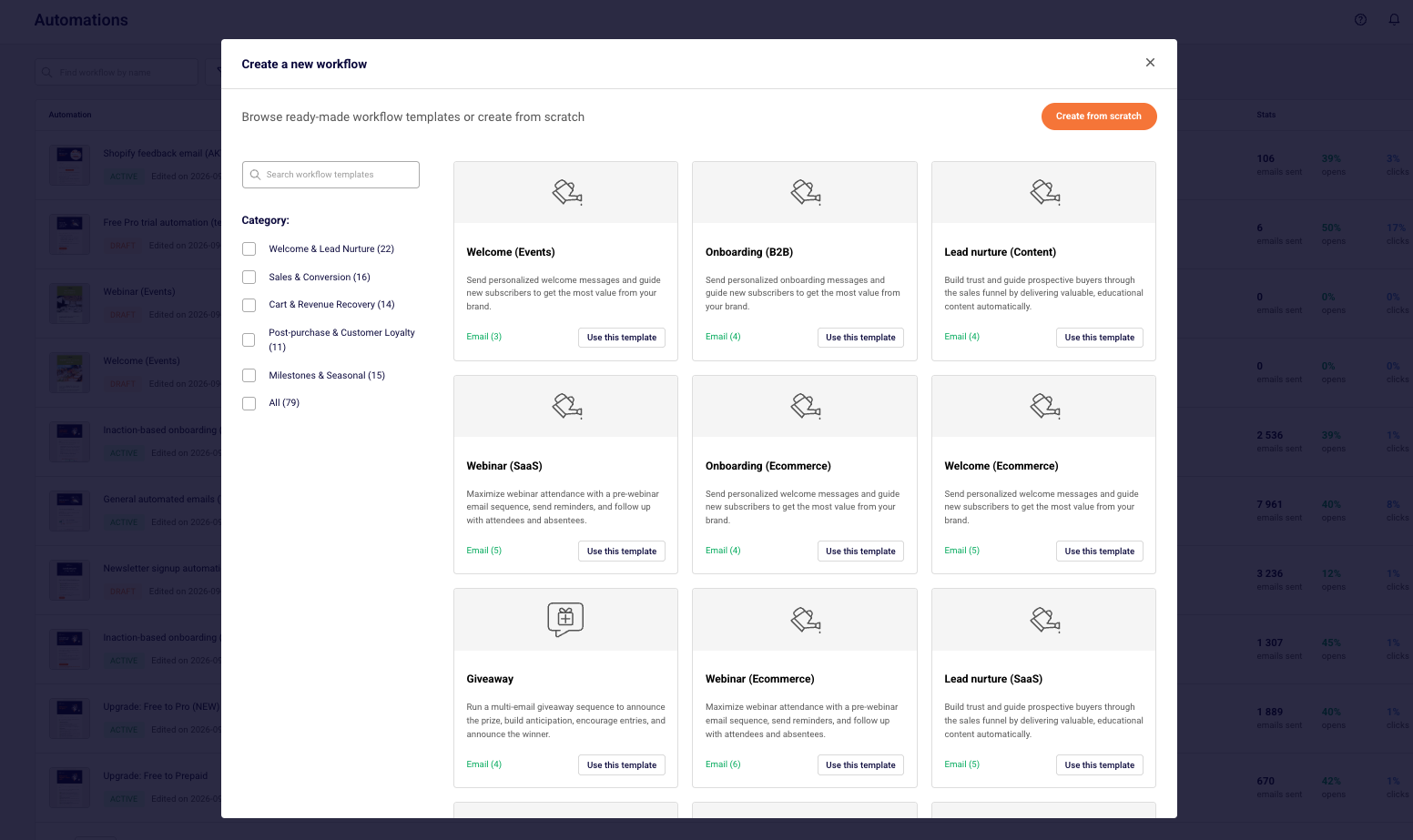
You don’t have to design every flow from scratch. Most platforms ship pre-built templates for the high-leverage flows: welcome series, abandoned cart, post-purchase, browse abandonment, win-back, birthday, replenishment, review request.
They’re starting points, not finished products; the structure is sound, but the copy, timing, and offers need to be adapted to your brand and audience.
Starting with templates cuts setup time from days to hours and gets revenue flowing while you refine. Browse our full library of pre-made automation workflow templates you can import and customize.
Automation Software
The email marketing software you pick caps what you can automate.
Entry-level campaign management tools (MailerLite, Sender, Brevo) cover the core flows (welcome, cart, post-purchase) at low cost.
Mid-tier platforms (Klaviyo, ActiveCampaign, Customer.io) add behavioral triggers, deep segmentation, and split paths inside flows.
Enterprise tools (HubSpot, Marketo, Iterable) layer CRM data and multi-channel orchestration on top.
Match the tool to the complexity you actually need, not the complexity you might want someday. Overpaying for unused features is the most common automation mistake. For a side-by-side comparison, see our email marketing automation software breakdown.
AI in Email Marketing
AI moved from novelty to baseline in 2025. Most major platforms now ship AI features natively, and the question shifted from whether to use it to where it actually helps. Three uses pull real weight; the rest is mostly noise.
AI copywriting. Subject lines, preview text, body drafts, CTA variations: AI handles the blank-page problem and produces a workable draft in seconds. It’s particularly strong for generating 10 subject line variants to A/B test, where volume matters more than craft. The catch: unedited AI copy has a tell.
The pacing is even, the metaphors recycle, every email starts with “In today’s fast-paced world,” and the voice drifts toward generic. Subscribers notice: in a Validity survey covered by Litmus, two in five consumers said they trust marketing emails less once they know AI wrote them, and the 2026 backlash is real.
AI-driven personalization and dynamic content. Beyond first-name tokens, AI can swap product recommendations, hero images, and copy blocks per subscriber based on browsing and purchase data.
Done well, the same campaign sends 10,000 different versions, each tuned to the recipient. Klaviyo, Bloomreach, and Movable Ink have shipped the strongest tooling here. The lift over generic sends can be meaningful when the underlying data is clean, though results depend heavily on segmentation quality and product fit.
AI send-time optimization. Instead of one send at 9 AM Tuesday, the platform learns each subscriber’s open patterns and sends at the moment they’re most likely to engage. Most major platforms (Mailchimp, HubSpot, Klaviyo, Brevo) offer this now. The lift on opens is typically modest but compounds across every campaign once it’s on.
The frame to keep: AI enhances the fundamentals. It doesn’t replace them. A bad list, weak offer, or thin segmentation strategy doesn’t get fixed by AI; it gets amplified.
For a breakdown of the tools making this possible, see our guide to AI email marketing tools.
What are Email Marketing Best Practices?
Email marketing best practices span cadence, list quality, subject lines, personalization, send timing, and testing discipline, and the two sections below cover what to prioritize and when to send.
Best Practices
Email marketing best practices cover the full playbook: cadence, list quality, subject lines, personalization, send timing, deliverability hygiene, design choices, testing discipline. None of them moves the needle much on its own. A 5% lift here, a 10% lift there, a tighter unsubscribe rate, a cleaner reputation.
But they compound. The brands hitting top-quartile ROI aren’t running one secret tactic. They’re running twenty small ones, consistently, across years. For more ideas, explore our curated list of email marketing tips from experts. Treat best practices as a checklist you revisit quarterly, not a one-time setup.
Best Time to Send Emails
Tuesday and Thursday mornings (9 to 11 AM in the recipient’s timezone) consistently top the benchmark studies. They’re a fine starting point if you’ve never tested. But they’re averages across millions of senders, and your list isn’t the average. A B2B SaaS list opens at different hours than a DTC fashion list. A weekend hobby brand peaks Sunday morning, not Tuesday at 10.
Run your own data. Most platforms surface open-time patterns in reports; three months of campaign data tells you more than any global benchmark. AI-driven per-subscriber send-time optimization layers on top once you’ve nailed the basics.
Send time is only half the cadence question, though. How often you send across the month matters just as much as when, which is where an email marketing calendar earns its keep.
For timing specifically, we’ve documented the best times to send emails based on benchmark data.
Measuring Success & A/B Testing
Measurement is the feedback loop. You can’t fix what you don’t track, and you can’t scale what you can’t measure. Without it, every send is a guess, and every improvement is an opinion. The teams compounding gains over years are the ones treating email analytics as a discipline, not an afterthought.
Metrics & KPIs
The full picture takes more than one number. These are the key metrics behind email marketing performance:
- Open rate tells you if the subject line worked, with caveats (see below).
- Click-through rate tells you if the content delivered.
- Conversion rate tells you if the email drove the action.
- Unsubscribe rate tells you if you sent something subscribers didn’t want.
- Revenue per email ties it all to dollars.
- List growth rate tells you whether the program is sustainable.
Benchmarks vary widely by industry: a 25% open rate is closer to average for B2B SaaS, where sends typically run in the high teens to mid-20s, but it’s a genuinely strong result in retail and ecommerce, where frequent promotional sends pull the industry average lower.
Track your own trends first, benchmarks second. Our guide to email marketing metrics and KPIs covers what to track and why.
Open Rate
Open rate is the most-watched and most-misunderstood metric in email. Apple’s Mail Privacy Protection auto-loads tracking pixels for Apple Mail users, which inflates reported opens across most lists. With Apple Mail holding around 50% of email client market share, a meaningful share of your “opens” are phantom signals from Apple’s prefetching, not humans reading.
Use it as a directional indicator, useful for spotting trends in your own campaigns, not as a success metric. CTR, conversion, and revenue per email are far more reliable. For a full breakdown of what open rate actually measures in 2026, see our email open rate guide.
A/B Testing
A/B testing is the fastest way to turn metrics into better results. The discipline is simple: one variable at a time (subject line or send time, not both; testing both at once tells you nothing), a statistically meaningful sample (most platforms flag the threshold), and a clear hypothesis you’re testing. “Personalized subject lines lift opens by 5% or more” beats “let’s see what happens.”
Test the high-leverage stuff first: subject lines, send times, CTAs, and offers. Skip the low-leverage stuff like button colors; nobody is unsubscribing because your CTA was the wrong shade of blue. See our A/B testing guide for setup and analysis.
Your Next Step
Email still wins in 2026 for the same reasons it always has: you own the list, the channel is direct, and the results are measurable down to the dollar. What’s changed is the bar.
Inbox providers reward relevance and punish noise, subscribers tolerate less filler and notice unedited AI, and the teams pulling top-quartile returns are running the fundamentals with more discipline than the rest.
Where you go next depends on where you are:
If you’re running email for an ecommerce store, the highest-leverage next step is usually cart recovery and post-purchase flows. Start with our Shopify email marketing guide.
If you’re running email for a SaaS product, onboarding and lifecycle sequences matter more than broadcast newsletters. See our SaaS email marketing guide.
If you manage email across multiple client accounts, the priorities shift toward reporting, platform choice, and repeatable setup. Our agency email marketing guide covers what changes when you’re not running just one program.