

Paid acquisition is getting more expensive and less predictable, while inboxes are more crowded than ever. What hasn’t changed is that email remains an owned channel – you get to control every part of it, plus it grows bigger over time instead of resetting with every campaign.
For ecommerce, that matters more than anywhere else. Email connects directly to store behavior–carts, purchases, browsing–which makes it inherently tied to revenue, not just reach.
When someone abandons a cart, views a product multiple times, or completes an order, those are signals you can act on immediately. Unlike ads, where performance depends on external platforms, email lets you respond to real customer intent with precise timing.
This guide breaks down the 14 email types every ecommerce brand should run, along with the foundations–list, segmentation, deliverability, and metrics–that determine whether those emails actually perform.
What is Ecommerce Email Marketing?
Ecommerce email marketing is a permission-based, behavior-driven channel tied directly to what customers do on your store.
Instead of sending generic newsletters, it responds to actions like signing up, browsing products, abandoning carts, making purchases, or reaching a specific lifecycle stage. So when you get an email shortly after changing your mind about a purchase left in a virtual cart – that’s ecommerce email marketing.
This distinction is important: a fashion blog might send weekly updates to all subscribers, while an ecommerce brand sends emails triggered by real customer behavior (what someone viewed, added to cart, or purchased).
Operationally, email marketing for ecommerce runs on two parts: automated flows that react to user actions, and scheduled campaigns sent to segments (or different groups) of your user list. Together, these form a system that adapts to each customer rather than broadcasting the same message to everyone.
In 2026, this matters because email is an owned channel–less exposed to rising ad costs and shifting platform algorithms, and more directly connected to your customer data.
Benefits of Ecommerce Email Marketing
Ecommerce email marketing drives three core outcomes: recovered revenue from missed conversions, higher average order value through targeted offers, and increased repeat purchases over time.
Unlike paid channels, it compounds with every new subscriber adding long-term value rather than resetting spend.
Recover Revenue You’d Otherwise Lose
Cart abandonment, browse abandonment, and lapsed customers all point to the same issue: a leaky bucket. People show clear intent–viewing products, adding items to cart–but leave without finishing the transaction.
Industry-wide, cart abandonment alone sits at around 70.2%, which means most potential revenue simply disappears if nothing brings those customers back.
This is where email outperforms every other channel. Instead of trying to reacquire cold traffic, it reconnects with people who already showed interest. Automated recovery flows–triggered by actions like abandoning a cart or dropping off after browsing–turn that lost demand into a second chance to convert.
A well-crafted recovery sequence can bring 10–15% of those people back. Paid ads can’t replicate this effectively because the intent already existed and was lost in the moment.
Grow AOV & Lifetime Value
Email marketing doesn’t just recover lost sales–it increases customer lifetime value over time. Through cross-sell, upsell, loyalty, replenishment, and post-purchase email flows, it turns a single transaction into an ongoing relationship.
Why does it matter? Because this is where email compounds and grows. Paid ads require fresh spend for every purchase, but email builds on an existing audience, improving average order value and lifetime value with each interaction.
In 2026, where acquisitions in the B2C ecommerce sector range from $50–$150, this matters even more. As customer acquisition costs continue to rise, profitability shifts beyond the first purchase. The second, third, and fourth orders are where real margin is made–and email is the channel that consistently drives them.
For deeper tactics on raising basket size, see our guide on average order value.
3 Core Categories of Ecommerce Emails
Every ecommerce email program falls into three core categories: transactional, promotional, and lifecycle. This is because different emails serve different goals, are triggered in different ways, and are measured differently. Without this structure, it’s hard to build a system that scales.
Together, they form the foundation of how ecommerce brands communicate with customers across the entire journey–from real-time order events, to scheduled campaigns, to behavior-driven follow-ups. It’s the scaffolding that organizes how all email activity fits together before you define specific campaigns.
Now, let’s break each one of them down and see how these ecommerce email marketing campaigns work together to drive both immediate sales and long-term loyalty.
Transactional Emails
Transactional emails cover order confirmations, shipping updates, receipts, and account notifications. They’re triggered by specific customer actions and are often legally required, which is why they consistently see the highest open rates in email marketing (often going above 50%, up to 80%).
Their primary role is to provide clarity and build trust–any revenue impact is secondary to delivering accurate, timely information.
Promotional Emails
Promotional emails are calendar-driven campaigns–think sales, product launches, seasonal pushes, and newsletters–sent manually to segments or the full list. They’re one-time sends designed to generate demand and keep your audience engaged.
In the overall program, they sit alongside automated flows, not in place of them, adding reach and momentum rather than replacing behavior-driven messaging.
Lifecycle (Automated/Behavioral) Emails
Finally, lifecycle emails, or behavior-triggered flows, are the beating heart of ecommerce marketing. Welcome series, abandoned cart, browse abandonment, post-purchase follow-ups, winback, and replenishment – all that is part of lifecycle automation.
In mature ecommerce programs, these flows are the primary revenue driver, which explains why 44% of marketers use lifecycle emails to engage and retain customers. Why is that? Simple. Because they reach customers at moments of real intent–when someone is browsing, buying, or disengaging–rather than on a fixed marketing schedule.
That timing and relevance make lifecycle emails far more effective on a per-email basis, turning them into the core engine of long-term performance.
14 Must-Have Ecommerce Email Types
Now that you have familiarized yourself with the main ecommerce flow categories, it’s time to break them down further. Here you’ll learn about the 14 core email types every ecommerce brand should have running, grouped by where they show up in the customer journey–from first touch to repeat purchase.
Think of this as a hub, not a deep dive – each type is briefly explained so you understand its role before diving into more detailed how-to guides.
Welcome Emails
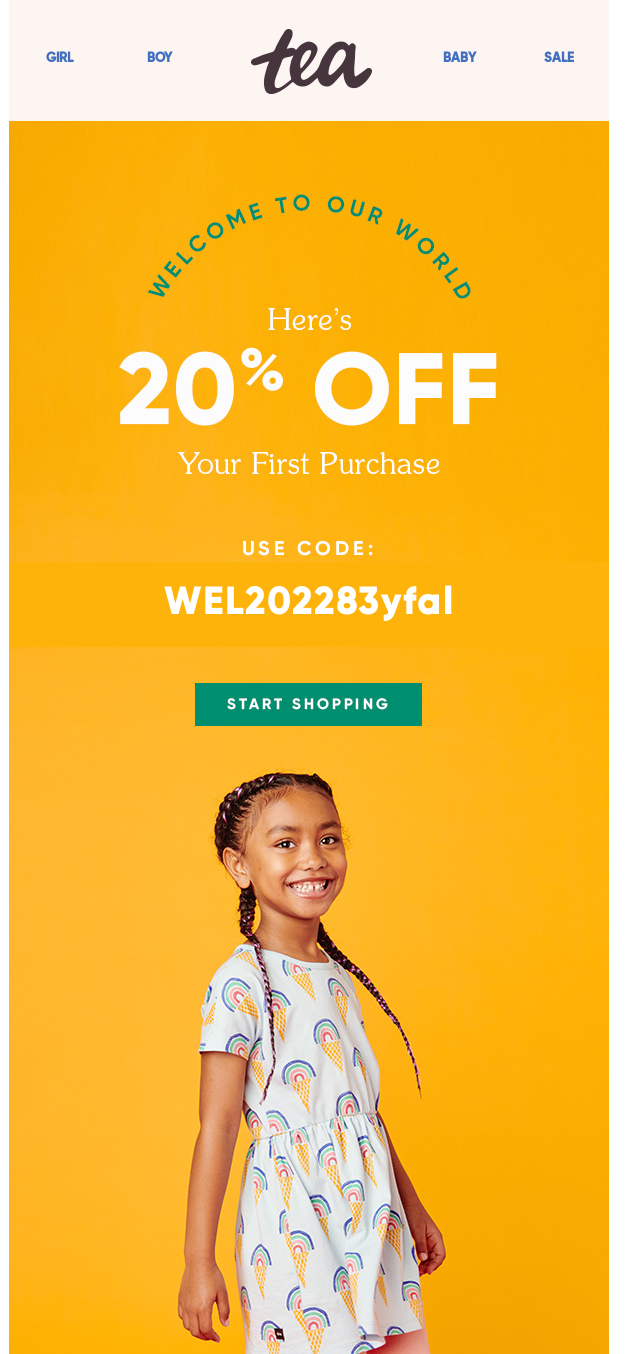
Welcome emails are all about turning a new subscriber into a first-time customer. They trigger right after signup–ideally within minutes, while interest is still high. Most brands run a short sequence of 3–5 emails over 7–10 days.
The core levers are simple: deliver any signup incentive upfront, introduce the brand, add social proof, and guide the subscriber toward their first product.
Performance-wise, this is one of the strongest flows you’ll have–welcome emails often see above 50% open rates and can drive 10x more revenue per email than regular campaigns.
It’s also the highest-leverage flow to set up early. Done right, it sets the tone for every future interaction.
Abandoned Cart Emails
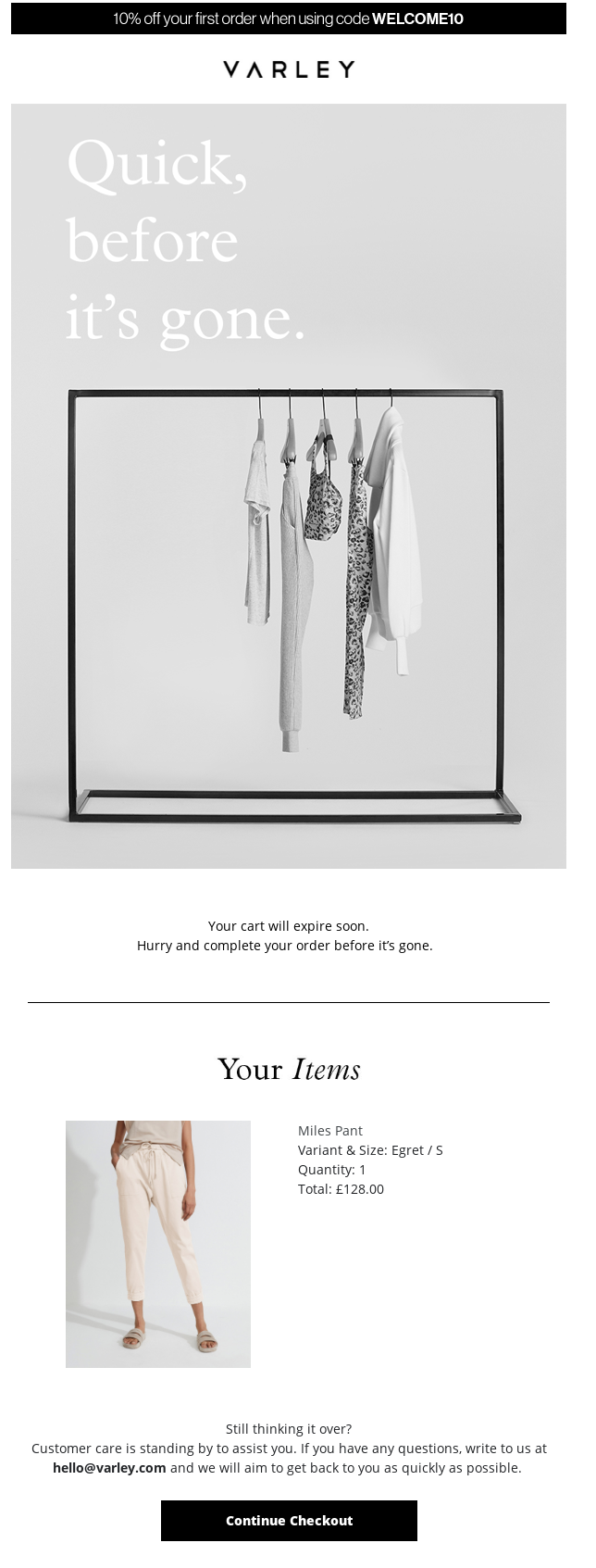
Abandoned cart emails are the highest-ROI flow in most ecommerce programs – $3.65 in revenue per campaign with up to 30% recovered sales (using the right abandoned cart software and best practices). As you might’ve guessed, they trigger when someone adds items to their cart but doesn’t complete checkout.
A typical setup – common across WooCommerce abandoned cart flows – is a 3-email sequence over ~48 hours, sent around 1 hour, 24 hours, and 48 hours after the cart was first abandoned.
Each abandoned cart email has a clear role: the first is a simple reminder, the second addresses trust or objections (shipping, returns, reviews), and the third may introduce an incentive if needed.
The key lever here is restraint. Offering a discount too early–especially in the first email–can train customers to abandon on purpose. It’s better to start with a nudge and only use incentives as a last step.
Order & Shipping Confirmation Emails
Similarly to welcome emails, order and shipping confirmation emails are the most-opened messages in your entire program–often hitting 60–70% open rates. This is a no-brainer since everyone is actively waiting for them, confirming their purchase. They’re triggered by key moments like placing an order, shipping, or delivery.
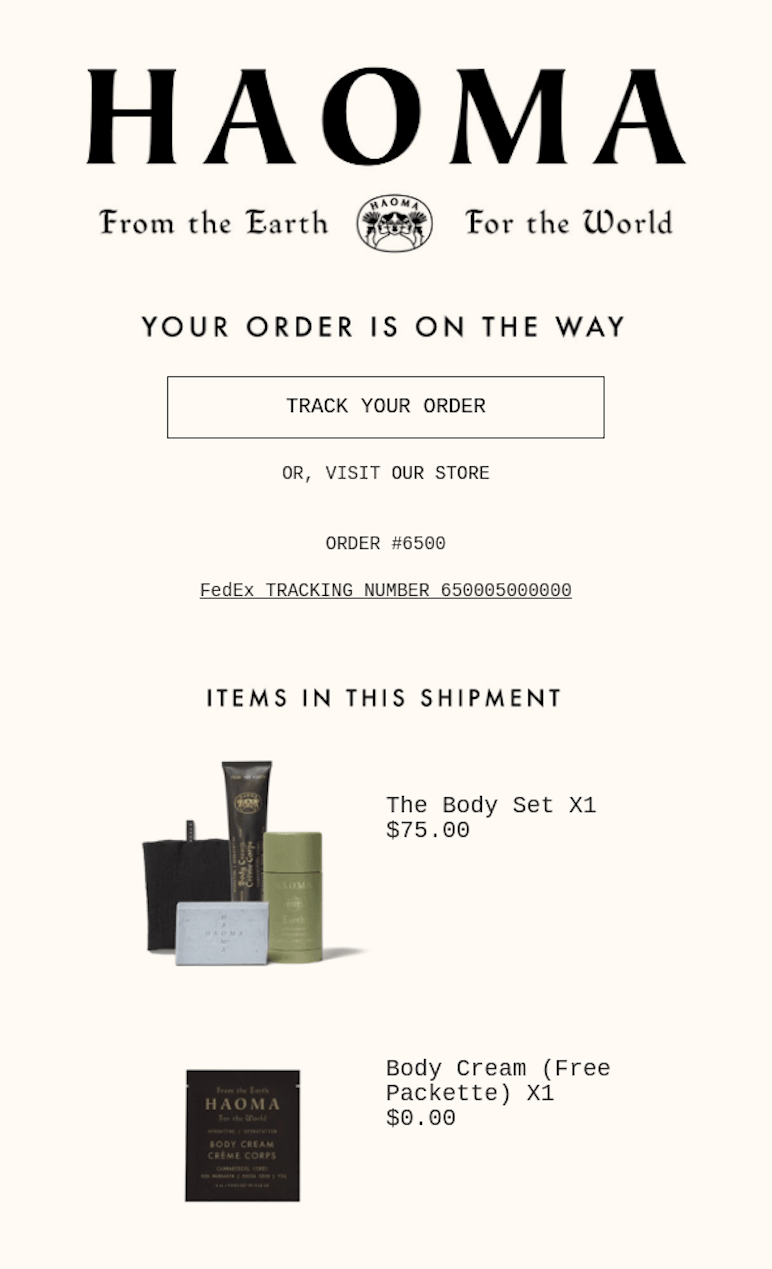
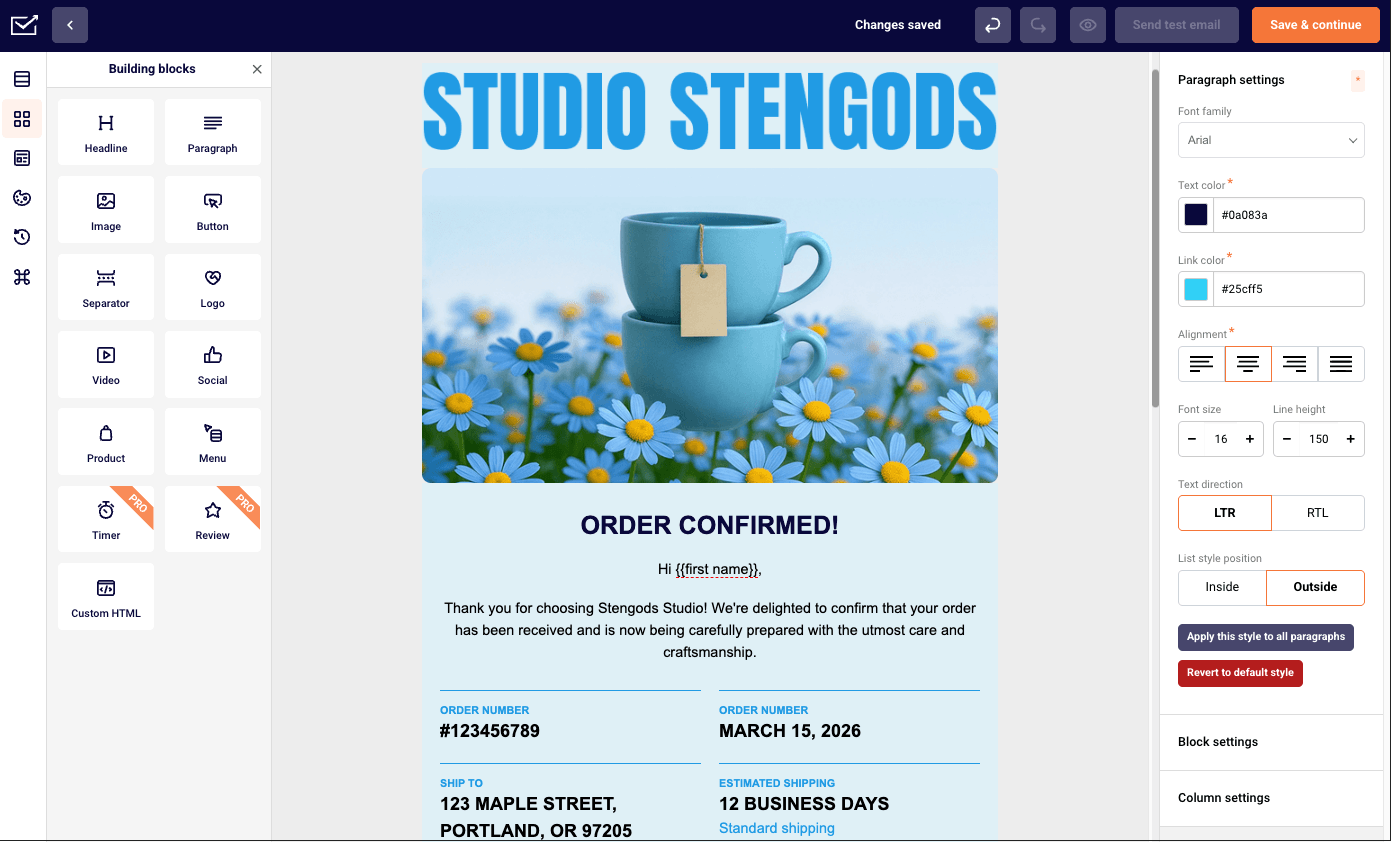
At the basics, they should clearly show order details, delivery estimates, a tracking link, and support contact info. This is where you reinforce trust and keep things friction-free – and this is where order confirmation email templates come in handy.
What many brands overlook is just how much attention these emails get. Since they’re almost guaranteed to be opened, they’re a great place to lightly introduce a cross-sell, mention your loyalty program, or set up a future review–without distracting from the main purpose.
With Sender, email marketing is simple, fast, and affordable – capture and nurture leads in one easy dashboard – no design or tech skills required.
Post-Purchase Cross-Sell Emails
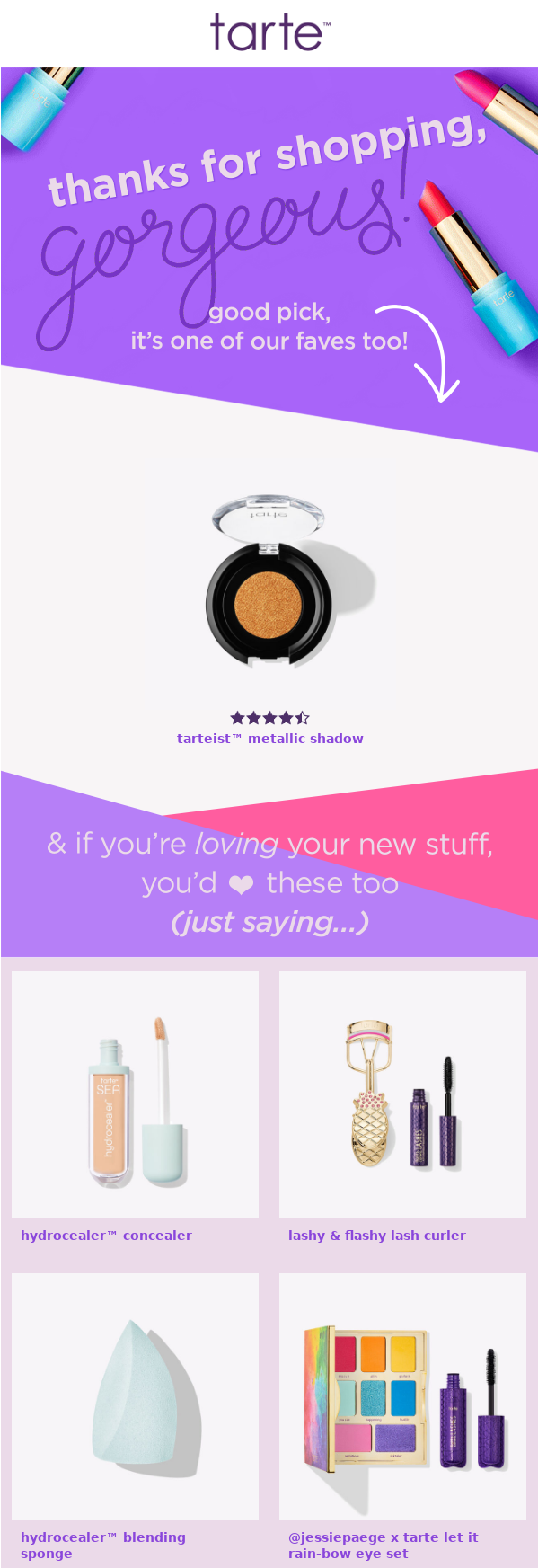
Post-purchase cross-sell emails are designed to increase order value and drive the second purchase. They typically trigger 3–14 days after delivery, giving customers time to receive and experience the product first.
The key is relevance–recommend items that complement what they actually bought, not generic bestsellers.
Also: sequencing matters here. The first post-purchase email should focus on value: a thank-you, product tips, or how-to guidance. The cross-sell comes after that, once some trust is built.
Pushing products too early can feel transactional and hurt the likelihood of a repeat purchase. Done right, this flow turns a one-time buyer into a returning customer without forcing the sale.
Product Recommendation Emails
Product recommendation emails are different from post-purchase cross-sells in that they’re not tied to an order. Instead, they trigger based on behavior like browsing a category, viewing specific products, or showing interest in a particular collection over time.
They can fire when someone repeatedly views a product, goes inactive in a category they used to engage with, or simply – lets them know about new arrivals. The goal is to surface relevant products before intent fades.
The key lever here is data quality. Strong recommendations rely on clean first-party signals–browsing history, past clicks, and purchase behavior. Without that, these emails default to generic bestsellers, which tend to convert far worse.
Remember: when the data is accurate, recommendation emails feel personalized. When it’s not – they just look like any other promotion, making 3-in-4 customers (or 76%) feel frustrated.

Price Drop Notification Emails
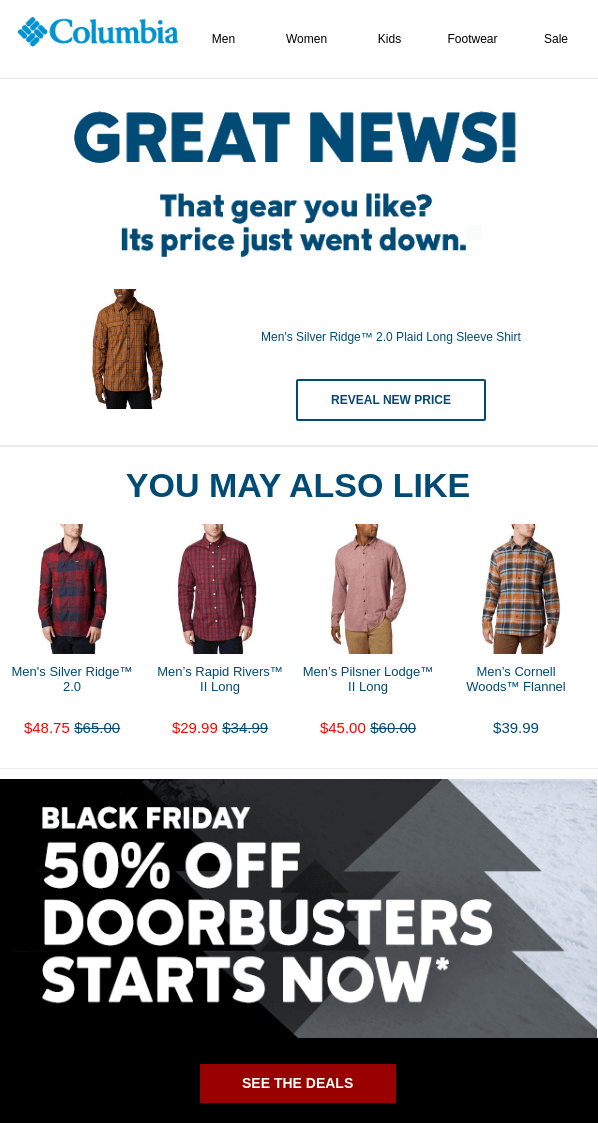
Price drop emails trigger when a product someone viewed, wishlisted, or added to cart goes on sale. The reason they convert so well is simple: intent is already there, and a lower price adds urgency through loss aversion.
These emails don’t need heavy persuasion–they just need to show up at the right moment with the right product.
There are two easy ways to break this flow. First, always check stock before sending–nothing kills trust faster than promoting a discounted item that’s already sold out. Second, control frequency. Without a cap, subscribers with multiple tracked items can get flooded.
A good rule is 1–2 price drop emails per subscriber per week. That keeps the signal strong without turning it into noise.
Re-engagement Emails
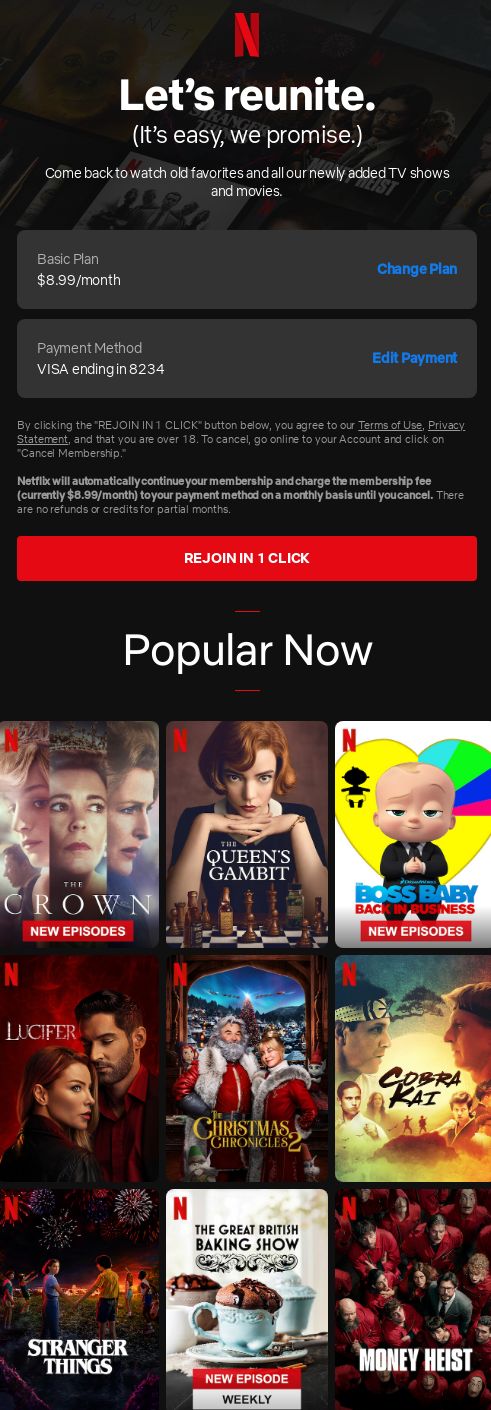
Re-engagement emails go after subscribers who’ve gone cold–typically 60–120 days with no opens, clicks, or purchases, with success rates ranging from 22% to 30%. The job of re-engagement campaigns is binary: either bring them back or cleanly phase them out.
Most setups use a 3-email sequence–light nudge, stronger incentive, then a clear “last chance” before removal.
The real lever here is email deliverability. Cold subscribers don’t just sit idle–they actively hurt inbox placement across your entire list. Running a winback and removing non-responders isn’t a loss – it’s list protection.
Holding onto disengaged contacts to keep numbers up usually costs more in lost reach and revenue than it’s worth.
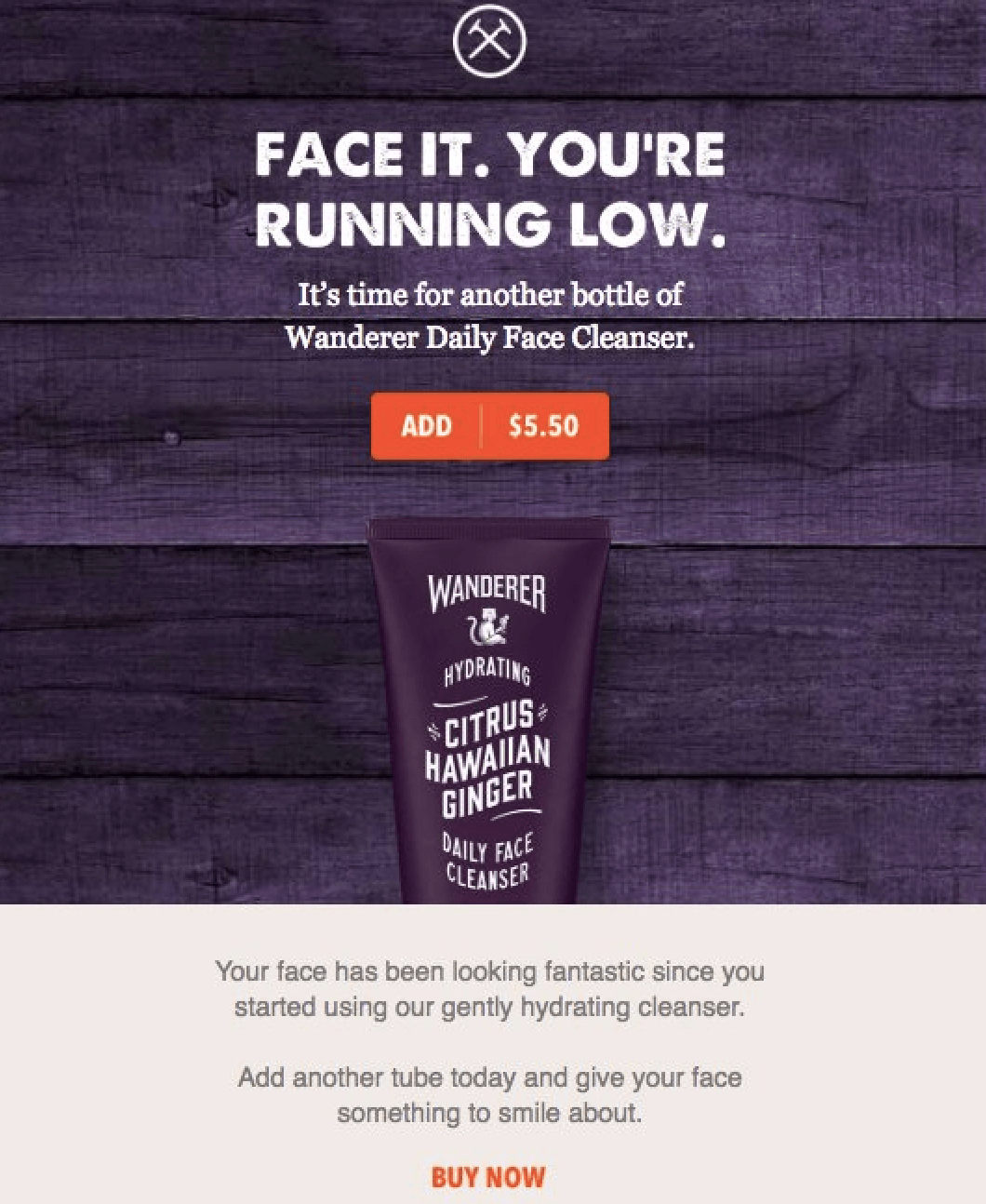
Replenishment Campaign Emails
Replenishment campaigns are for brands selling consumables or repeat-use products–think supplements, skincare, pet food, coffee, contact lenses. The trigger isn’t arbitrary; it’s based on when a customer is likely to run out.
The interval comes from your own data: look at the average time between orders for a given product, then subtract a small buffer so the email lands just before they need to restock.
This is one of those flows where timing is the deciding factor. A simple reminder sent a few days early will outperform a perfectly written email that shows up a week too late.
When dialed in, replenishment feels helpful rather than promotional–it meets an existing need instead of trying to create one.
Newsletter or Promotional Emails
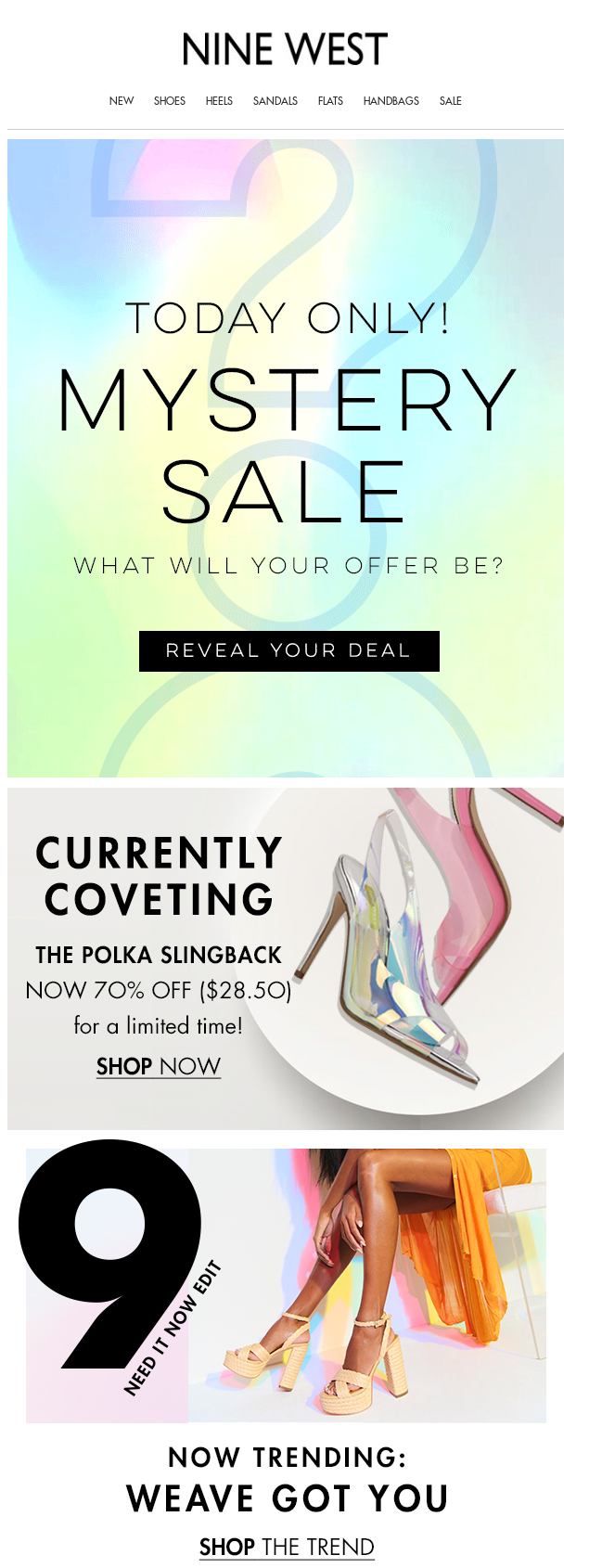
Newsletter and promotional emails are the calendar-driven side of the program–flash sale emails, product launch emails, seasonal pushes, and editorial sends. Most stores land in the 2–5 sends per week range, adjusting up or down based on engagement.
The key is balance. A roughly 50/50 mix of value-driven content and promotional sends helps avoid discount fatigue and keeps engagement steady between campaigns. A good open rate for a newsletter is 28-35%.
The real lever is variety. If every email is just “X% off,” performance drops quickly (no matter how good the discounts are). Mixing in new arrivals, founder stories, how-to content, and customer features keeps the list interesting and extends how often you can show up without burning it out.
Loyalty & VIP Emails
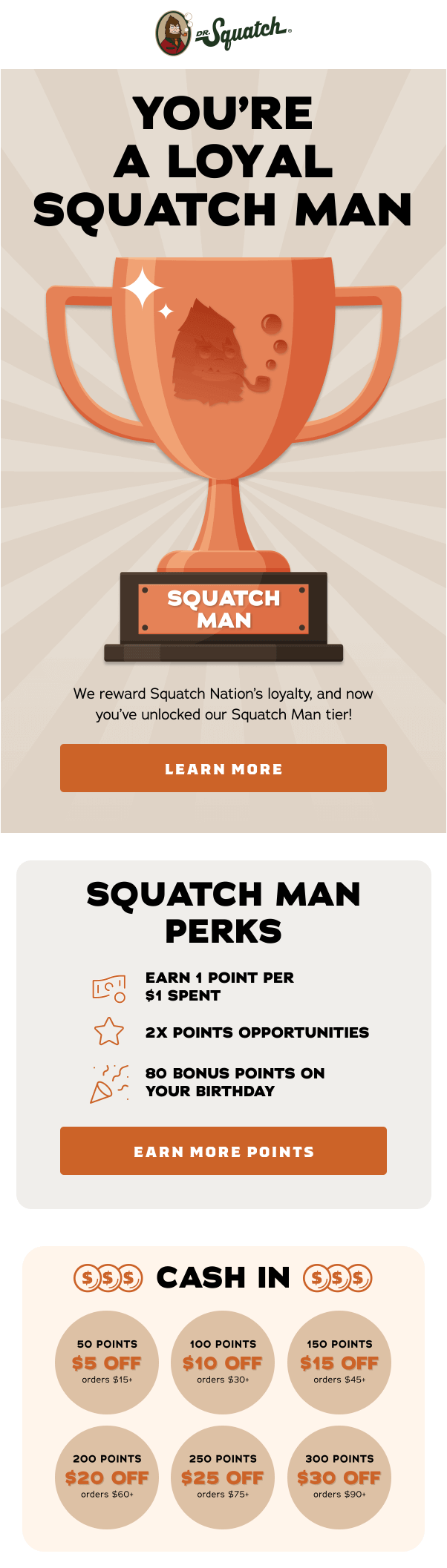
Loyalty and VIP emails are segment-driven–reserved for your top customers. They trigger when someone crosses a spend threshold, hits a purchase frequency tier, or reaches a points level.
What you send here is different: early access to drops, exclusive products, clearly defined perks, personalized thank-yous, and elevated birthday or milestone rewards.
The leverage comes from the audience. These customers already trust you and are more likely to buy again, so performance is naturally higher. It’s not unusual for a 48-hour VIP early-access campaign to outperform the public launch by 2–3x.
Done right, these emails feel like access, not promotion–and they consistently drive higher order values and repeat purchases than any broad campaign.
Birthday & Special Occasion Emails
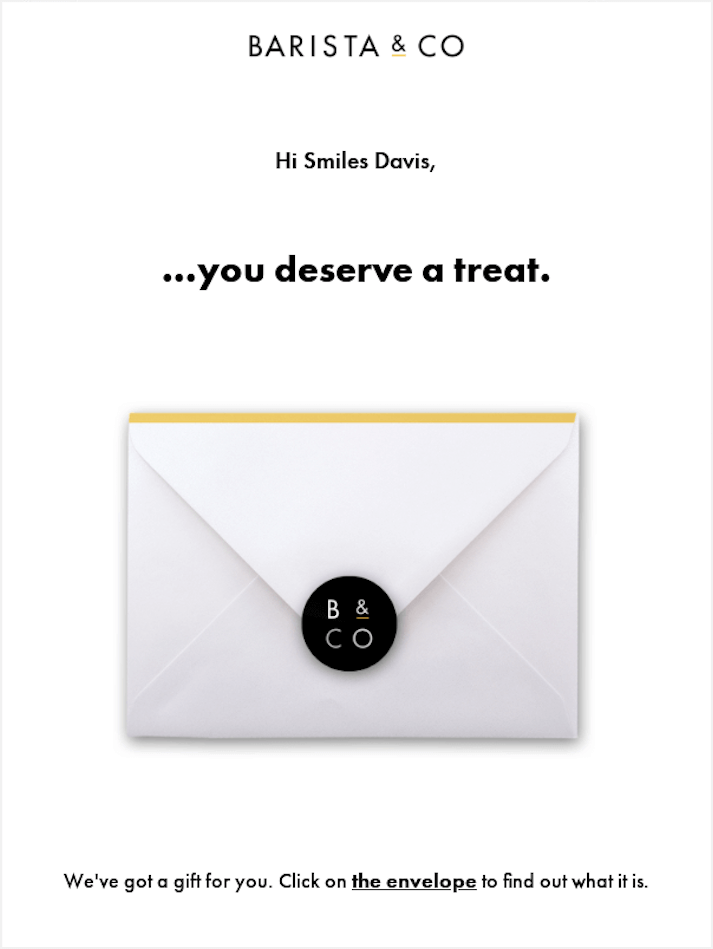
Birthday and special occasion emails are triggered by personal moments–birthdays, first-purchase anniversaries, loyalty milestones, or relevant holidays tied to the subscriber. The offer itself should stay simple: a fixed gift, a % discount, or a points boost, paired with a short redemption window to create urgency.
The real lever here is data capture – if you don’t have the correct date, the flow is nigh impossible. The best approach is to collect it at signup with a clear “we’ll send you a gift” incentive, or gather it later through a preference center.
When set up properly, these emails feel personal without being complex–and they consistently drive engagement (342% higher revenue per email than regular campaign) because they show up at moments that actually matter to the customer.
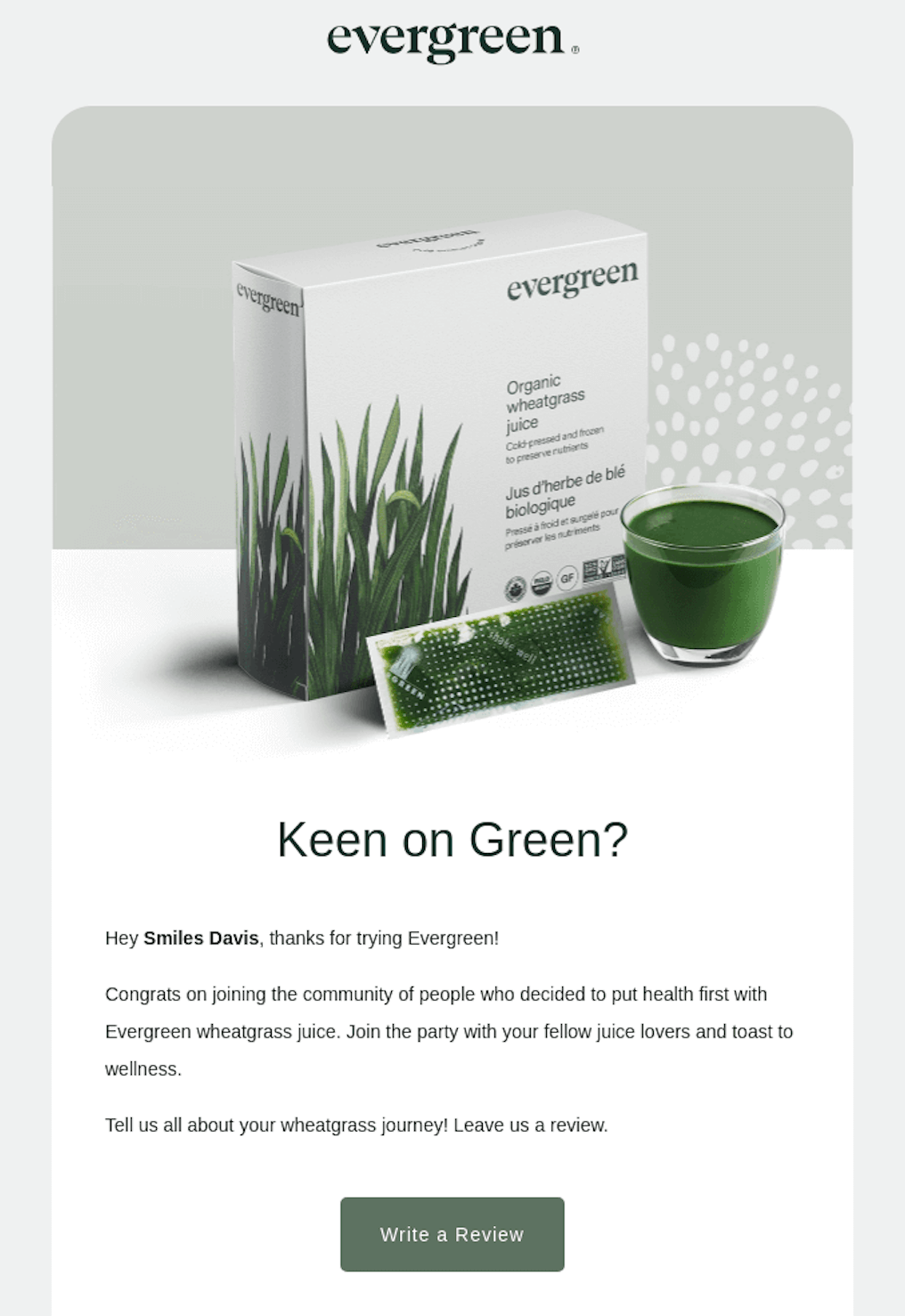
Review/Feedback Request Emails
Review and feedback emails trigger 7–14 days after delivery, once the customer has had time to actually use the product. They serve two purposes: generating user-generated content for product pages and SEO, and surfacing early signals if something went wrong.
The key lever is keeping the request small. The primary CTA should be a simple, one-click star rating, with a written review as an optional follow-up.
If you lead with a long-form request, response rates drop fast. Lower the friction first, then capture more detail from the people who are willing.
Back-in-Stock Alert Emails
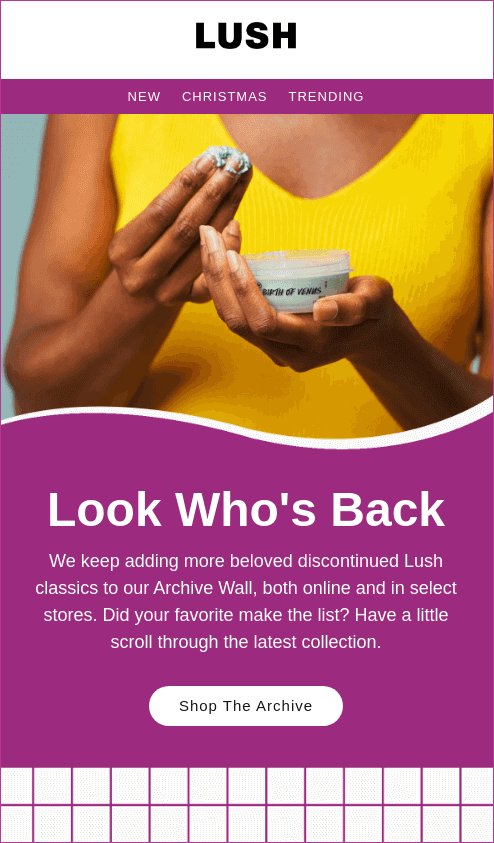
Back-in-stock emails trigger when a previously sold-out product returns to inventory and are sent to subscribers who opted in on that specific product page. These are high-intent messages–the customer has already raised their hand and asked to be notified.
Because of that, conversion rates are typically strong. The demand is already there; your job is just to reconnect at the right moment.
The key levers are capture and speed. You need a clear “email me when back” option on out-of-stock pages for email list building, and the alert should go out within minutes of restock.
For the platform-specific implementation, see our guide on Shopify back-in-stock notifications.
Referral Program Emails
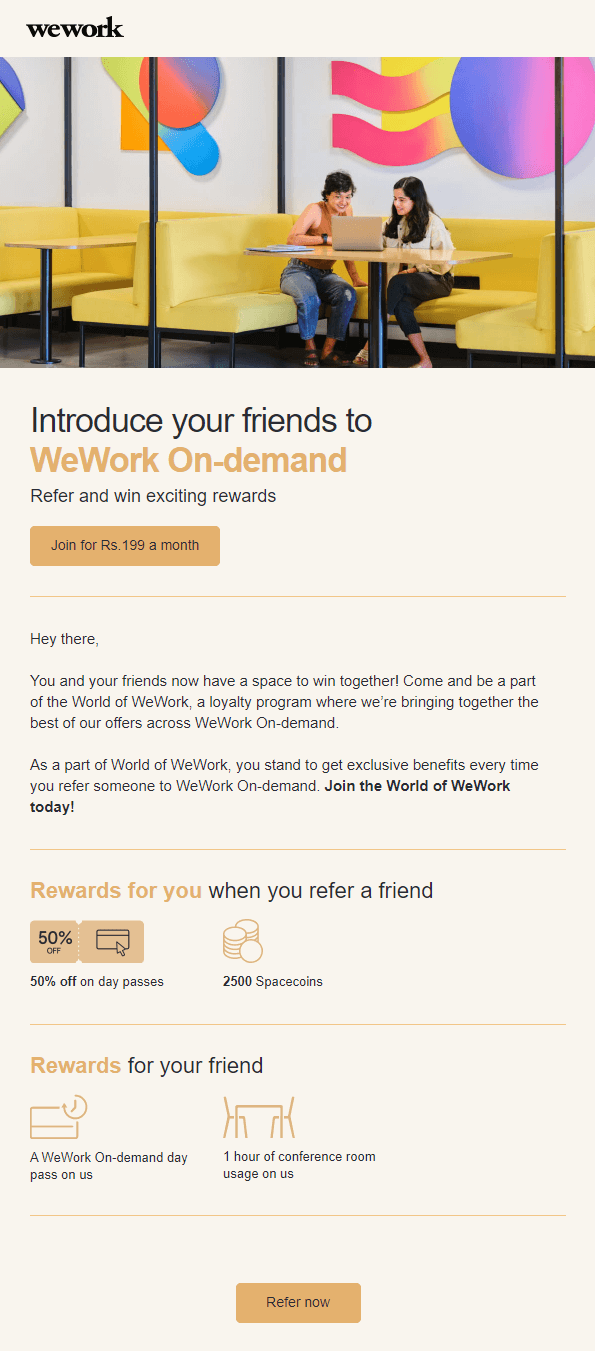
Referral program emails are how you promote your referral offer–not the program itself. They work best when sent to customers who recently had a good experience, typically 7–30 days post-delivery, or to your VIP segment.
The offer should be simple and double-sided–give X, get X–since that consistently outperforms one-sided rewards.
Timing is the key lever. You want to ask when sentiment is high–right after a smooth delivery or a repeat purchase. Sending referral emails to cold or disengaged subscribers rarely works; they’re unlikely to advocate for a brand they’re not actively engaged with.
Done right, these emails turn satisfied customers into a scalable acquisition channel without relying on paid traffic.
How to Build Your Ecommerce Email List
Building an ecommerce email list comes down to capturing intent at the right moments, with the right offer.
Pop-up forms are still the highest-impact channel. Full-screen pop-ups convert at ~3.5%, standard pop-ups around ~2.7%, fly-outs ~1.8%, while embedded forms average 1% conversion rate.
That said, placement matters, but the offer matters just as much. Around 43% of subscribers sign up for discounts, but depending on your audience – early access, exclusive drops, or personalized recommendations can perform just as well, or even better.
Checkout opt-ins are another core source. The customer is already buying, so adding a simple “keep me updated” checkbox captures high-quality subscribers with minimal friction. Post-purchase signup opportunities extend this further, especially for guest checkouts.
Lead magnets work best when tied directly to buying intent. Apparel brands can offer size guides or fit finders, beauty brands can use ingredient explainers or routines, and higher-ticket products benefit from lookbooks or gated buying guides. The closer the asset is to a purchase decision, the better it converts.
Beyond on-site capture, social channels and partnerships can expand reach–think co-branded giveaways, creator collaborations, or referral-driven signup loops that bring in aligned audiences.
The key principle is quality over quantity. A smaller list of engaged subscribers will outperform a larger, disengaged one every time. And one hard rule: never buy email lists. It damages deliverability, hurts sender’s reputation, and wastes budget on contacts that were never interested in the first place.
Educational and gated content is the long-term, compounding acquisition engine — for how to build content that actually attracts subscribers, see our guide on ecommerce content strategy.
Ecommerce Email Segmentation & Personalization
Segmentation and personalization are closely related but are two separate things. Segmentation groups subscribers by shared traits, while email personalization adapts content to the individual. Used together, they turn one-size-fits-all messaging into targeted communication that reflects real customer behavior and context.
The first layer is engagement segmentation–active, dormant, and never-opened subscribers. This is foundational for deliverability. Sending more frequently to engaged users and scaling back on inactive ones protects inbox placement and keeps performance metrics healthy.
Next is behavioral segmentation, based on what people actually do–what they browse, click, or purchase. This is what powers most automated flows and ensures messages align with real intent rather than assumptions.
Lifecycle segmentation looks at where someone sits in their relationship with your brand: new subscriber, active customer, VIP, at-risk, or lapsed. This determines tone and positioning–whether you’re introducing the brand, reinforcing loyalty, or trying to win someone back.
Finally, attribute-based segmentation adds context. Location, language, customer type (gift buyer vs. self-buyer), or B2B vs. B2C all shape how relevant your messaging feels at the content level.
The impact is material: segmented campaigns generate roughly 3x more revenue per email than non-segmented sends.
Looking ahead, 2026 is pushing this further with AI-driven personalization–dynamic product blocks, predictive content, and send-time optimization–making relevance even more granular without adding manual complexity.
For stores with a B2B or wholesale customer base, segmentation also needs to reflect how those buyers move differently through the funnel — see our breakdown of the B2B ecommerce customer journey.
Deliverability Essentials for 2026
Deliverability in 2026 isn’t about hacks–it’s about meeting a few non-negotiable standards and maintaining a clean sending practice.
Here are the most important factors you should keep an eye out for:
- Authentication. SPF, DKIM, and DMARC records must be correctly set up. Gmail and Yahoo have enforced this for bulk senders since 2024, and without it, emails are far more likely to be filtered or rejected.
- One-click unsubscribe. If you’re sending more than 5,000 emails per day, this is required. Making it easy to leave reduces spam complaints and protects your sender reputation.
- Spam complaint rate. You need to stay under 0.3%. Once you cross that threshold, inbox providers start penalizing your domain, which impacts all future sends–not just the campaign that triggered it.
- List hygiene. Hard bounces should be suppressed immediately, and subscribers who haven’t opened or clicked in 90+ days should be phased out. Keeping them on the list only hurts performance.
The core loop is simple: engagement signals determine inbox placement. Sending to cold or unengaged subscribers drags your entire program down.
Finally, if you’re increasing volume quickly or switching platforms, domain warmup matters. Ramp sending gradually over 2–4 weeks to build trust with inbox providers and avoid triggering spam filters.
Ecommerce Email Metrics to Track
Ecommerce email performance follows a simple hierarchy: revenue metrics first, engagement second, list health third. The goal isn’t just opens or clicks–it’s how email drives purchases and scales over time.
Open rate sits around 20–30% as a directional benchmark, but it’s no longer fully reliable. Apple Mail Privacy Protection (MPP) has made opens noisy since 2021, so treat this as a trend signal, not a precise measure.
Click-through rate (CTR) is more dependable, typically 2–5% for ecommerce. It shows whether your message and offer are compelling enough to drive action.
Conversion rate–usually 1–3% from click to purchase–is where email proves its value. This is the clearest indicator of whether your traffic is actually turning into revenue.
Revenue per email (RPE) ties everything together. It varies widely by segment and list size, so focus on trends over time. Segment-level RPE is far more useful than overall averages.
- If performance drops, follow the signal: low opens point to subject lines, list quality, or deliverability issues;
- Low clicks suggest weak offers, unclear CTAs, or poor segmentation fit;
- Low conversions usually trace back to landing pages, pricing, or offer mismatch;
- Low RPE often indicates over-sending or under-segmentation.
Creating Your Ecommerce Email Marketing Strategy
Building an effective ecommerce email marketing strategy comes down to a set of operational decisions: which platform you run on, how your app stack supports data and automation, and whether execution stays in-house or shifts to an agency.
The magic happens when they work together to create cohesive experiences that naturally build customer loyalty and drive revenue.
Evaluating Shopify as Your Platform
Evaluating Shopify as your platform for email marketing comes down to how well it supports data access and integrations.
Shopify provides strong first-party data through customer profiles, purchase history, and on-site behavior. Its ecosystem includes native integrations with major platforms like Klaviyo, Sender and Omnisend, making their setup straightforward.
However, access to certain data points and advanced segmentation capabilities can vary depending on your Shopify plan – thus Shopify pros and cons shake out differently depending on which tier you’re on.
Running Email Marketing on Shopify
Running email marketing on Shopify usually means combining a few tools. Shopify Email works for basic campaigns, but most brands add an ESP like Klaviyo, Omnisend, or Sender for better automation and segmentation. You’ll also use form apps, reviews, and loyalty tools to capture more data points.
Once you need behavior-based flows or more control, most teams outgrow Shopify Email and switch to a dedicated ESP.
Essential Shopify Marketing Apps
Beyond your core email setup, most Shopify stores rely on a few additional Shopify marketing apps.
Popup tools like Privy, for instance, help capture emails and grow your list. Review apps, such as Judge.me, collect customer feedback for post-purchase flows. While one of the best Shopify apps for upselling, ReConvert, helps you optimize your customer’s post-purchase journey by adding elegant and highly effective one-click upsells.
Running Email Marketing on WooCommerce
Running email marketing on WooCommerce is more flexible, but also more hands-on. As an open-source platform, you can customize almost everything, but you’ll rely on plugins to build your email stack.
Unlike Shopify, then, many features aren’t native, so you assemble them yourself. Hosting quality also matters more – since it’s self-hosted, your setup and infrastructure can directly affect deliverability and sender reputation.
WooCommerce Email Follow-Up Plugins
WooCommerce doesn’t handle follow-up emails out of the box, so, naturally, most stores need either a dedicated WooCommerce email follow-up plugin or an ESP integration. Native plugins like Follow-Ups (by WooCommerce), AutomateWoo, or ShopMagic cover core flows such as abandoned cart, post-purchase emails, and reminders, respectively, with a relatively simple setup.
Meanwhile, integrating well-rounded marketing tools like ActiveCampaign, Omnisend, or Sender gives you more advanced automation and segmentation.
When to Hire an Email Marketing Agency
At some point, bringing in an email marketing agency becomes the more practical option (depending on the size of the business). Common signals include revenue plateauing despite increased sends, automation flows becoming too complex to manage in-house, recurring deliverability issues, or gaps in specialized skills like copywriting, design systems, or ESP expertise (e.g., Beehiiv or Flodesk).
Ecommerce Email Marketing FAQ
How often should I email my list?
Most ecommerce brands find success with 2-4 emails weekly. However, test what works for your audience – monitor unsubscribe rates and engagement. During promotions or holidays, you can increase frequency temporarily without fatiguing subscribers.
What’s a good open rate for ecommerce?
Ecommerce open rates typically range from 25-36%, though this varies by industry. Transactional emails, for instance, should aim for 50%+. Focus on improving your own benchmarks rather than chasing industry averages – consistent growth matters more than hitting arbitrary numbers.
Should I offer discounts in abandoned cart emails?
Not immediately. Start with a helpful reminder, then address objections like shipping costs in your second email. Save discount codes for your final message – this approach recovers carts without training customers to always expect discounts.
How do I grow my email list fast?
Use exit-intent popups, offer valuable lead magnets, and create compelling signup incentives. Run social media contests requiring email entry. Most importantly, make your signup forms prominent and communicate a clear value for subscribing.
What’s the best email marketing platform for ecommerce?
The best ecommerce marketing platform depends on your needs and budget. Sender offers an excellent balance – it’s affordable, beginner-friendly, and includes automation, segmentation, and analytics features that rival pricier alternatives. Perfect for growing ecommerce stores watching their margins.
Sources:
- https://www.klaviyo.com/blog/abandoned-cart-benchmarks
- https://www.klaviyo.com/products/email-marketing/benchmarks
- https://www.omnisend.com/2025-ecommerce-marketing-report/
- https://www.mailmodo.com/guides/welcome-email-statistics/
- https://blog.boostcommerce.net/posts/shopify-product-recommendation-trends-statistics
- https://www.hubspot.com/database-decay
- https://email.uplers.com/infographics/re-engagement-emails/
- https://www.demandsage.com/customer-retention-statistics/
- https://clevertap.com/blog/loyalty-program-management-guide/
- https://www.rejoiner.com/resources/birthday-emails
- https://fera.ai/blog/posts/online-product-review-statistics-ecommerce-stores-need-them
- https://www.omnisend.com/blog/email-marketing-statistics
- https://growsurf.com/blog/referral-marketing-statistics
- https://www.demandsage.com/email-marketing-statistics/
- https://datacandy.com/resources/whats-the-revenue-impact-of-offering-birthday-rewards
- https://www.sender.net/blog/cart-abandonment-rate-statistics/
- https://www.mckinsey.com/capabilities/growth-marketing-and-sales/our-insights/the-value-of-getting-personalization-right-or-wrong-is-multiplying
- https://www.omnisend.com/blog/transactional-email/
- https://baymard.com/lists/cart-abandonment-rate