

Verify toll-free number
Why do I need to get the Toll-Free number verified?
From the 15th of May 2022, all toll-free numbers used to send SMS messages are required to get verified.
This is an industry-wide change focused on consumer protection in fighting fraud, reducing spam, and ensuring that US and Canadian recipients only get the text messages they consented to receive. More on collecting SMS consent here.
How to get a Toll-Free number?
Please note that the SMS feature is available only for accounts with a Standard or Professional plan. So make sure you have one of the plans active before moving further.
If you are purchasing a plan solely for the SMS feature, make sure that you are not planning to send SMS with the following content, as it is prohibited by CTIA and not allowed to be sent via Sender.net:
- S.H.A.F.T. (Sex, Hate, Alcohol, Firearms, and Tobacco);
- CBD, Vaping, marijuana/cannabis and any content associated with either one of these;
- Gambling, Casino, and Bingo and any content associated with it;
- Any High Risk Financial offers such as: loans; debt consolidation and reduction; investment opportunities; credit repair, tax relief, work from home programs.
Here you will find more content and behaviors that are not permitted using our Toll-Free SMS service. Messages found to be associated with the following content may be blocked regardless of opt-in status:
- Social Marketing
- Financial services whether account notifications, marketing, collections or billing for:
- High-risk/subprime lending/credit card companies
- Auto loans
- Mortgages
- Payday loans
- Short-term loans
- Student loans
- Debt consolidation/reduction/forgiveness
- Insurance
- Car Insurance
- Health Insurance
- Gift cards
- Sweepstake’s
- Free prizes
- Investment opportunities
- Lead generation
- Recruiting
- Commission programs
- Credit repair
- Tax relief
- Illicit or illegal substances
- Work from home
- Get rich quick
- UGGS and RayBan campaigns
- Phishing
- Fraud or scams
- Deceptive marketing
If none of these are included in your SMS content, continue with the following steps.
Go to Account settings -> SMS settings and click “Add phone number”.
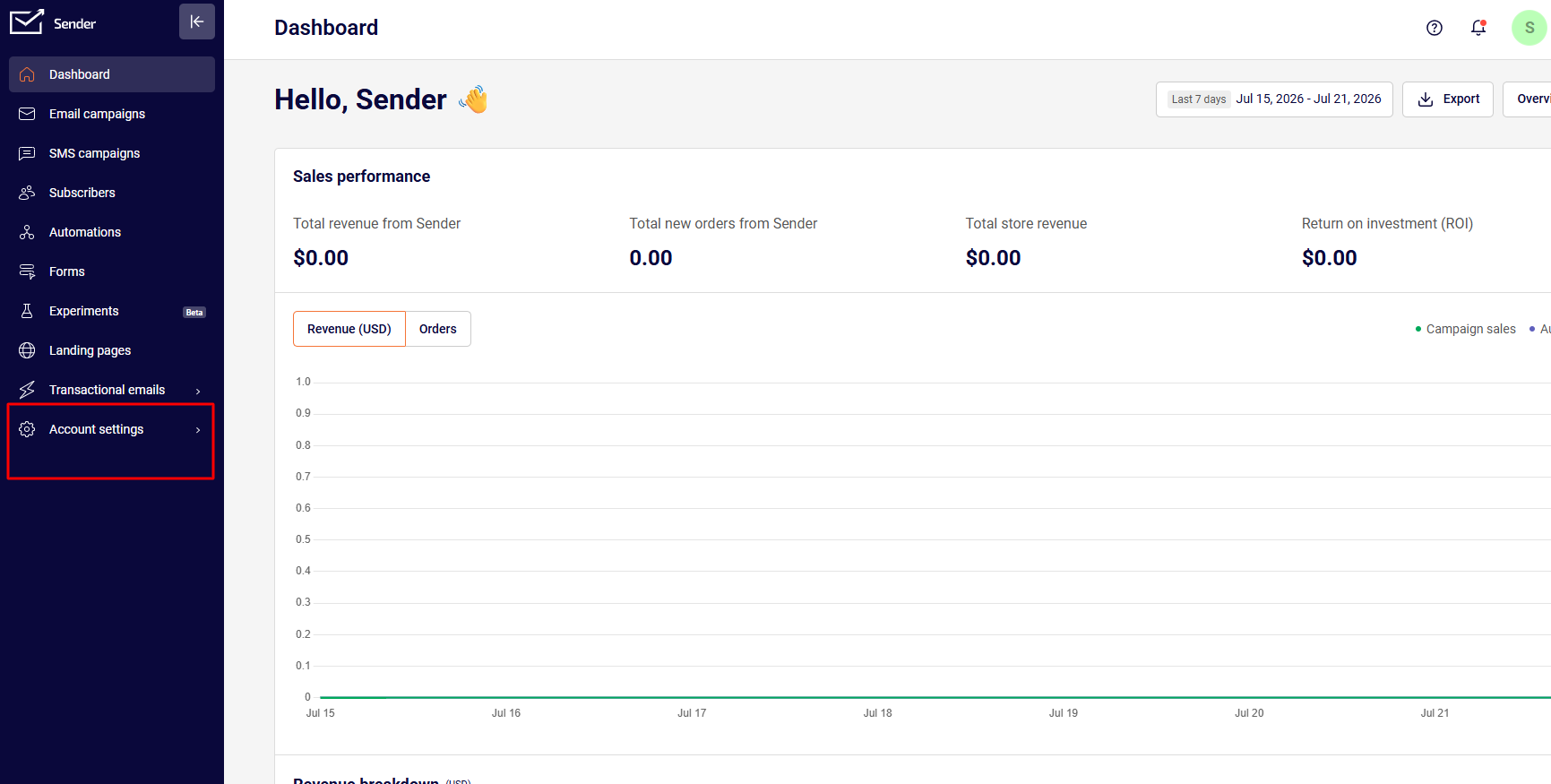
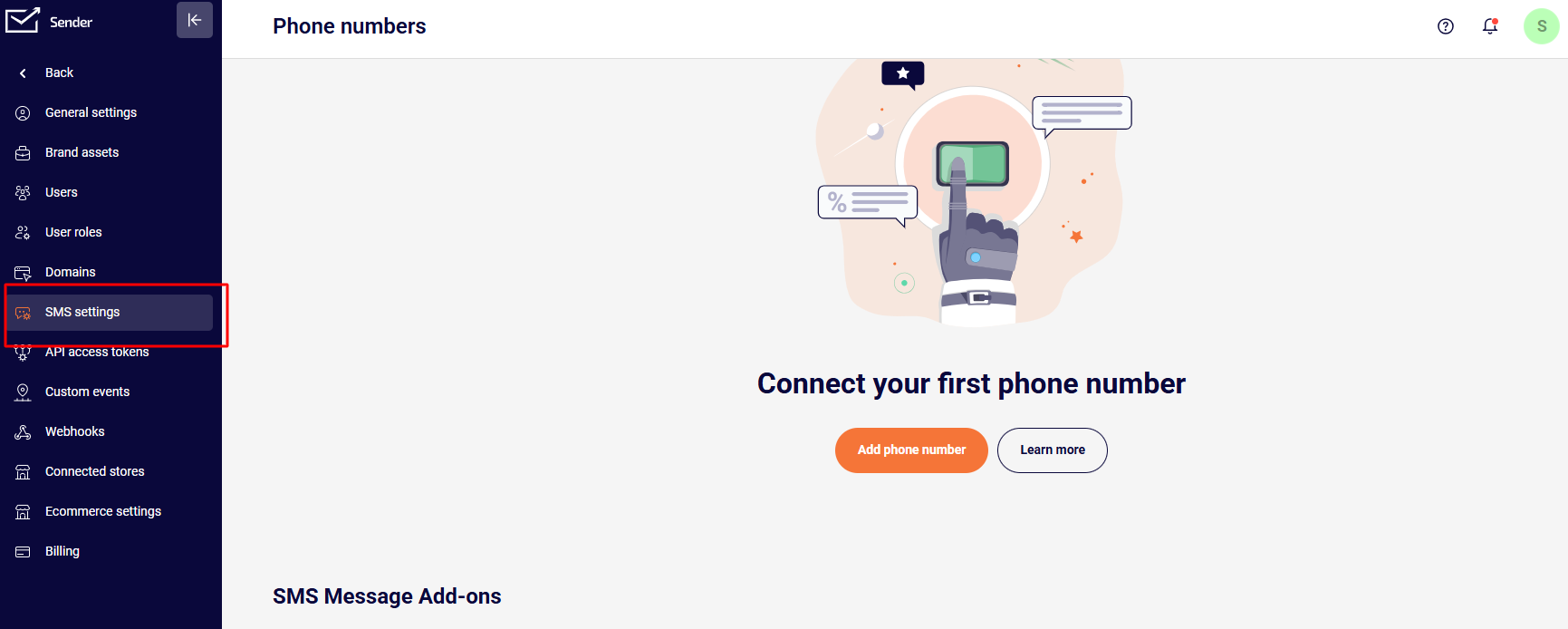
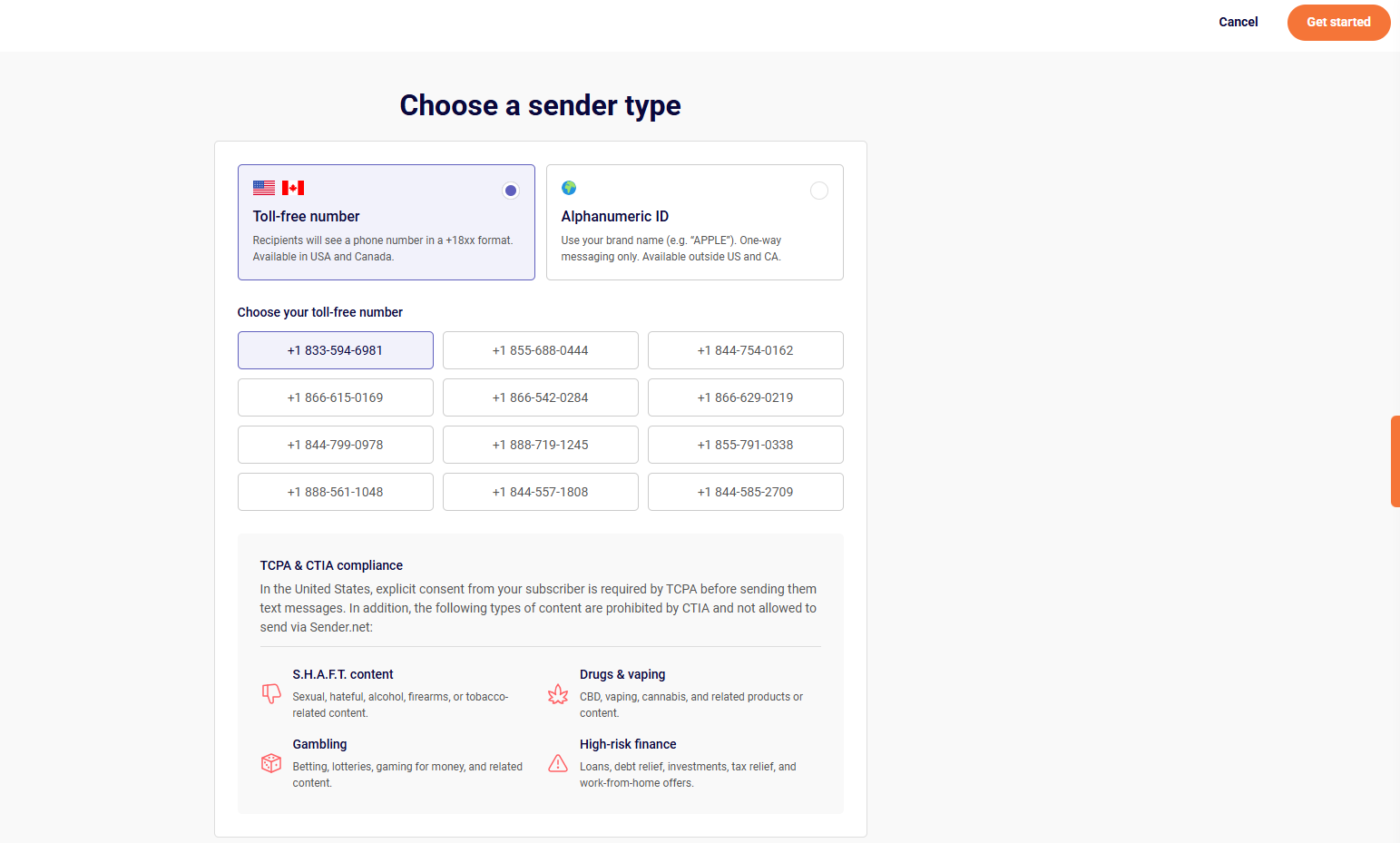
Then choose the “Toll-free number” type, and select a number from the list.
You will also be reminded of the content that is not allowed to be sent via Sender.net. Double-check if none of it applies to you. If it doesn’t, then click “Get started”.
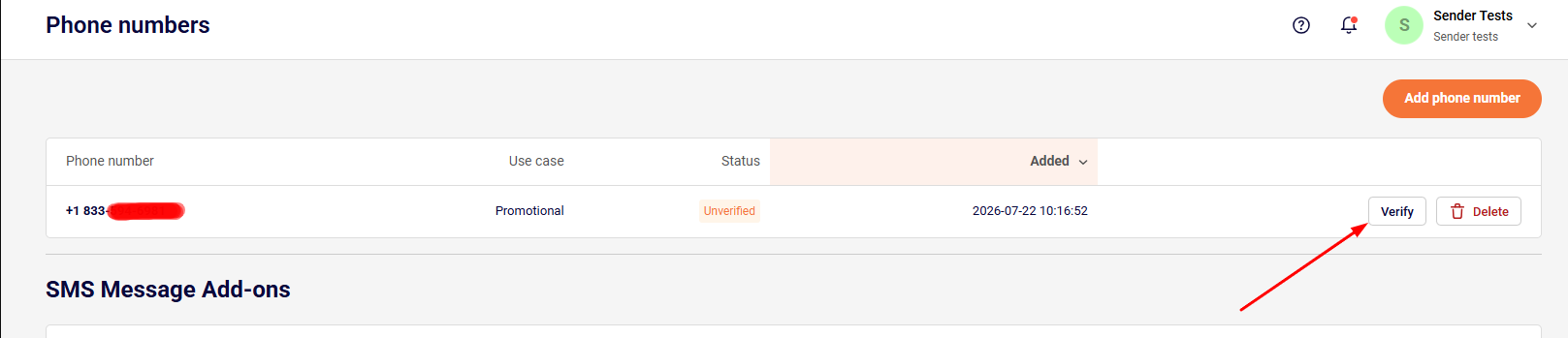
Your chosen toll-free number will now appear in your SMS settings list with “unverified” status.

How to verify your Toll-Free number?
Once you have the toll-free number added to your account, go to Account settings -> SMS settings and click “Verify” next to the number you have added.
The next step is for you to update your website’s/store’s Terms of Service (TOS). Copy the text below and add it to your website’s TOS.
Once you have done that, confirm it by ticking the box and clicking “Continue”.
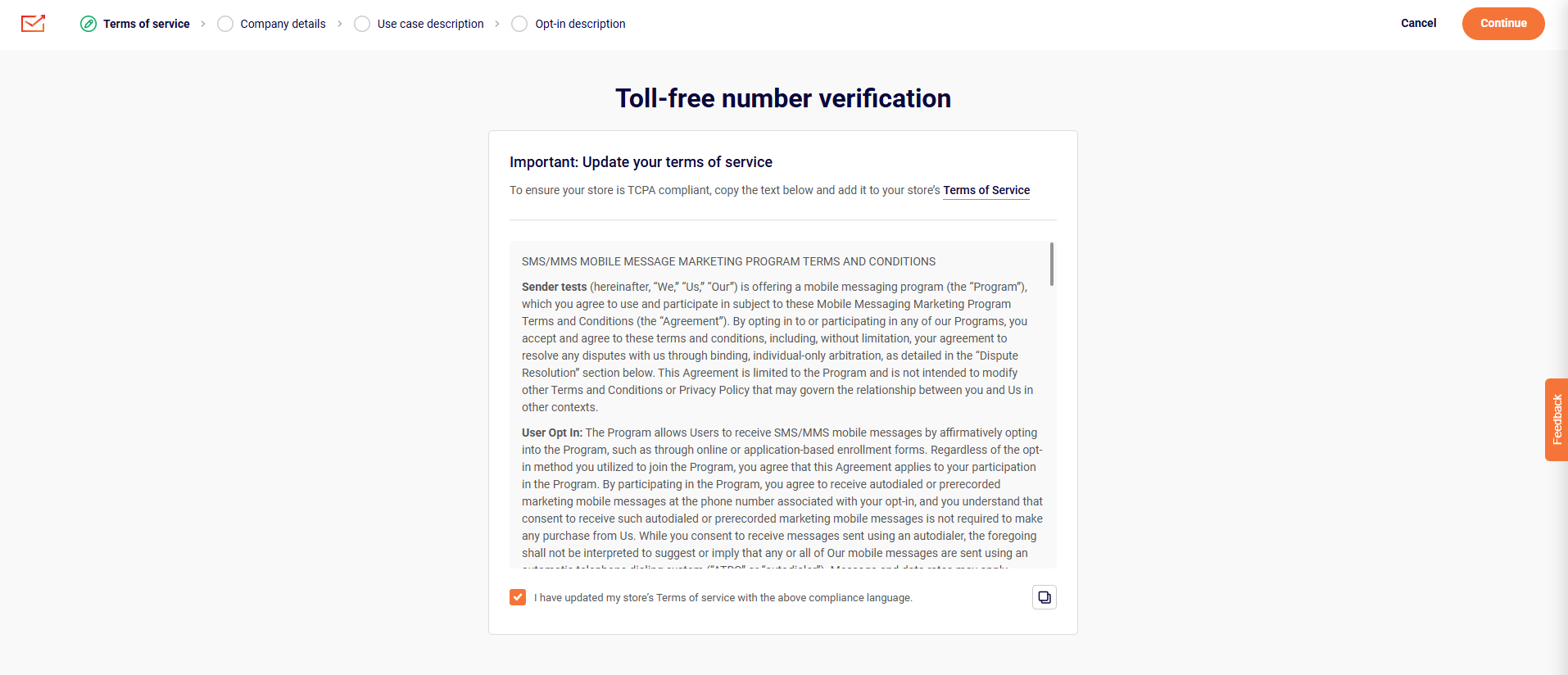
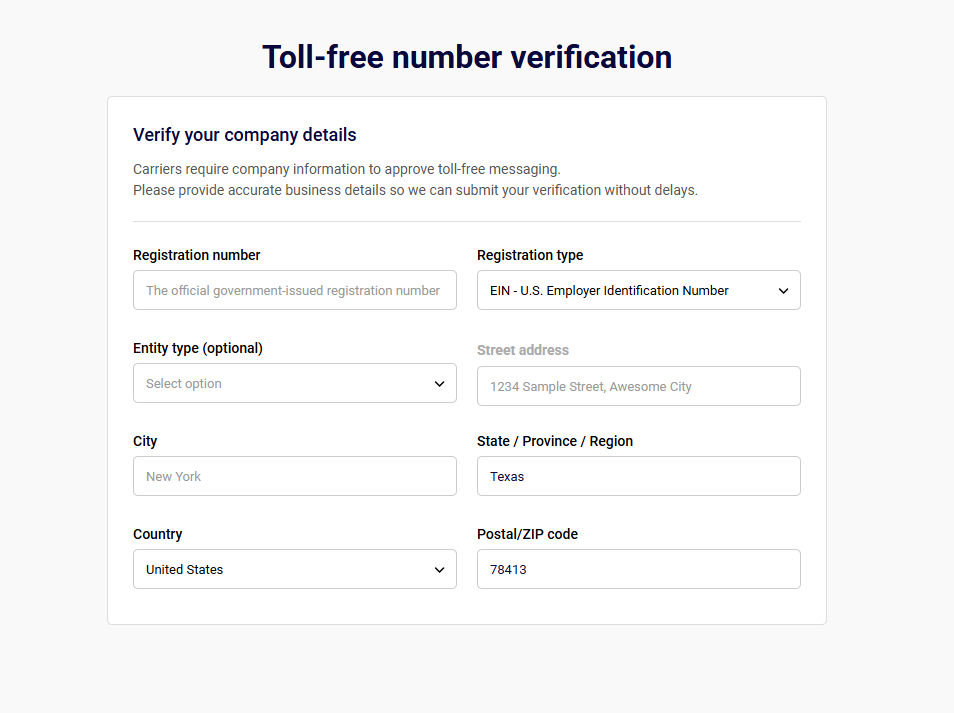
You will now be asked about your company information, messaging plans, and SMS consent collection process.
IMPORTANT NOTE: Make sure that your website is up and running before filling out the verification form. If not, the toll-free number will NOT get verified, and the whole verification application process will have to be redone.
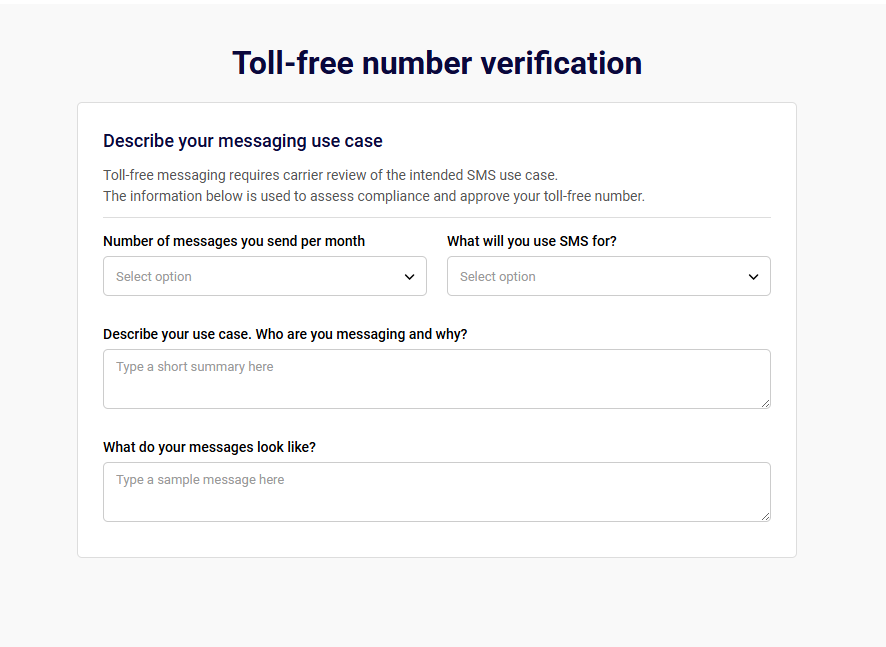
- Number of messages you send per month – choose the average number of SMS you plan to send per month.
- What will you use SMS for – choose the best-fitting category that reflects the content you plan to send from the drop-down bar selection.
- Describe your case. Who are you messaging and why? – provide a general idea of the use case and customer.
- What do your messages look like? – give an example of what your messages will look like to your recipients.
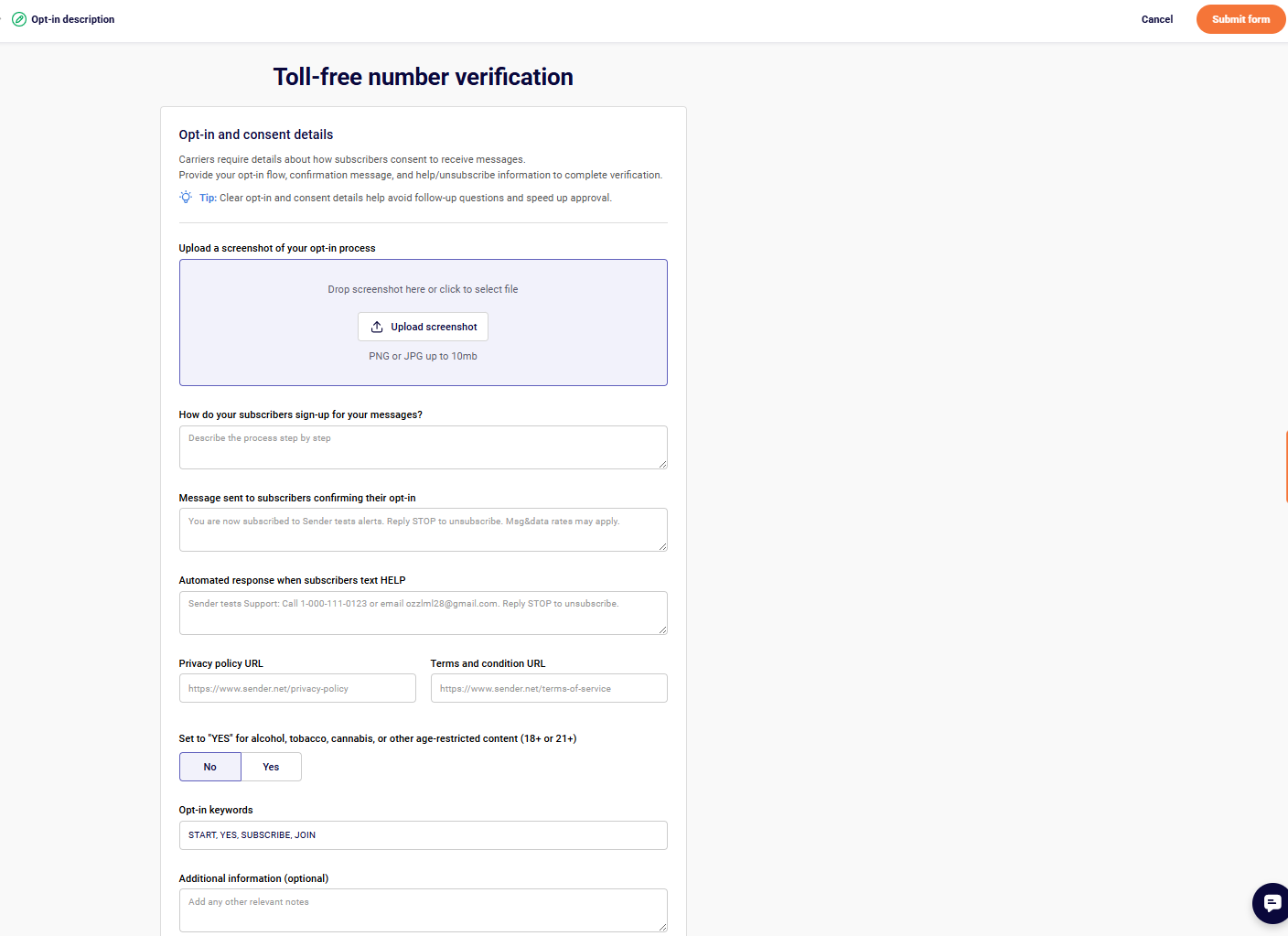
- Upload a screenshot of your opt-in process – Add a screenshot of your workflow setup for collecting SMS consent.
- How do your subscribers sign-up for your messages? – describe the step-by-step process a customer takes to request or agree to receive your text messages.
- Message sent to subscribers confirming their opt-in – enter a copy of your initial confirmation message, which must include your brand name, opt-out instructions (e.g., “Reply STOP to unsubscribe”), and message rate disclaimers.
- Automated response when subscribers text HELP – enter the automated reply sent when a user texts “HELP”, which must include support contact info (email or phone) and your brand name.
- Privacy policy URL – provide the direct link to your official privacy policy, which should explicitly mention how subscriber data and SMS consent are managed.
- Terms and conditions URL – provide the direct link to your website’s terms of service or dedicated SMS terms page.
- Opt-in keywords – list the specific words customers can text to subscribe to your messaging list.
- Additional information (optional) – include any additional relevant information for the toll-free number verification.
Once you fill in all the required information, submit the form, and you will see the status of the phone number set to “Waiting for vendor”.

Once the toll-free number is verified, you will receive a notification; the status in SMS settings will change to “Verified”. This means you can start sending SMS to your subscribers.

If you got stuck on a specific task or can’t find a way to execute a particular job, contact our support team via LiveChat or support@sender.net – we’re here to help 24/7.