

Email deliverability measures how successfully your emails reach recipients’ inboxes rather than being filtered into spam or rejected altogether. There is ongoing debate about how accurately deliverability can be measured, especially as third-party seed-list testing becomes less reliable and results vary by sender, mailbox provider, audience, and sending infrastructure. Even with those limitations, email deliverability remains one of the most important ways to evaluate the health and effectiveness of an email program.
In this guide – made for marketers and ecommerce teams, cold-outreach teams, developers sending transactional email, and enterprise teams managing larger sending infrastructures – we’ve broken down sixteen of the best email deliverability tools on the market right now. Each tool is matched to a specific use case so you can pick the right one without wasting trial credits on the wrong fit.
Beyond comparing tools, it also covers sender requirement compliance and the deliverability benchmarks worth tracking. The goal is to help you choose the right tool and build a stronger, more reliable email program.
This article is part of our Email deliverability guide.
Best Email Deliverability Tools by Use Case
Short on time? Here’s the cheat sheet.
- Best for cold-email inbox placement testing → GlockApps
- Best all-in-one platform for marketers and product teams → Sender
- Best for DMARC enforcement plus inbox placement → PowerDMARC
- Best free authentication and blocklist diagnostics → MXToolbox
- Best for sending with built-in stream separation and reputation monitoring → Mailtrap
- Best for developer-focused deliverability testing → Mailgun Optimize
- Best for simple pre-send spam and placement testing → Unspam.email
- Best for warming up new domains at scale → Warmup Inbox
- Best free Gmail-specific reputation monitoring → Google Postmaster Tools
- Best free Outlook and Hotmail reputation monitoring → Microsoft SNDS
- Best free Yahoo and AOL reputation monitoring → Yahoo Sender Hub
- Best for fast transactional email delivery → Postmark
- Best for cold outreach automation with built-in deliverability → Smartlead
- Best for enterprise senders with global volume → Validity Engage
- Best for active reputation repair → InboxAlly
- Best for multi-domain DMARC management → DMARKOFF
At-a-Glance Comparison
Not sure which tool covers what? This table puts all 16 side by side: where each one fits best, whether it offers inbox placement testing, authentication and DMARC checks, reputation and blocklist monitoring, or warm-up, and what it costs to start. Use it to build a shortlist, then jump to the full reviews below.
| Tool | Best For | Inbox Placement | Auth/DMARC | Reputation/Blocklist monitoring | Warm-up | Starting Price |
| Sender | All-in-one marketing + deliverability | – | ✅ | ✅ | – | $9/mo |
| Postmark | Fast transactional delivery | – | ✅ | ✅ | – | $15/mo |
| GlockApps | Inbox placement testing | ✅ | ✅ | ✅ | – | $85/mo |
| Unspam.email | AI-assisted spam testing & inbox placement | ✅ | ✅ | – | – | From $10/mo |
| Mailtrap | Sending platform with built-in deliverability | – | ✅ | ✅(Business and above) | ✅(dedicated IP warm-up) | From $15/mo |
| Mailgun Optimize | Developer-focused testing | ✅ | ✅ | ✅ | – | From $49/mo |
| MXToolbox | Free authentication & blocklist checks | ✅ (paid) | ✅ | ✅ | – | $129/mo |
| PowerDMARC | DMARC, authentication & domain reputation management | ✅ | ✅ | ✅ | – | Free / $15/mo |
| DMARKOFF | Multi-domain DMARC management | – | ✅ | – | – | $10/mo/domain |
| Warmup Inbox | Domain & inbox warm-up | ✅ | ✅ | ✅ | ✅ | From $19/mo |
| InboxAlly | Active reputation repair | ✅ | ✅ | ✅ | ✅ | $149/mo |
| Smartlead | Cold outreach automation | Requires paid add-on | ✅ | ✅ | ✅ | $39/mo |
| Validity Engage | Enterprise reputation monitoring | ✅ | ✅ | ✅ | – | Custom |
| Google Postmaster | Free Gmail reputation monitoring | – | ✅ | ✅ | – | Free |
| Microsoft SNDS | Free Outlook/Hotmail monitoring | – | – | ✅ | – | Free |
| Yahoo Sender Hub | Free Yahoo monitoring | – | – | ✅ | – | Free |
How We Evaluated These Tools
We evaluated each email deliverability tool by creating accounts where possible, running inbox placement and spam tests, checking authentication and reputation features, and reviewing how clearly each platform surfaced deliverability problems and recommended fixes. Pricing was verified directly from each vendor’s official pricing page, while customer feedback was reviewed across sources such as G2, Capterra, Trustpilot, and Reddit.
We assessed every tool using the same criteria:
- Inbox placement and diagnostic accuracy. How useful placement tests, spam checks, seed-list results, and reputation signals are for identifying real deliverability problems.
- Feature coverage. Whether the tool focuses on one task or combines inbox placement, SPF/DKIM/DMARC checks, blocklist monitoring, warm-up, reputation monitoring, and other deliverability functions.
- Authentication and reputation monitoring. Support for SPF, DKIM, DMARC, domain and IP reputation, spam complaints, blocklists, and mailbox-provider data.
- Pricing transparency and scalability. How clearly testing limits, monitored domains, inboxes, credits, and additional fees are communicated as sending volume grows.
- Ease of use and remediation. How quickly teams can identify what is wrong, understand the results, and take action without needing deep deliverability expertise.
- Use-case fit. Whether the tool is better suited to marketers and ecommerce teams, cold outreach, transactional email, reputation recovery, agencies, or enterprise senders.
Where possible, we tested the tools ourselves rather than relying on vendor claims alone. We also treated seed-list placement results as directional rather than absolute, since deliverability can vary by sender, audience, mailbox provider, infrastructure, and sending behavior.
Capterra, G2, Trustpilot, and Reddit to create an objective evaluation. Learn more about our review methodology
Sending Platforms With Built-In Deliverability
Sending platforms with built-in deliverability combine the infrastructure for sending email with tools that help protect inbox placement and sender reputation. Instead of managing a separate deliverability stack, teams can handle authentication, segmentation, automation, reputation monitoring, and sending from the same platform – making them a practical fit for marketers and product teams.
1. Sender
Best for: Marketing teams, ecommerce brands and SMBs that want sending, automation, segmentation and deliverability in one platform.
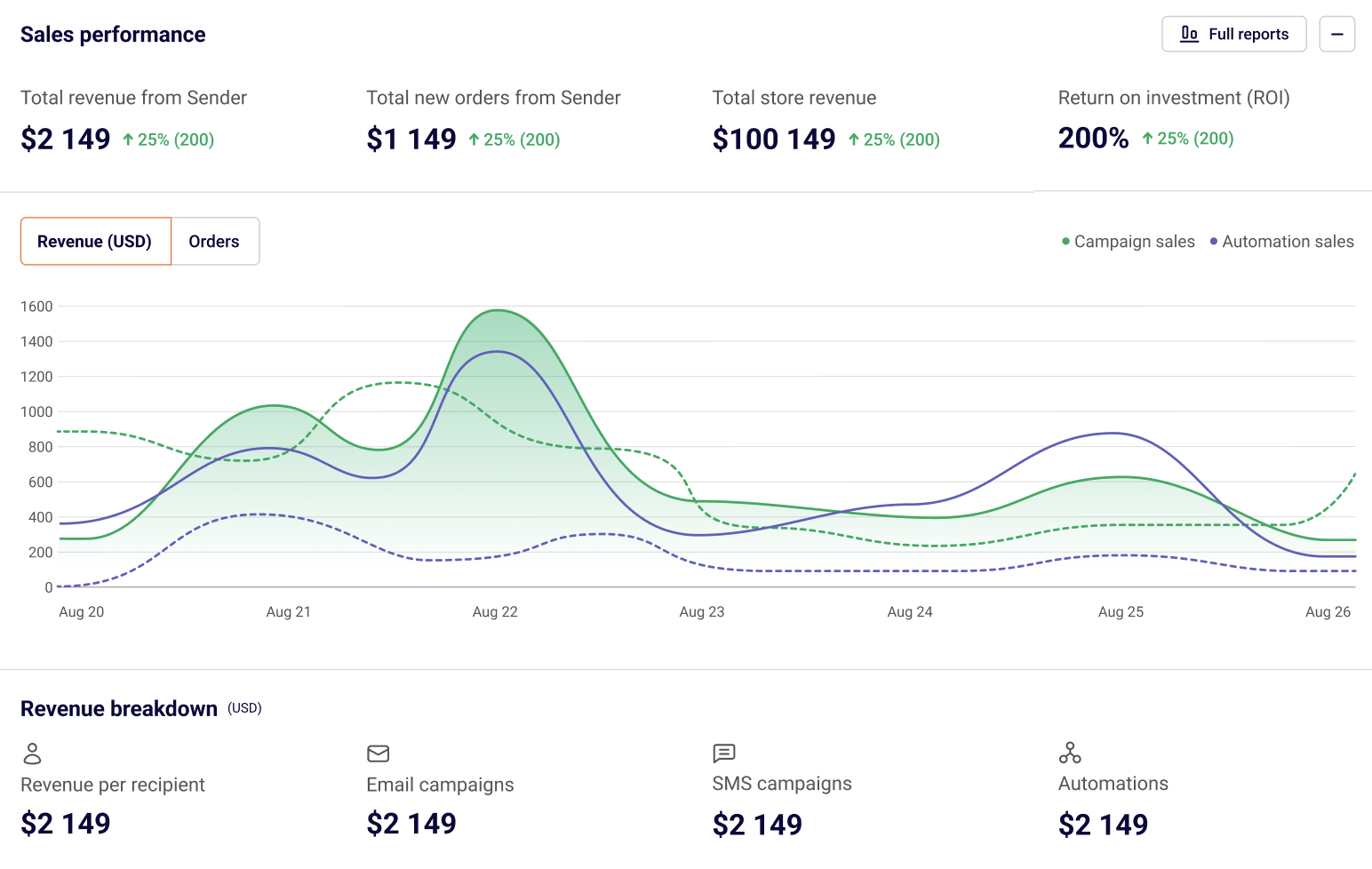
Most lists in this category force you to choose between an ESP and a deliverability stack. Sender combines the two – a full-featured email and SMS marketing platform with deliverability tooling, automation flows and segmentation built in.
That matters because deliverability isn’t a one-time test; it’s a continuous outcome of how you send, who you send to, and how engaged your list is. While results differ user to user, due to many different factors, on our individual testing Sender scored 98% inbox deliverability placement rate, which is rare to see.
The catch is that teams needing highly specialized deliverability diagnostics may still need a dedicated testing tool, such as GlockApps.
All in all, Sender is a strong fit for marketers who want campaign management and email deliverability software under one roof.
Key features
- High inbox placement. Authenticated infrastructure, reputation monitoring, and shared or dedicated IP options help keep emails reaching inboxes;
- SPF, DKIM, and DMARC setup. Guided authentication makes configuration easier.
- Real-time analytics. Track opens, clicks, bounces, and complaints across campaigns and segments;
- Deliverability-focused automation. Built-in welcome, abandoned-cart, re-engagement and sunset flows send more to engaged subscribers and phase out inactive ones, the lifecycle pattern mailbox providers reward;
- Engagement-based segmentation. Build dynamic segments around opens, clicks, and purchases to focus sends on subscribers most likely to engage;
- Pre-send spam content checks. Spam filters analyze email content for patterns associated with spam before you hit send.
- Combines email and SMS sending, automation, segmentation, and deliverability features in one platform.
- Guided SPF, DKIM, and DMARC setup makes authentication easier for non-technical teams.
- Generous free plan with automation included.
- Advanced deliverability diagnostics are more limited than dedicated tools like GlockApps.
- Dedicated IPs available on Professional plan – Free and Standard use shared IPs only.
Why it stands out
Sender combines diagnostics with automation, segmentation, and authentication to help identify deliverability issues and address the behaviors that cause them.
Pricing
Sender offers a generous free tier (up to 2,500 subscribers and 15,000 emails/month) with full automation features unlocked. Paid plans start from $9/month and scale based on subscriber count.
2. Mailtrap
Best for: Product and engineering teams that send transactional and bulk email and want stream separation and reputation monitoring built into the sending platform.
Mailtrap is an email delivery platform with REST API and SMTP sending, where most deliverability controls come built in. Transactional and bulk email run on isolated IP pools by default on every plan, including Free. SPF, DKIM, and DMARC setup is automatic once the DNS records are added, and DKIM keys rotate every month. Bounces are sorted into hard, soft, and transient failures and suppressed automatically.
The monitoring side matters more as volume grows. Stats break down by mailbox provider and by sending stream, and spam complaints from more than 20 ISPs show up in the dashboard. Business and Enterprise plans add Automated Domain Reputation Monitoring, launched in August 2026. It puts sending performance, bounce categories, Google Postmaster data, domain setup checks, abuse signals, and blocklist status in one view, with email alerts and weekly summaries.
On placement, Mailtrap’s own GlockApps seed test, run on free accounts with shared IPs and no domain warm-up, put 78.8% of messages in the inbox, with 14.4% in spam, 4.8% in Tabs, and 2.0% missing. EmailToolTester’s separate four-round GlockApps test put Mailtrap at 77.0%, with rounds ranging from 64% to 91%. Free-plan shared-IP results swing from test to test, and results from different test methods shouldn’t be compared directly.
The catch is that Mailtrap is built to send and monitor, not to run seed-list placement tests. Teams that want provider-by-provider placement reports will still want a dedicated tester such as GlockApps. The strongest controls, including a dedicated IP, also start on the Business plan.
All in all, Mailtrap is a good fit for product teams that want sending and deliverability monitoring in one platform.
Key features
- Stream separation. Transactional and bulk email use isolated IP pools by default on every plan, so campaign complaints stay away from password resets and receipts.
- Automatic authentication. SPF, DKIM, and DMARC setup is automatic after DNS records are added, with DKIM key rotation every month.
- Automated Domain Reputation Monitoring. Delivery stats, bounce categories, Google Postmaster data, DNS and authentication checks, abuse signals, and blocklist status sit in one dashboard, with critical alerts and weekly summaries by email.
- Mailbox-provider analytics. Stats split by Gmail, Outlook, and other providers and by stream, with spam complaints from 20+ ISPs.
- Dedicated IP with automatic warm-up. Included on Business and above, with reputation monitoring and a SaaS safeguard that protects the whole account from problems in a single domain.
- Transactional and bulk streams are separated by default, on every plan.
- Authentication setup and DKIM rotation are handled automatically.
- Free plan with 4,000 emails a month and no credit card required.
- Reputation monitoring, dedicated IP, and SaaS safeguard start on Business ($85/month).
- Log retention ranges from 3 to 30 days depending on the plan.
- Not a seed-list placement tester.
Pricing
Free plan available for up to 4,000 emails/month, capped at 150 emails/day. Paid plans start from $15/month for 10,000 emails and scale by email volume, with $20 for 50,000 and $30 for 100,000. Business starts at $85/month for 100,000 emails and adds a dedicated IP.
3. Postmark
Best for: Product teams sending password resets, receipts, order confirmations and other time-sensitive transactional emails.
Postmark’s whole pitch is speed and reliability for transactional traffic. If a customer is staring at a “Resend verification email” button waiting for an inbox notification, every second of latency costs you.
The main drawback is scope. Postmark can send broadcast email, but it’s built around transactional delivery, so teams running newsletters, promotions or lifecycle campaigns will likely want a marketing platform with automation and segmentation alongside it. For reference, EmailToolTester’s August 2026 test measured Postmark’s inbox placement at 93.8%, though results from different test methods shouldn’t be compared directly.
At the end of the day, Postmark is a strong fit for teams that care most about fast, reliable transactional delivery rather than all-in-one marketing.
Key features
- Sub-second delivery for transactional messages via REST API or SMTP relay.
- Separate sending streams for transactional and broadcast emails on a single account.
- 45 days of full email content history included in every plan – most competitors charge extra for retention beyond seven days.
- Bounce and complaint webhooks with real-time event streaming.
- Excellent uptime and consistent delivery times.
- Developer-friendly API with thorough documentation and SDKs in most major languages.
- Detailed event logs that make debugging delivery issues easy.
- Pricing is on the higher end for a transactional-focused tool.
- Not designed for marketing or cold outreach use cases – you’ll need a separate tool for those.
Pricing
Postmark offers a free tier with up to 100 emails per month. Paid plans start from $15/month for 10,000 emails and scale based on email volume.
Inbox Placement Testing Tools
Inbox placement testing tools, sometimes referred to as email deliverability testing tools, show where your emails are likely to land before you send a full campaign. Using seed lists, spam checks, authentication diagnostics, and provider-level reporting, they help uncover issues that can push messages into spam or Promotions. GlockApps, Unspam.email, and Mailgun Optimize each approach this testing slightly differently.
4. GlockApps
Best for: Marketers and cold-email senders who want to know exactly where their emails will land before launching a campaign.
GlockApps is the inbox placement testing standard for a reason. You send a test email to its seed list – a network of around 70 accounts spread across Gmail, Outlook, Yahoo, AOL, GMX, Web.de and other regional providers – and within minutes you get a report showing exactly where each provider placed it. Inbox, Promotions, Spam, or missing entirely.
The main limitation I stumbled upon was that seed-list results should be treated as directional rather than absolute. A relatively small test network can spot placement problems, but it can’t perfectly predict what will happen across your full subscriber base.
Key features
- Inbox placement reports broken down by provider, with Gmail-specific Primary vs. Promotions tab visibility;
- Spam content analysis using 5 spam filters with explanations for each triggered rule;
- DMARC Header analyzer with weekly and monthly digests and real-time alerts when something fails;
- Uptime blacklist monitoring across 50+ blocklists with alerts the moment your IP appears on one.
- Wide provider coverage including country-specific inboxes that other tools miss.
- Detailed, easy-to-read reports with clear explanations of why filters flagged content.
- Decent free tier – two one-off spam tests and 10,000 DMARC checks at no cost.
- Automated test scheduling if you connect via SMTP.
- The seed list is small enough that you should treat results as directional, not absolute.
- Some ESPs block external seed lists; you may need to ask their support team to whitelist them.
Pricing
Free plan available. Paid plans start at $85/mo and scale to $185/mo for enterprise volume.
5. Unspam.email
Best for: Anyone who needs an email spam checker and inbox placement checks without the technical overhead.
Unspam.email is an email deliverability testing platform that runs diagnostic checks before campaigns go out. Each report includes an AI Assistant that prioritizes findings, explains each issue in plain language, and provides the specific DNS record or code snippet needed to resolve it.
The trade-off is depth. Unspam.email is focused mainly on pre-send testing, so teams that need advanced reputation monitoring, warm-up, or enterprise-level analytics will likely need additional tools.
Unspam.email makes the most sense when you want clear, actionable pre-send checks without the complexity of a full deliverability platform.
Key Features
- Inbox placement testing across Gmail, Outlook, Yahoo and more via seed list.
- Spam score testing covering content analysis, authentication, blacklist status and technical configuration in a single report.
- AI eye-tracking heatmap for layout and engagement optimization.
- Blacklist checks during a test.
- SPF, DKIM, DMARC, rDNS and unsubscribe header verification.
- Spam tester with an AI Assistant that writes your DNS fixes for you.
- Eight diagnostic layers from a single test send.
- Agency and White Label plans built for teams managing multiple client domains.
- Free plan is limited for regular use
- Focused on pre-send testing only
- Lacks the raw data depth of enterprise tools
Pricing
Free forever plan available for basic testing. Paid plans start from $10/month with custom selection of volumes and features that adjust the price accordingly.
6. Mailgun Optimize
Best for: Teams already sending through Mailgun, or developers who want deliverability tooling that integrates with code rather than dashboards.
Mailgun Optimize is a standalone deliverability suite that you can pair with any ESP – you don’t have to use Mailgun’s sending service to use it, though there’s obvious synergy if you do.
It covers inbox placement testing, email validation, spam-trap monitoring, blocklist monitoring, and HTML email previews, which makes it especially useful for teams that want deeper visibility into deliverability without replacing their existing sending platform.
If there’s one downside to this, it’s that Mailgun Optimize feels more technical than some marketer-focused tools.
Overall, Mailgun Optimize is a strong fit for technical teams that want broad deliverability diagnostics without switching from their existing ESP.
Key features
- Inbox placement tests across a wide seed list spanning major mailbox providers.
- Email validation as either a batch upload or a real-time API embedded in your signup form.
- Spam-trap monitoring that flags when your list contains known traps before they damage your reputation.
- Google Postmaster Tools integration for unified Gmail reporting.
- Email preview rendering across major clients and devices.
- Strong API surface – useful if you want validation built into your signup or onboarding flow.
- Region selection (North America or Europe) for data residency requirements.
- Reliable infrastructure backed by Mailgun’s underlying ESP.
- Inbox placement reports don’t separate Primary inbox from Promotions tab.
- More technical than marketer-friendly.
- Some users have reported continued billing after cancellation.
Pricing
30-day free trial available. Paid plans start from $49/month for 2,500 email validations and 25 inbox placement tests.
Free Email Deliverability Tests You Can Run Today
You don’t need a paid deliverability platform to spot common sending problems. These free email deliverability tools can check everything from authentication and blocklists to real inbox placement and Gmail sender reputation.
| Tool | What the free test checks | Limit |
| MXToolbox | Checks domain and mail-server health, DNS configuration, blocklists, and authentication issues. Its deliverability test also analyzes headers, outbound IP reputation, SPF, DKIM, and DMARC | 1 free Email Health Check every 24 hours |
| GlockApps | Tests inbox placement across major mailbox providers and checks spam filters, authentication, blocklists, IP/domain reputation, and email content | 2 free Inbox Insight tests after registration |
| Unspam.email | Checks SPF, DKIM, DMARC, content, HTML, and blocklists; free users can also test actual inbox placement | 10 spam tests + 3 inbox-placement tests/month |
| InboxAlly | Sends your campaign to test inboxes and reports whether it lands in the inbox or spam at Gmail, Outlook, and Yahoo | 1 free placement test/day using 16 tester inboxes |
| Google Postmaster Tools | Shows Gmail spam rates, domain/IP reputation, authentication, encryption, and delivery errors | Free with no test quota, but only covers Gmail traffic; low-volume senders may see limited or no data |
Authentication and DMARC Tools
Authentication tools help you verify that SPF, DKIM, and DMARC are configured correctly – and stay that way. They’re especially useful for spotting alignment issues, unauthorized senders, and DNS misconfigurations before they hurt deliverability. The tools below range from quick diagnostics to full DMARC monitoring and enforcement platforms.
7. MXToolbox
Best for: Anyone who needs a fast, no-cost technical health check on their email setup.
MXToolbox has been around since 2004 and is genuinely free for the diagnostics that matter most.
There’s no signup wall for the basic tools – you paste in your domain or IP address, click a button, and get back a detailed report on your DNS records, authentication setup and blocklist status.
The downside is that the free experience only takes you so far. It works well for one-off checks and troubleshooting, but once you need continuous monitoring, alerts, or broader deliverability management, the jump to paid plans is significant.
For quick authentication and blocklist checks, MXToolbox is hard to beat for free – just expect a steep price jump if you outgrow the basics.
Key features
- SPF, DKIM, and DMARC lookups that identify DNS and authentication misconfigurations.
- Blocklist monitoring across major DNS-based blocklists.
- MX record diagnostics for mail routing and bounce troubleshooting.
- SMTP diagnostics for checking mail server responses and configuration.
- Email header analysis covering authentication results, server hops, and delivery timing.
- Genuinely useful free tool.
- Browser-based with no installation overhead.
- The free tools tell you what’s wrong but not how to fix it.
- The paid plans are expensive ($129/mo and up).
- The interface looks like it was built in 2004.
Pricing
MXToolbox offers free one-off lookups for basic diagnostics. Paid plans start from $129/month with Delivery Center, which includes monitoring for up to five domains and 500,000 messages.
8. PowerDMARC
Best for: Businesses and MSPs that want DMARC enforcement, authentication management and pre-send inbox placement testing in one platform, without stitching together separate tools.
Most senders end up running one tool for authentication (SPF/DKIM/DMARC) and a completely separate one for inbox placement testing. PowerDMARC recently closed that gap with its Inbox Deliverability Tester, a self-service testing tool built directly into the platform.
The main limitation is that DMARC Threat Intelligence, however useful it is for spotting spoofing attempts and risky sending IPs, is available only on the Enterprise plan, while PowerDMARC’s lower tiers focus primarily on authentication and DMARC monitoring.
PowerDMARC is a strong fit for teams that want authentication management and inbox placement testing in one platform.
Key features
- Tests inbox placement across major providers alongside SPF, DKIM, and DMARC validation.
- Turns DMARC reports into readable dashboards and flags unauthorized senders.
- Supports SPF flattening, BIMI, MTA-STS, and hosted authentication.
- Manages multiple domains with separate reporting.
- Uses AI-powered threat intelligence to surface phishing and spoofing risks.
- Combines authentication enforcement and pre-send placement testing in a single workflow – most competitors make you use two tools.
- Approachable for non-technical marketing and IT teams, not just security specialists.
- Strong multi-domain/MSP tooling for agencies managing client portfolios.
- No dedicated warm-up feature for new or damaged domains – pair with a tool like Warmup Inbox or InboxAlly for that job.
- Some advanced features are gated to higher-tier plans.
Pricing
Free plan available for basic DMARC monitoring. Paid plans start at $15/month and scale by domain count and feature tier, with custom pricing for MSP and enterprise volumes.
9. DMARKOFF
Best for: Agencies, consultants, and MSPs who need to manage DMARC compliance across multiple client domains – without per-user fees or message limits eating into margins.
DMARKOFF is a truly flexible, scalable DMARC monitoring platform designed to simplify email authentication and collaborate freely across clients or departments.
The platform supports the full DMARC workflow: from organizing domains and spotting issues to taking action and preventing threats. One of DMARKOFF’s biggest advantages is its accessibility for all experience levels, with all core features (AI-powered report analysis, smart alerts, and multi-domain management) available from the start.
The main limitation is that DMARKOFF focuses on aggregate DMARC reporting and doesn’t process forensic reports, so teams that need deeper incident-level analysis may want something more advanced.
DMARKOFF stands out as a practical, scalable option for agencies and businesses that want straightforward DMARC monitoring without complicated pricing or feature gating.
Key features
- DMARC, SPF, and DKIM authentication monitoring.
- Convenient multi-domain management with Projects and severity-based prioritization.
- Smart alerts for automatic anomaly detection.
- AI-powered report analysis with the built-in DMARC assistant.
- MCP server support for AI-powered workflows.
- Simple per-domain pricing without user or message limits.
- Unlimited DMARC reports, users, and projects.
- Each domain includes 30 Luma AI assistant analysis credits monthly.
- Free parked domain monitoring.
- Processes aggregate DMARC reports only and does not support forensic report processing.
Pricing
14-day free trial available. Pricing starts at $10/month per monitored domain or $100 per year.
Warm-Up and Cold Outreach Tools
Warm-up and cold outreach tools are built for senders who need to establish trust before scaling volume. They help gradually increase sending activity, monitor inbox placement, check authentication, and simulate engagement signals. That makes them especially useful for new domains, dormant inboxes, and outbound teams where reputation can drop quickly.
10. Warmup Inbox
Best for: Cold outreach teams, agencies and anyone launching emails from a new or dormant domain.
Cold sending from a fresh domain is a fast track to the spam folder – mailbox providers haven’t seen any sending history from you, so they default to suspicion. Warmup Inbox helps new or dormant domains build sending history by gradually increasing volume and generating engagement signals across its inbox network. Setup is straightforward, and users frequently praise the responsive customer support and onboarding that gets new accounts up and running quickly.
The bigger downside is cost. Pricing can add up fast when warming multiple inboxes, and some users also report that billing and plan charges can be confusing.
Warmup Inbox is a practical choice for teams that want an easy, well-supported way to warm new domains before scaling outreach.
Key features
- Fully automated warm-up with daily scheduling and gradual volume increases.
- Domain reputation monitoring during the warm-up process so you can see progress.
- SPF, DKIM and DMARC checks baked into the dashboard.
- Wide ESP support – Gmail, Workspace, Outlook, Zoho, Mailgun, SendGrid, Brevo, Amazon SES, plus any custom SMTP.
- Daily metrics dashboard showing inbox placement and engagement rates.
- Easy setup – connect, configure ramp-up speed, and let it run.
- Handles multiple inboxes from a single dashboard, which agencies and outbound teams need.
- No detailed inbox health or domain reputation score.
- Limited reporting customization.
- If you stop the warm-up too early or start sending aggressive volume from an under-warmed mailbox, your reputation can drop again.
Pricing
Free 7-day trial available. Pricing starts from $19/mo per inbox for 75 warmup messages/day with bulk discounts available.
11. InboxAlly
Best for: Senders recovering from a reputation hit, or launching a new sending domain that needs aggressive engagement signals.
Most warm-up tools simulate generic engagement across a static seed list. InboxAlly takes it further – it actively trains mailbox providers to treat your messages as desired content by orchestrating very specific engagement actions: opening emails, clicking links, replying, marking as Important, marking as Not Spam, and moving messages out of Promotions into Primary.
The downside is that reporting is fairly basic, with limited insight into how engagement metrics change over time. Integrations can also feel limited, while pricing may be difficult to justify for smaller teams.
InboxAlly is best suited to teams prioritizing active reputation repair over deep reporting and integrations.
Key features
- Full engagement simulation – opens, clicks, replies, marking as Important, moving from Promotions to Primary.
- Reputation Repair preset that aggressively rebuilds damaged sender reputation over a few weeks.
- Real-time placement dashboard showing where your messages are landing as the program runs.
- Free spam tester – send your campaign content to InboxAlly’s audit address and get a free deliverability report.
- Genuinely effective at recovering reputation when the alternative is starting over with a new domain.
- Works alongside any ESP ‚Äì InboxAlly doesn’t replace your sending tool.
- Most users see measurable placement improvements within one to two weeks.
- Expensive – pricing starts at $149/mo and climbs quickly.
- Heavy reliance on simulated engagement is controversial.
- Pricing scales with seed-email volume, which can get steep.
Pricing
Paid plans start from $149/month for up to 100 seed emails per day. 10-day trial available.
12. Smartlead
Best for: Sales and outbound teams running cold-email campaigns at scale.
Cold email is its own deliverability beast. You’re sending to recipients who haven’t asked to hear from you, from a domain that probably has no engagement history with the receiving inboxes, often at volumes that look suspicious to filters. Smartlead is built for this specifically – every feature is shaped by the cold-outreach use case.
The downside is usability and flexibility. The UI isn’t especially user-friendly, and lead association can feel restrictive. For example, large lists are automatically distributed across sender accounts with little control over how many leads each mailbox receives. Some advanced deliverability features also cost extra.
All in all, Smartlead fits experienced outbound teams that need scale, but less so teams wanting granular lead assignment or a simpler interface.
Key features
- Unlimited mailbox support with automated warm-up for each one, so you can rotate sending across many inboxes without orchestrating warm-up manually.
- Auto mailbox rotation that distributes sending across all connected inboxes, keeping volume per inbox below provider-imposed thresholds.
- Comprehensive authentication validation for SPF, DKIM and DMARC.
- Master Inbox – a single unified view of replies across every connected inbox.
- Sub-account support for agencies managing many client domains.
- Purpose-built for cold outreach, which means the deliverability features actually map to how outbound teams send.
- Unlimited inboxes is a genuine differentiator – competing tools often charge per mailbox.
- Active development with frequent feature releases.
- Overkill if you’re not doing cold outreach.
- The breadth of features creates a learning curve; expect a few hours of onboarding.
Pricing
14-day free trial available. Paid plans start from $39/month for up to 6,000 emails and unlimited warm-up.
Enterprise Deliverability Monitoring
Enterprise email deliverability monitoring tools are built for teams managing high sending volumes, multiple domains, and complex email programs. They combine inbox placement testing, reputation monitoring, spam-trap detection, validation, and real-time alerts to give larger organizations a broader view of deliverability across providers and sending infrastructure.
13. Validity Engage (formerly Everest)
Best for: B2B senders, enterprise marketing teams and agencies managing high-volume programs.
Validity Engage (formerly Everest) is what you graduate to when individual tools stop scaling. Validity built it by combining three previously separate products (Return Path, 250ok and BriteVerify) into a single platform that covers reputation monitoring, inbox placement testing, design testing, validation and competitive intelligence.
The trade-off is complexity and cost. Engage can take time to navigate, while the more useful advanced capabilities sit on expensive plans or require add-ons. For smaller senders, that level of functionality can be difficult to justify.
Validity Engage is best suited to enterprise teams that need deep deliverability visibility and can justify the higher cost.
Key features
- The largest seed list of any deliverability platform – thousands of seeds across 100+ providers spanning webmail, hosting and corporate filtering systems.
- Seed List Optimizer that weights your seeds based on the actual provider distribution in your subscriber base.
- Spam-trap monitoring with alerts when traps appear in your sending data.
- Design testing across major email clients and devices.
- Competitive intelligence – see what your competitors are sending, when and to whom, so you can spot trends in your space.
- The most comprehensive deliverability data you can get without building a custom in-house solution.
- Real-time alerts on reputation drops and spam-trap hits.
- Solid for B2B senders specifically, with controls for whether to include corporate filtering providers in seed tests.
- Some features require add-ons that bump pricing further.
- Not fit for senders below a few hundred thousand emails per month.
Pricing
Pricing information available upon request from Validity’s representatives.
Free Mailbox-Provider Dashboards
Free mailbox-provider dashboards give you direct visibility into how Gmail, Outlook, and Yahoo evaluate your sending. They help you monitor reputation, authentication, complaint rates, delivery issues, and other provider-specific signals using data straight from the mailbox providers themselves.
14. Google Postmaster Tools
Best for: Any sender with significant volume going to Gmail addresses (which is most senders).
Gmail handles roughly 30% of all global email traffic, and if your audience skews business or consumer, your Gmail volume is probably much higher than that. Google Postmaster Tools is the free, official window into how Gmail evaluates your sending. There is no good reason not to use it.
What you can monitor
- Compliance status with Gmail’s bulk-sender requirements.
- Spam rate as reported by Gmail users marking your messages as spam.
- Email authentication pass/fail rates for SPF, DKIM and DMARC.
- TLS encryption rates for outbound and inbound traffic.
- Delivery error rates broken down by error type.
The benchmarks that matter
- Spam rate: Keep it below 0.3%; aim for 0.1% or lower for a safety buffer.
- Domain reputation: Aim for Medium or High. Low or Bad reputation can significantly hurt inbox placement.
- Authentication pass rates: Keep them near 100% so SPF, DKIM, and DMARC failures don’t trigger filtering.
Setup
You need a Google account (or Google Workspace account) and the ability to add a TXT record to your sending domain’s DNS. Verification takes a few minutes; data starts appearing within 24–48 hours.
15. Microsoft SNDS
Best for: Senders with meaningful volume going to Outlook.com, Hotmail and Live addresses.
Microsoft Smart Network Data Services (SNDS) shows how Microsoft views your sending IPs. Unlike Google Postmaster Tools, it’s primarily IP-based, so it’s most useful for senders using dedicated IPs or managing their own infrastructure.
Access requires authorization for IP addresses you control, so senders on shared ESP IPs generally can’t monitor them directly.
What you can monitor
- IP-level sending activity and reputation signals;
- Microsoft’s filtering results for your sending IPs;
- Complaint activity;
- IP status and unusual sending behavior.
One important 2026 change: Microsoft stopped including spam-trap hit counts in SNDS Data Reports in 2026. A missing value no longer means zero hits — the metric simply isn’t reported.
Why it matters
SNDS gives you Microsoft’s own view of your sending IPs. If Outlook placement drops, its reputation, filtering, traffic, and complaint data can help identify infrastructure-related issues.
Setup
You need a Microsoft account, the IPv4 address of your sending server, and access to its reverse DNS to verify ownership. The setup is fiddly but free.
16. Yahoo Sender Hub
Best for: Senders with significant Yahoo Mail or AOL volume.
Yahoo Sender Hub launched in 2024 and is the newest of the three free official monitoring tools. As a result, it’s also the most modern – the dashboard is genuinely usable, and it includes features the older tools don’t.
What you can monitor
- Delivered messages;
- Spam Complaint Rate;
- Complaint Feedback Loop (CFL);
- Placement and Campaign Performance Feeds.
Bonus features
- BIMI support – Brand Indicators for Message Identification, which lets your verified logo appear next to your messages in the inbox.
- AMP for Email support, useful if you’re running interactive email experiences.
Setup
Create a Sender Hub account, add your sending domain, and verify it through a DNS TXT record. Insights data generally begins appearing within 24–48 hours once the domain is verified and meets Yahoo’s minimum-volume threshold.
Free vs. Paid Deliverability Tools
Free deliverability tools can cover a surprising amount, especially if your sending setup is simple and your domain already has a healthy reputation. Paid tools become more useful when you need continuous monitoring, broader provider coverage, or help diagnosing and fixing more complex problems.
Free tools are usually enough when you:
- Have an established sending domain with stable engagement. If complaint rates, bounce rates, and inbox placement are already consistent, free authentication and reputation checks may be all you need.
- Send predictable volumes to a relatively simple audience. Google Postmaster Tools, Microsoft SNDS, and Yahoo’s sender tools can give you direct provider-level visibility without adding another subscription.
- Don’t run cold outreach. Permission-based marketing with an engaged list generally requires less active reputation management than cold email.
- Only need occasional diagnostics. Free SPF, DKIM, DMARC, blocklist, and header checks work well for troubleshooting individual issues.
- Can interpret the data yourself. Many free tools show what is wrong but offer less guidance on how to fix it.
Paid tools make more sense when you:
- Send across Gmail, Outlook, Yahoo, and corporate inboxes and need one consolidated view of placement.
- Run cold outreach at scale, where warm-up, mailbox rotation, and regular placement testing become more important.
- Manage multiple domains or client accounts and need centralized dashboards and alerts.
- Need continuous monitoring instead of manually running checks whenever something goes wrong.
- Are recovering from a reputation problem and need deeper diagnostics, active warm-up, or engagement-based recovery tools.
- Need automated reporting or team workflows that free point solutions typically don’t provide.
2026 Sender Requirements These Tools Help You Meet
Bulk sender requirements are now a core part of deliverability. Yahoo and Google introduced stricter standards in 2024, Microsoft followed in 2025, and enforcement has continued to tighten.
Google and Yahoo
Google classifies domains sending around 5,000 or more messages per day to personal Gmail accounts as bulk senders. Yahoo applies similar requirements to bulk senders but doesn’t disclose a fixed daily-volume threshold.
Bulk senders must use SPF and DKIM, publish DMARC with at least p=none, and ensure the visible From domain aligns with SPF or DKIM. Marketing emails must support one-click unsubscribe, with requests processed within 48 hours for Gmail and two days for Yahoo. Spam complaint rates should stay below 0.3%, with Google recommending staying below 0.1%.
Gmail also stepped up enforcement in November 2025: non-compliant traffic can now face temporary or permanent rejection, rather than simply poorer placement.
Microsoft Outlook
Since May 2025, Outlook’s new sender requirements apply to domains sending over 5,000 emails, while Hotmail, and Live addresses must pass SPF, DKIM, and DMARC, with DMARC set to at least p=none and aligned with SPF or DKIM. Microsoft now rejects messages that fail these authentication requirements.
Apple Mail Privacy Protection
Apple MPP isn’t a sender requirement, but it privately downloads remote content before users necessarily open an email. That makes open data less reliable, so clicks, replies, and conversions are better engagement signals for Apple Mail audiences.
How the tools help
- MXToolbox, PowerDMARC, DMARKOFF, and Sender help verify SPF, DKIM, DMARC, and authentication configuration.
- Google Postmaster Tools monitors Gmail authentication, spam rates, and overall sender-requirement compliance, including one-click unsubscribe.
- Unspam.email and GlockApps can catch authentication and unsubscribe-header problems during pre-send testing.
- Microsoft SNDS helps track Outlook IP activity, complaints, and reputation signals, while Yahoo Sender Hub provides Yahoo-specific sender resources and complaint feedback.
How to Choose the Right Tool
You’re an ecommerce or SMB marketer → Start with Sender for sending plus deliverability in one place. Add Google Postmaster for free Gmail monitoring.
You’re running cold outreach → Smartlead for sending and warm-up automation, GlockApps for placement testing, MXToolbox for free authentication checks, and Warmup Inbox if you need additional warm-up capacity.
You’re a developer sending transactional email → Mailtrap or Postmark for sending, Mailgun Optimize for testing, Google Postmaster for Gmail monitoring.
You’re a developer sending transactional email → Postmark for sending, Mailgun Optimize for testing, Google Postmaster for Gmail monitoring.
You’re an enterprise marketing team → Validity Engage for the breadth of monitoring and competitive intelligence, plus Google Postmaster, Microsoft SNDS and Yahoo Sender Hub for direct provider feedback.
Your reputation is damaged and you need to recover → InboxAlly for active engagement repair, plus daily monitoring through Google Postmaster and Microsoft SNDS.
You’re brand new and have no budget → MXToolbox (free), Google Postmaster (free), Microsoft SNDS (free), Yahoo Sender Hub (free) and Sender’s free plan will get you a long way.
Putting Tools to Work
Tools can show you where deliverability problems are happening, but fixing them – that’s up to you. Here are the key things to focus on when trying to improve your deliverability and inbox placement rate:
Warm-up ramp. When sending from a new domain or IP, increase volume gradually rather than jumping straight into full campaigns. Start with your most engaged recipients, then expand only once opens, complaints, bounces, conversions and placement goes stable. If performance drops, hold or reduce volume before scaling again.
Reputation recovery. If domain reputation declines or complaint rates rise, first pause sends to disengaged subscribers. Check recent campaigns for content problems, confirm SPF, DKIM, and DMARC are still passing, and run an inbox placement test to identify where filtering is strongest. Resume sending slowly, focusing on your most engaged audience while reputation improves.
Stream separation. Keep promotional and transactional email separate. Marketing campaigns are more likely to generate complaints or lower engagement, so sending them through the same domain or IP as password resets, receipts, and account notifications can put critical messages at risk. Separate subdomains and sending streams help isolate reputation problems.
Engagement segments. Segment subscribers based on recent activity and adjust sending frequency accordingly. Send most often to highly engaged contacts, reduce frequency for less active subscribers, run re-engagement campaigns for cold contacts, and eventually suppress subscribers who remain inactive. Regular email list cleaning helps keep these segments healthy over time.
FAQ
There isn’t one. No email service provider has the best deliverability for every sender, because inbox placement depends mostly on factors you control: sender reputation, authentication, list quality, content, and audience engagement. Mailbox providers and sending infrastructure add more variables. If you’re comparing published deliverability benchmarks, only compare results from the same test methodology and time period, ideally from an independent third-party tester.
GlockApps is one of the strongest options for dedicated email deliverability testing. It runs inbox placement tests across Gmail, Outlook, Yahoo, and other providers, showing whether emails land in the inbox, Promotions, spam, or go missing. It also checks spam filters, authentication, and blocklists. For lighter testing, Unspam.email is easier and more affordable, while Validity Engage suits enterprise-scale programs.
A good email deliverability rate is often considered anything above 95%. However, email deliverability rate doesn’t have a single ‘good’ number attached to it. It depends on what you’re measuring (delivery rate vs. inbox placement) and what kind of email you’re sending.
Email delivery means the recipient’s email service provider accepted the message. Email deliverability means it landed in the inbox where the recipient can actually see it. A message can be delivered but filtered into spam, hidden in Promotions, or quietly dropped – your ESP will still report it as “delivered” in all three cases. Deliverability tools exist specifically to surface that gap.
Two to four weeks is typical for a new domain to warm-up naturally. Shorter if you’re warming an established domain that’s been dormant. Longer if you’re recovering from a reputation hit. The single best predictor of how fast you can warm is how engaged your initial recipients are – warming with replies and clicks moves much faster than warming with opens alone.
Final Thoughts
Email deliverability isn’t a one-time fix. It’s an ongoing outcome shaped by authentication, list quality, content, and engagement. The right tools make those factors easier to monitor and improve.
Start with the basics: a reputable ESP with deliverability features, Google Postmaster, Microsoft SNDS, and MXToolbox. That stack covers most senders at little or no cost. Add specialized tools as needed: GlockApps for inbox placement testing, warm-up tools for new domains, InboxAlly for reputation recovery, and Validity Engage for enterprise-scale sending.
And remember the one thing no tool will fix for you: the engagement quality of your list. Every other deliverability lever – authentication, warm-up, segmentation, content – is downstream of whether the people on your list actually want your email. Get that right, and most of the other problems take care of themselves.