


GetResponse is a well-established email marketing platform, but it is not the right fit for every business. Automation features are locked behind higher-tier plans, native SMS is limited to MAX-tier plans, and the billing structure catches users off guard.
We tested nine alternatives across automation depth, pricing transparency, multi-channel capability, and ease of use to identify where each tool genuinely outperforms GetResponse. Whether you are running an ecommerce store, managing a growing contact list, or simply trying to avoid an annual contract, this list covers the tools worth considering in 2026.
Best GetResponse Alternatives: A Snapshot
- Best overall: Sender – best for small and mid-sized businesses that need full automation, segmentation, and generous sending limits without paying for a higher-tier plan.
- Best for ecommerce: Omnisend – stronger for online stores that need email, SMS, and web push coordinated from a single workflow.
- Best for advanced automation: ActiveCampaign – ideal for marketing teams building complex, behavior-based nurturing sequences with CRM integration.
- Best for billing transparency: Brevo – charges by email volume rather than contact count, with no annual commitment required and no credit card needed for the free plan.
- Best for small budgets: EmailOctopus – free plan covers 2,500 subscribers and 10,000 emails per month, with paid plans starting at $9/month.
Why Are Users Switching from GetResponse?
GetResponse works for straightforward email campaigns, but users tend to hit friction points as their needs grow. The most common complaints center on automation features that require a plan upgrade to access, a billing structure that can default to annual commitments depending on checkout selection, and SMS that is only available on MAX-level plans.
For businesses that have outgrown basic newsletters and need more from their platform without paying more, the alternatives below offer a more direct path.
Key Features Are Locked Behind Higher-Tier Plans
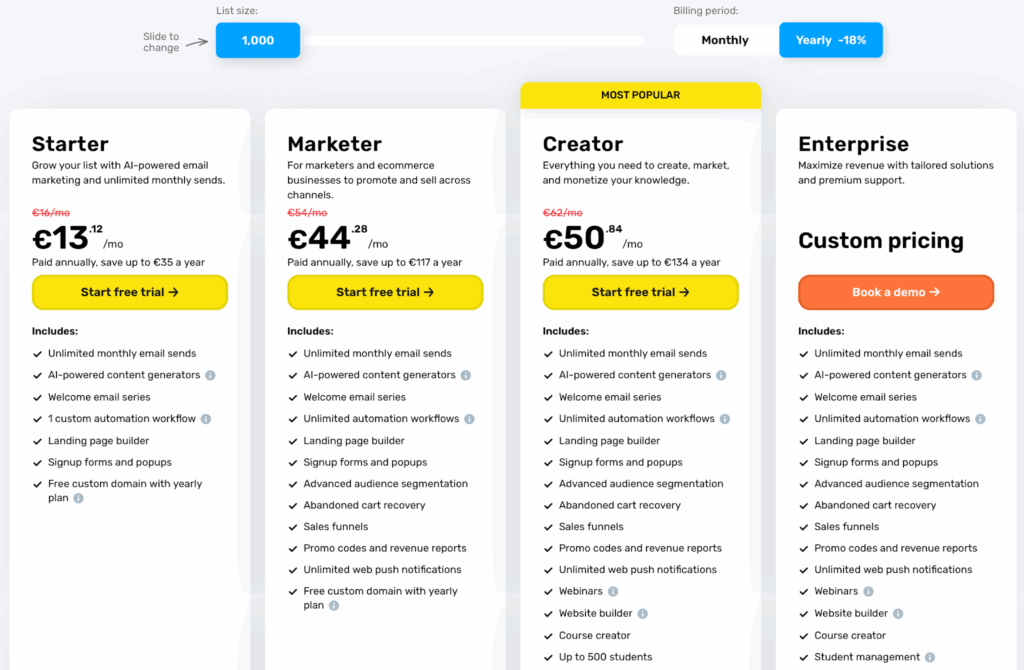
GetResponse structures its plans so that core automation features – including contact scoring, abandoned cart emails, and advanced segmentation – only become available on higher-tier plans. Users on the entry-level paid plan (around $15/month for 1,000 contacts) hit these walls quickly once their campaigns grow beyond basic newsletters.
Automation Isn’t as Powerful as It Looks
The automation builder covers standard triggers like opens, clicks, and time delays, and GetResponse does include ecommerce automation templates and promo-code or cart-related flows. Where our testing found friction is with multi-branch conditional logic.
Building workflows based on purchase behavior or custom events felt more cumbersome than on dedicated automation-first tools like ActiveCampaign. The workflow editor became difficult to manage in our testing once sequences exceeded 8 to 10 steps, though individual results may vary based on workflow design.
Billing and Cancellation Issues
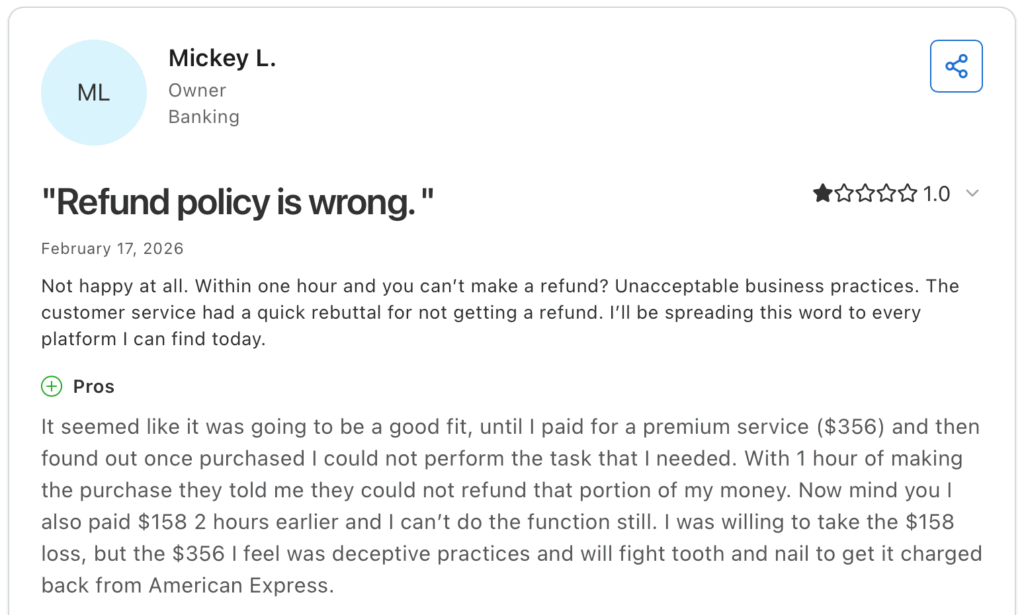
GetResponse exposes both monthly and annual billing options at checkout, but annual plans are frequently highlighted. Downgrading or cancelling mid-cycle generally does not generate a prorated refund, though GetResponse’s terms note they may refund a pro-rata amount if they terminate the account without cause.
Some users on review platforms have reported friction during cancellation, though readers should seek recent reviews for the most current support experience.
The Interface and Templates Feel Outdated
In our editorial assessment, the dashboard layout and email editor feel dated compared to current tools like Mailchimp or Brevo. Template designs trend toward styles that were common in 2018 and 2019, and the visual editor feels slower to navigate than more recently updated platforms. This is a subjective assessment and individual preference will vary.
SMS Marketing Is Limited to MAX Plans
GetResponse does offer native SMS, but it is only available on MAX-tier plans rather than standard self-serve plans. For teams running coordinated email and SMS campaigns at a standard plan price point, this is a functional gap that competing tools like Omnisend and Brevo fill directly.
Capterra, G2, Trustpilot, and Reddit to create an objective evaluation. Learn more about our review methodology
GetResponse Competitors Comparison Table
| Platform | Category | Best For | Starting Price / Free Plan | Standout Features |
| Sender | Email marketing | Small and mid-sized businesses needing full automation without upgrading | From $7/month / Free up to 2,500 subscribers | Full automation on every plan including free |
| Omnisend | Email + SMS + push | Ecommerce stores running multi-channel campaigns | From $16/month / Free up to 250 contacts | Email, SMS, and web push in one workflow |
| Brevo | Email + SMS + CRM | Large lists with infrequent sending | From $9/month / Free up to 300 emails/day | Priced by email volume, not contact count |
| ActiveCampaign | Marketing automation + CRM | Complex multi-step nurturing and lead scoring | From $15/month / No free plan | Conditional branching and CRM-connected automation on Plus and above |
| Mailchimp | Email marketing | Beginners and non-technical teams | From $13/month / Free up to 250 contacts | Guided setup and regularly updated template library |
| SendPulse | Multi-channel marketing | Businesses needing email, SMS, push, and chatbots | From ~$9.60/month / Free up to 500 subscribers | Four channels managed from one automation canvas |
| Drip | Ecommerce email | Shopify and WooCommerce stores | From $39/month / No free plan | Revenue attribution tracked per email and automation |
| CampaignMonitor | Email marketing | Analytics-focused marketing teams and agencies | From $11/month / No free plan | Link-level click tracking and email client rendering reports |
| EmailOctopus | Email marketing | Freelancers and small lists on tight budgets | From $9/month / Free up to 2,500 subscribers | Lowest cost at every comparable list size |
9 GetResponse Alternatives That Are a Better Fit
Each tool below was evaluated based on hands-on testing across automation depth, pricing structure, ease of setup, and channel coverage. The goal was not to find the highest-rated platforms overall, but to identify where specific tools solve the problems that GetResponse users most commonly run into.
Sender — Full Automation Included on Every Plan
The most common complaint about GetResponse is that automation features sit behind a paywall. Sender includes multi-branch workflows, behavioral triggers, and segmentation on every plan, including its free tier.

I tested Sender’s automation builder across a standard ecommerce sequence: welcome email, browse abandonment, cart abandonment, and a post-purchase follow-up. All four workflows were built without upgrading.
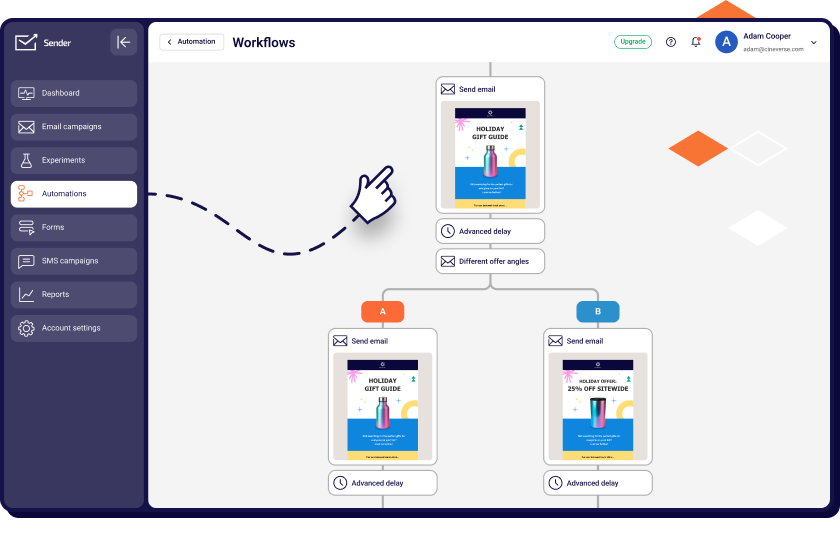
The visual editor uses a drag-and-drop canvas with conditional branches, time delays, and action-based triggers. It handled a 12-step sequence without the performance issues I ran into with GetResponse’s editor at similar complexity.
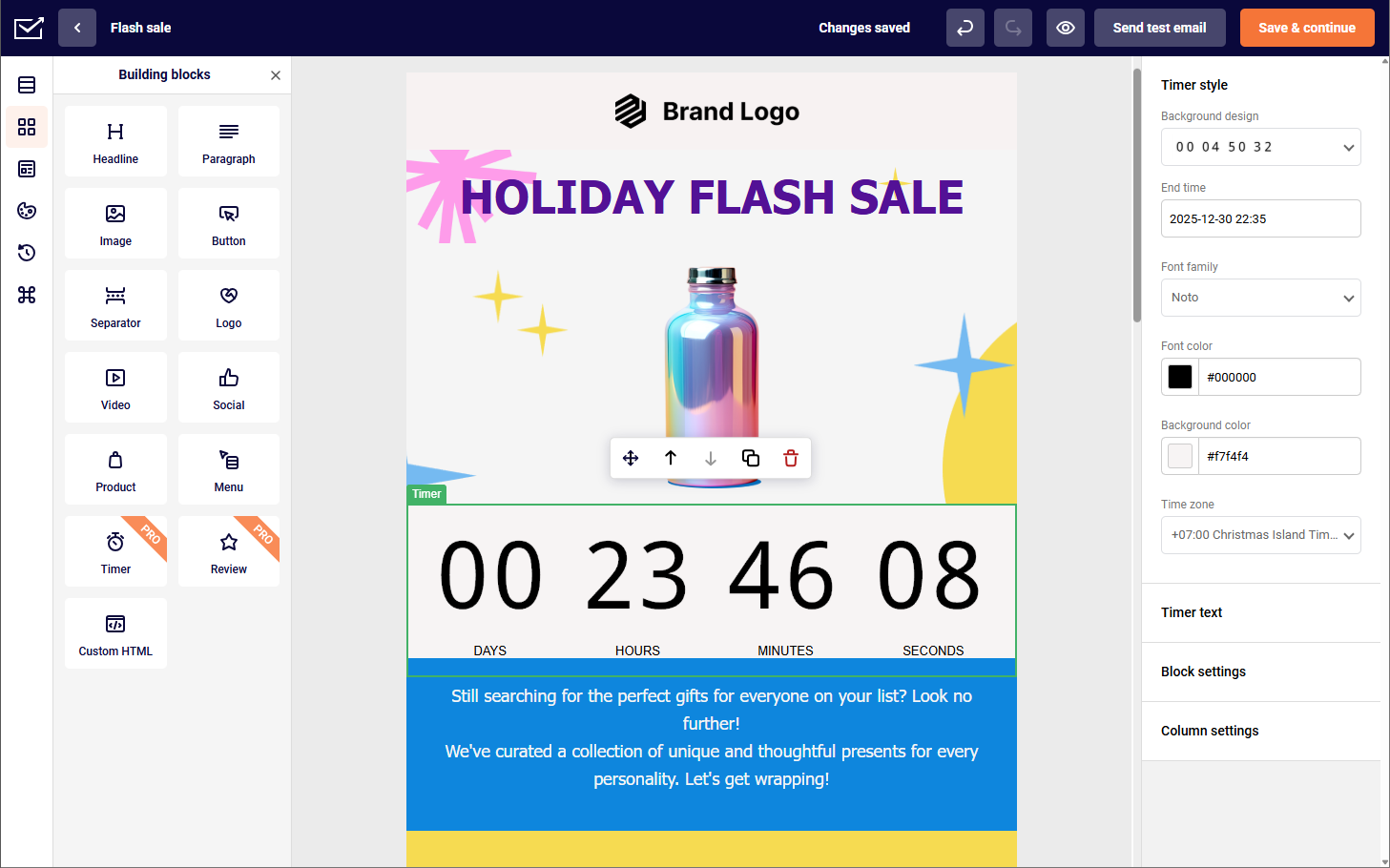
Sender’s core feature set covers email automation with multi-branch workflows, contact segmentation by behavior, tags, and custom fields, a drag-and-drop email editor, transactional email via SMTP, and built-in subscriber management with list segmentation.
The free plan covers up to 2,500 subscribers and 15,000 emails per month, which is more generous than GetResponse’s free tier. The Standard plan starts at $7/month for up to 1,000 contacts.
Sender is the right fit for small to mid-sized businesses and ecommerce stores that need full automation without paying for a higher tier. It is not the right fit for teams that rely heavily on landing pages or need a built-in CRM.
Key Features
- Automation builder with multi-branch workflows, conditional logic, time delays, and action-based triggers available on every plan including free;
- Contact segmentation by behavior, tags, and custom fields;
- Drag-and-drop email editor with a template library;
- Transactional email via SMTP for order confirmations, password resets, and similar sends;
- List segmentation and subscriber import tools.
Use Cases
- Small and growing businesses. Sender works for businesses that need multi-step automation without paying for a higher-tier plan. Welcome sequences, behavioral triggers, and segmentation are available from the free tier.
- Ecommerce and retail. Online stores can build cart abandonment, browse abandonment, and post-purchase sequences without upgrading.
- Bloggers and content creators. Content creators sending regular newsletters can use Sender’s segmentation to target subscribers by interest or engagement level, and the free plan supports lists up to 2,500 without a time limit.
Strengths and Limitations
Strengths
- Full automation including multi-branch workflows and behavioral triggers is available on every plan, including free, with no upgrade required;
- The free plan covers 2,500 subscribers and 15,000 emails per month with no time limit, which is more generous than most competitors at this price point;
- Transactional email via SMTP is included, removing the need for a separate sending service;
- Pricing stays predictable as lists grow, with no feature restrictions tied to plan tier.
Limitations
- The template library is smaller than Mailchimp, Brevo, or ActiveCampaign;
- The landing page builder is underdeveloped compared to GetResponse;
- No built-in CRM;
- Reporting is basic compared to CampaignMonitor and ActiveCampaign.
Pricing Details
- Free – $0/month. Up to 2,500 subscribers and 15,000 emails per month. Includes automation, segmentation, and transactional email. No time limit. Sender branding on emails.
- Standard – From $7/month (billed annually) or $9/month (billed monthly) for up to 1,000 subscribers. Unlimited emails, no daily sending limits, Sender branding removed. All automation features included.
- Professional – From $14/month (billed annually) for up to 1,000 subscribers. Adds dedicated IP, advanced reporting, and priority support.
- Enterprise – Custom pricing. Dedicated account manager, custom sending infrastructure, and SLA.
GetResponse vs. Sender
The clearest difference is automation access. GetResponse’s starter plan limits you to just 1 custom automation with restricted steps – advanced segmentation and behavioral triggers only unlock at higher tiers. Sender gives you unlimited automations on every plan, including free. No upgrades, no barriers.
GetResponse does offer a more developed landing page builder and webinar tools, which Sender lacks. But for businesses where automation is the priority, Sender removes every obstacle from day one.
Omnisend — SMS + Email Without Upgrading
GetResponse’s SMS is limited to MAX-tier plans and is not available on standard self-serve plans. Omnisend includes email, SMS, and web push notifications on every plan, including the free tier, with no integration required.

I ran a campaign using Omnisend’s multi-channel automation: an email sequence paired with an SMS follow-up triggered after cart abandonment. Both channels were managed from a single workflow. GetResponse requires a separate SMS tool at the standard plan level to replicate this.
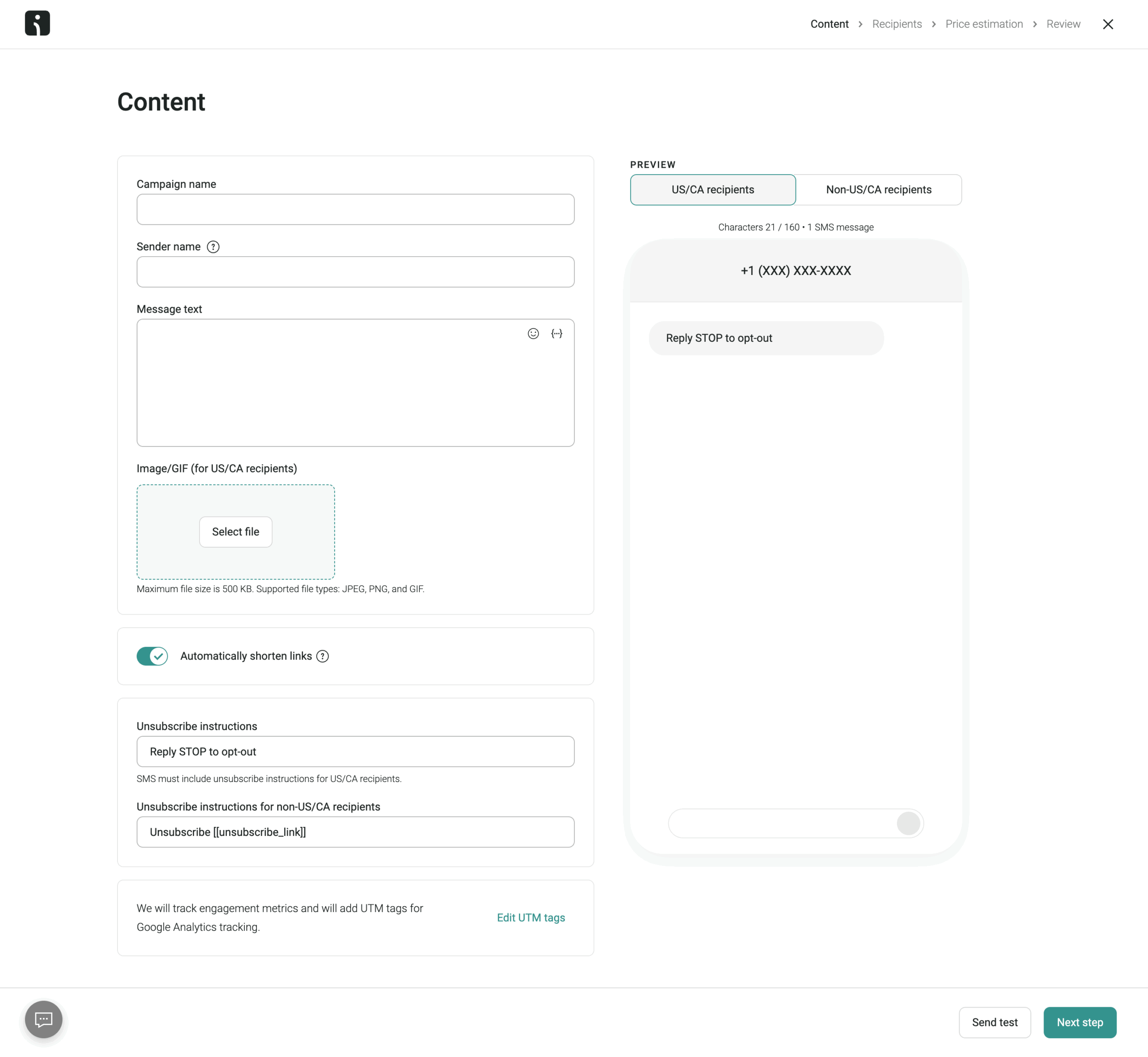
Omnisend’s feature set includes email, SMS, and web push notifications from one dashboard, pre-built ecommerce automation workflows for cart abandonment, welcome series, and order confirmation, segmentation based on purchase history and campaign activity, A/B testing for subject lines and send times, and native integrations with Shopify, WooCommerce, and BigCommerce.
The free plan includes up to 500 emails per month and 60 SMS credits. The Standard plan starts at $16/month for up to 500 contacts and includes 6,000 emails/month, with SMS billed separately per credit.
Where Omnisend falls short is in its focus. It is built primarily for ecommerce, and service businesses, B2B companies, or content publishers will find the feature set skewed toward product-based workflows. The SMS credit model also adds a variable cost that is harder to budget for than a flat monthly rate.
Brevo — Transparent Pricing, No Surprise Charges
GetResponse’s billing can catch users off guard depending on which plan option is selected at checkout, and prorated refunds are generally not offered. Brevo prices by email volume rather than contact count, which changes the cost equation significantly for businesses with large lists that send infrequently.

I tested Brevo’s free plan sending two campaigns per month. On GetResponse, a list of that size requires a paid plan from the start. On Brevo, you’re billed by email volume, not contact count – paid plans start at $9/month for 5,000 emails, scaling up from there. At higher volumes, like 20,000 emails per month, you can reach up to 500,000 contacts, which makes it one of the more contact-friendly pricing models available.
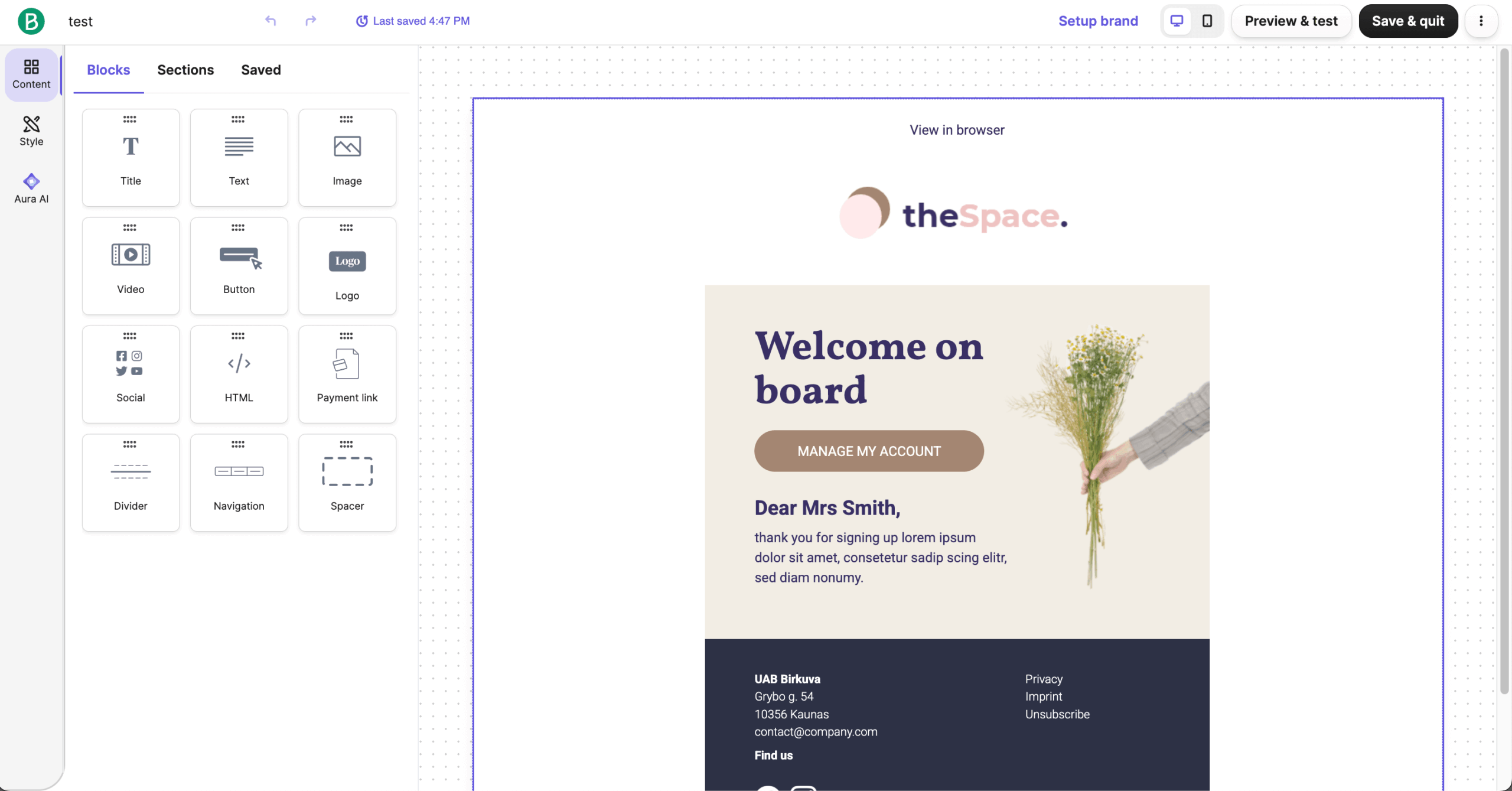
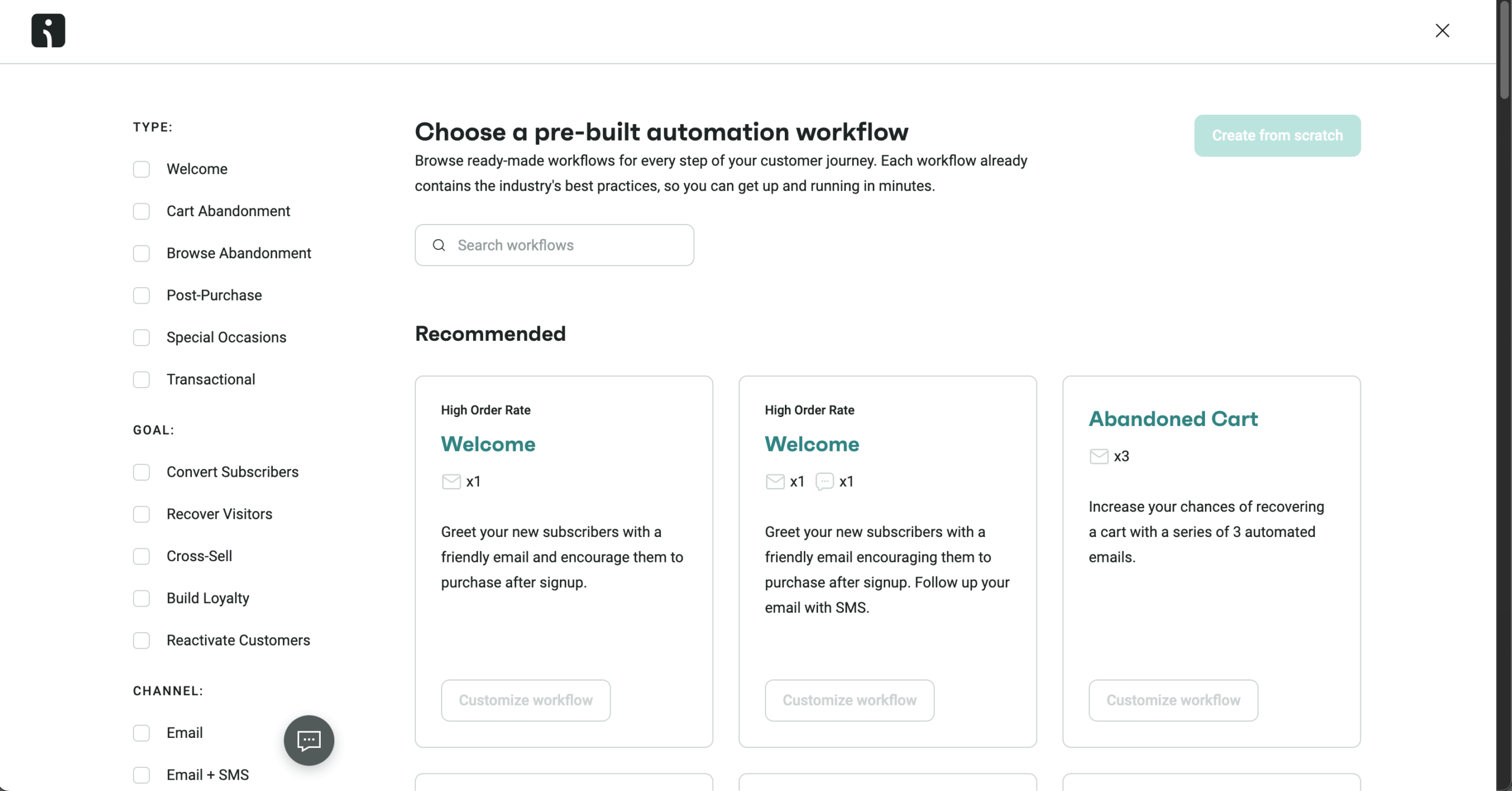
Brevo covers email campaigns with a drag-and-drop editor, SMS and WhatsApp marketing, marketing automation with behavioral triggers, transactional email and SMS via API, and a CRM included at no additional cost.
The Starter plan at $9/month removes daily sending limits. The Standard plan at $18/month adds unlimited automation, A/B testing, and advanced reporting. No credit card is required for the free plan.
Where Brevo falls short: reporting depth is limited on lower-tier plans, meaning meaningful analytics only become accessible once you upgrade to Standard.
ActiveCampaign — Automation Built for Complexity
GetResponse’s automation editor handles standard sequences well, but our testing found it cumbersome for complex conditional logic – multi-branch workflows, purchase-event triggers, and custom field-based routing that competing tools handle more naturally.
ActiveCampaign was built specifically around automation depth, and the difference becomes clear on more advanced workflows.
I built a lead nurturing sequence in ActiveCampaign that branched based on link clicks, contact score thresholds, and CRM deal stage. The same sequence in GetResponse required splitting into multiple separate automations. In ActiveCampaign, it ran as one connected workflow.
ActiveCampaign’s feature set includes a visual automation builder with conditional branching, goal tracking, and split testing, a built-in CRM with deal pipelines and contact scoring, site and event tracking for behavior-based triggers, dynamic email content based on contact data, and over 900 integrations including Salesforce, Shopify, and Slack.
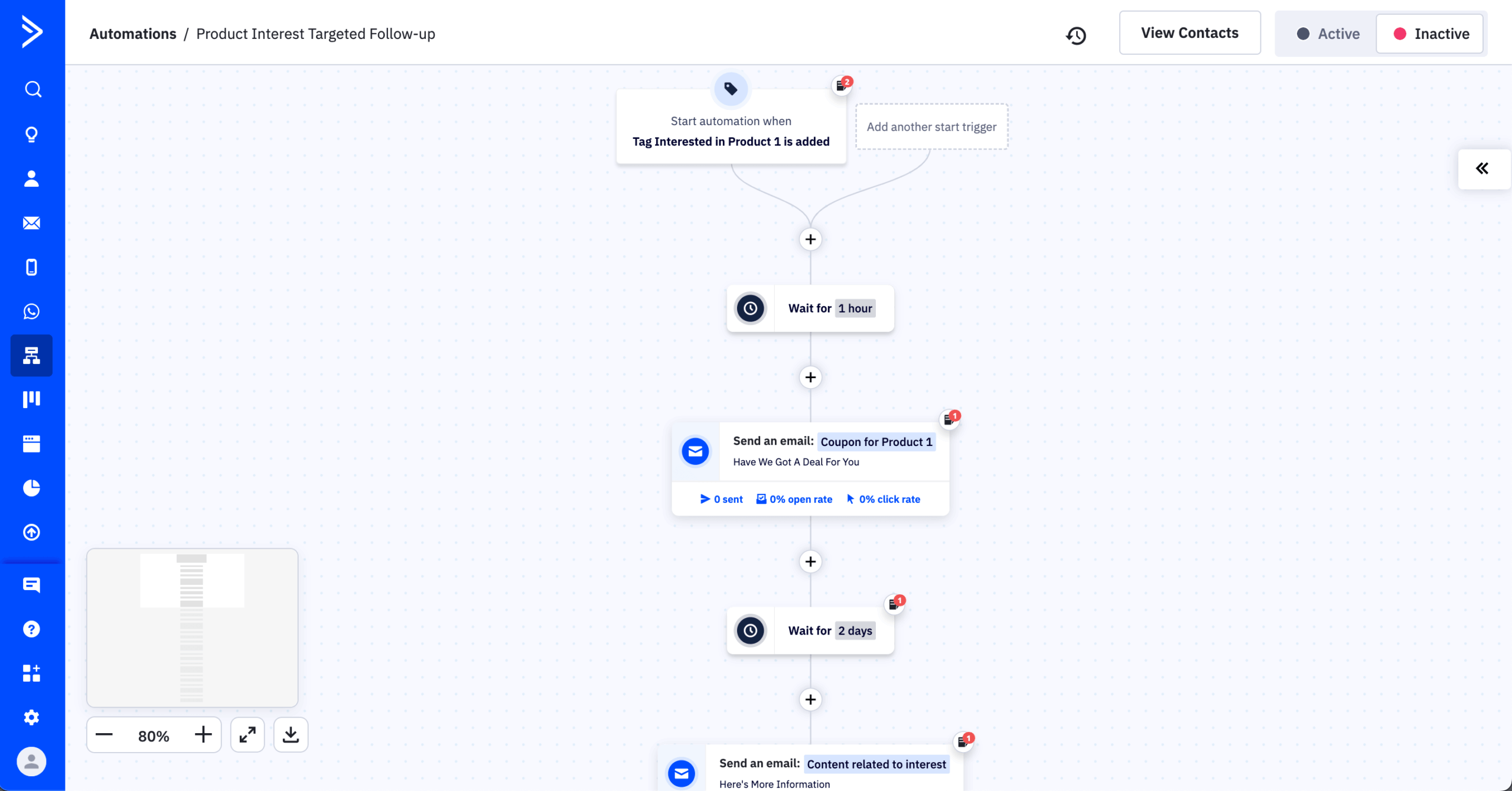
The Starter plan begins at $15/month for up to 1,000 contacts but is limited to 5 automation actions per workflow with no conditional branching – the fuller automation capabilities become available on the Plus plan at $37/month. Pricing scales with contact count.
Where ActiveCampaign falls short is in its learning curve. New users without prior automation experience will spend significant time before building anything complex. It is also one of the more expensive options at scale.
Mailchimp — Cleaner Interface for Non-Tech Teams
GetResponse’s interface – in our editorial assessment – has not kept pace with more recently updated tools. New users frequently cite navigation as a source of friction. Mailchimp has invested in its UI and offers one of the cleaner onboarding experiences in email marketing.

I compared the new user setup flow between GetResponse and Mailchimp. Mailchimp’s setup wizard walked through audience creation, a first campaign, and basic automation in under 20 minutes. GetResponse’s equivalent process required navigating between more screens and involved terminology that assumes prior platform familiarity.
Mailchimp’s feature set includes a drag-and-drop email editor with a current template library, a customer journey builder for basic automation, audience segmentation by behavior, tags, and demographics, landing pages and signup forms, and reporting with click maps and revenue tracking on paid plans.
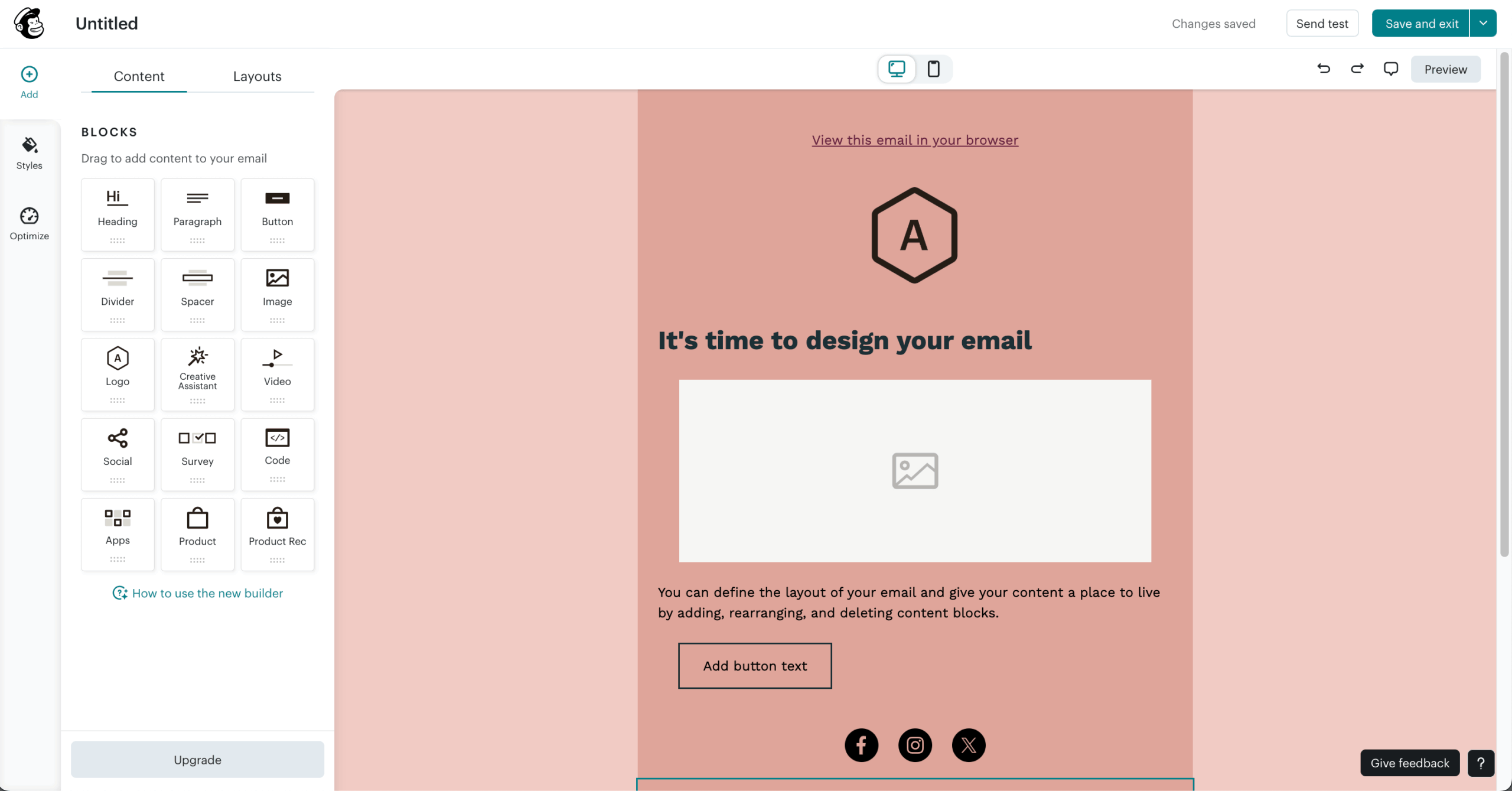
The free plan covers up to 250 contacts and 500 emails per month. The Essentials plan starts at $13/month for up to 500 contacts, with pricing scaling by list size.
Where Mailchimp falls short is that the free plan is more restrictive than it used to be, and automation on the free tier is limited to a “free preview” – essentially non-functional for real use. Advanced segmentation and multi-step journeys require the Standard plan at $20/month or above. At larger list sizes, Mailchimp becomes one of the more expensive options in this comparison.
Also read: 10 Mailchimp Alternatives That Cost Less and Do More (2026)
SendPulse — Email, SMS, and Push in One Place
Most tools in this comparison focus primarily on email, with SMS as an add-on and push notifications either missing or requiring third-party setup. SendPulse treats all three as native channels from the same dashboard, alongside chatbot marketing for Facebook Messenger, WhatsApp, and Telegram.

I built a cross-channel sequence using SendPulse: an email welcome, a web push notification on day three, and an SMS follow-up on day seven. All three were built inside a single automation flow without any external tools. GetResponse cannot replicate this natively at standard plan pricing.
SendPulse covers email, SMS, web push, and chatbot marketing from one platform, a visual automation builder supporting multi-channel sequences, subscriber forms and landing pages, transactional email via SMTP, and A/B testing for emails and push notifications.
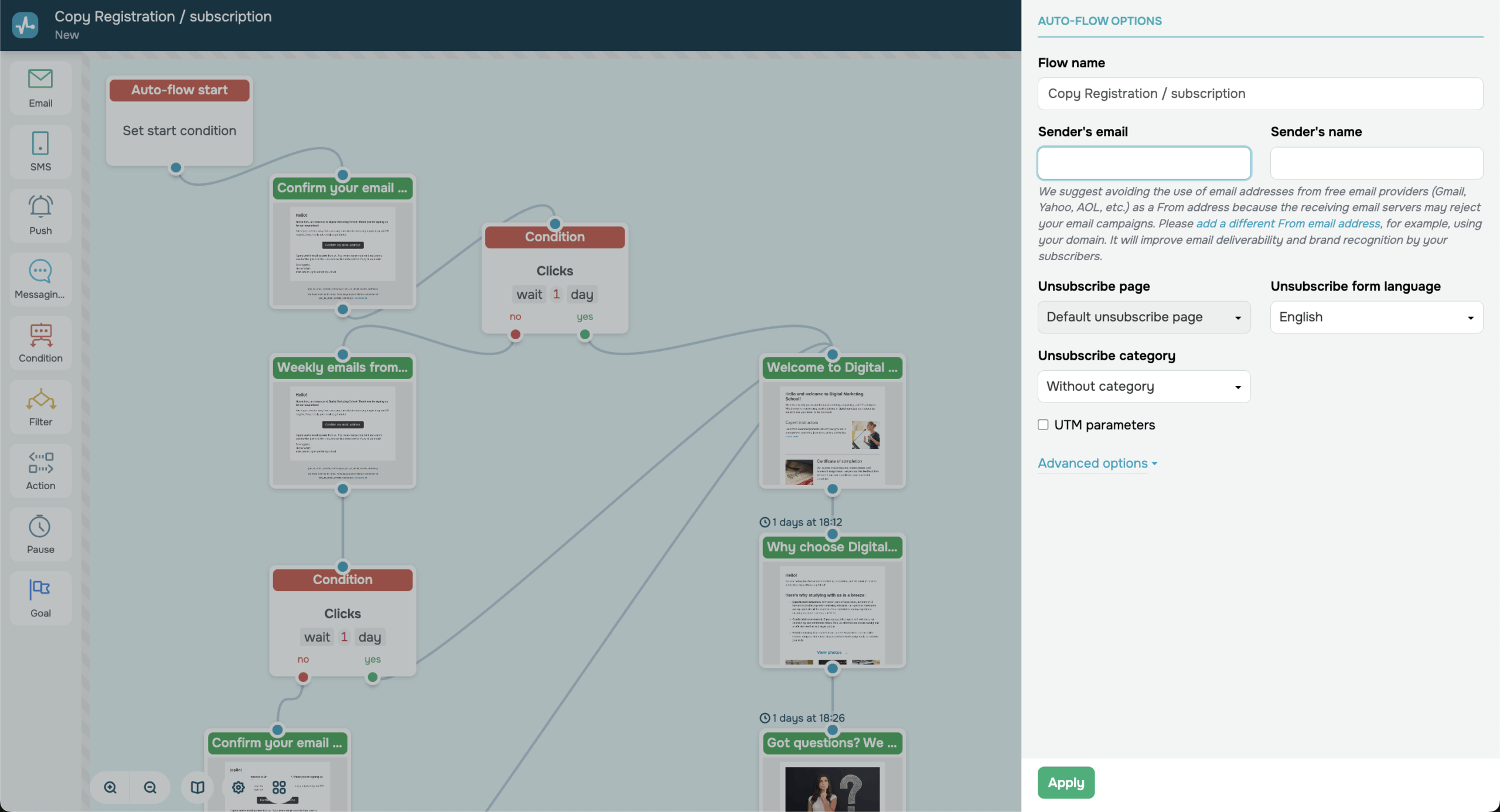
The free plan includes up to 500 subscribers, 15,000 emails per month, and 10,000 web push notifications. Paid plans start at approximately $9.60/month, with SMS and chatbot messages billed separately per message.
Where SendPulse falls short is that the breadth of channels comes at the cost of depth. Each individual channel is less developed than a dedicated tool. Support response times on lower-tier plans have also drawn criticism in user reviews.
Drip — Built for Ecommerce Stores
GetResponse offers ecommerce features, but they require configuration to connect meaningfully with store data. Drip is built specifically for ecommerce, with revenue tracking, purchase-based segmentation, and product-focused email workflows as default functionality rather than add-ons.
I connected Drip to a WooCommerce store and built a post-purchase sequence that segmented buyers by product category and triggered different follow-up emails based on order value. The store data populated automatically into contact records. Setting up a comparable sequence in GetResponse required manual field mapping and additional configuration.
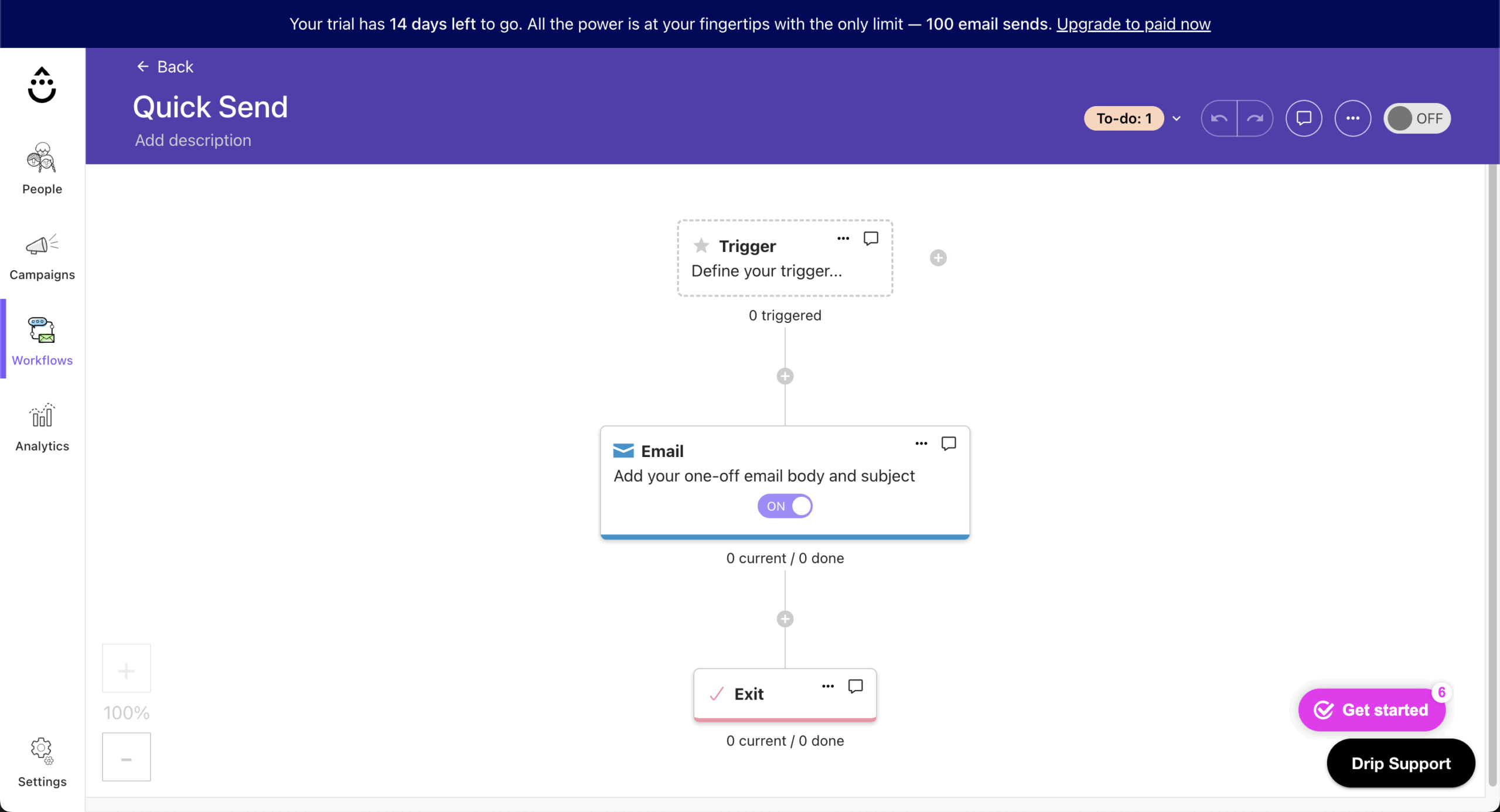
Drip’s feature set includes pre-built ecommerce automation playbooks for cart abandonment, win-back, and post-purchase sequences, revenue attribution tracking per email and automation, segmentation by purchase history, order value, and product category, deep integrations with Shopify, WooCommerce, and Magento, and on-site behavior tracking tied to email triggers.
Drip starts at $39/month for up to 2,500 contacts and includes all features. There are no tiered plans, and pricing increases with contact count.
Where Drip falls short is in its cost and narrow focus. It is expensive relative to general-purpose email tools, and its feature set offers little value outside of ecommerce. There is no free plan.
CampaignMonitor — Analytics-First Email Marketing
GetResponse’s reporting is functional at a surface level but limited in depth on lower-tier plans. CampaignMonitor includes more detailed reporting across its plan tiers and is used by brands that treat campaign analytics as a core part of their email strategy.

I ran identical campaigns in both platforms and compared reporting output. CampaignMonitor returned click-through data at the link level, geographic open rates, and a client rendering report showing how the email displayed across different email clients. GetResponse’s reporting at the equivalent plan level returned opens, clicks, and unsubscribes without the same breakdown depth.
CampaignMonitor’s feature set includes per-campaign and combined analytics with link-level click tracking, email client and device rendering reports, engagement-based segmentation tied to campaign performance, transactional email via API, and A/B testing for subject lines, sender names, and send times.
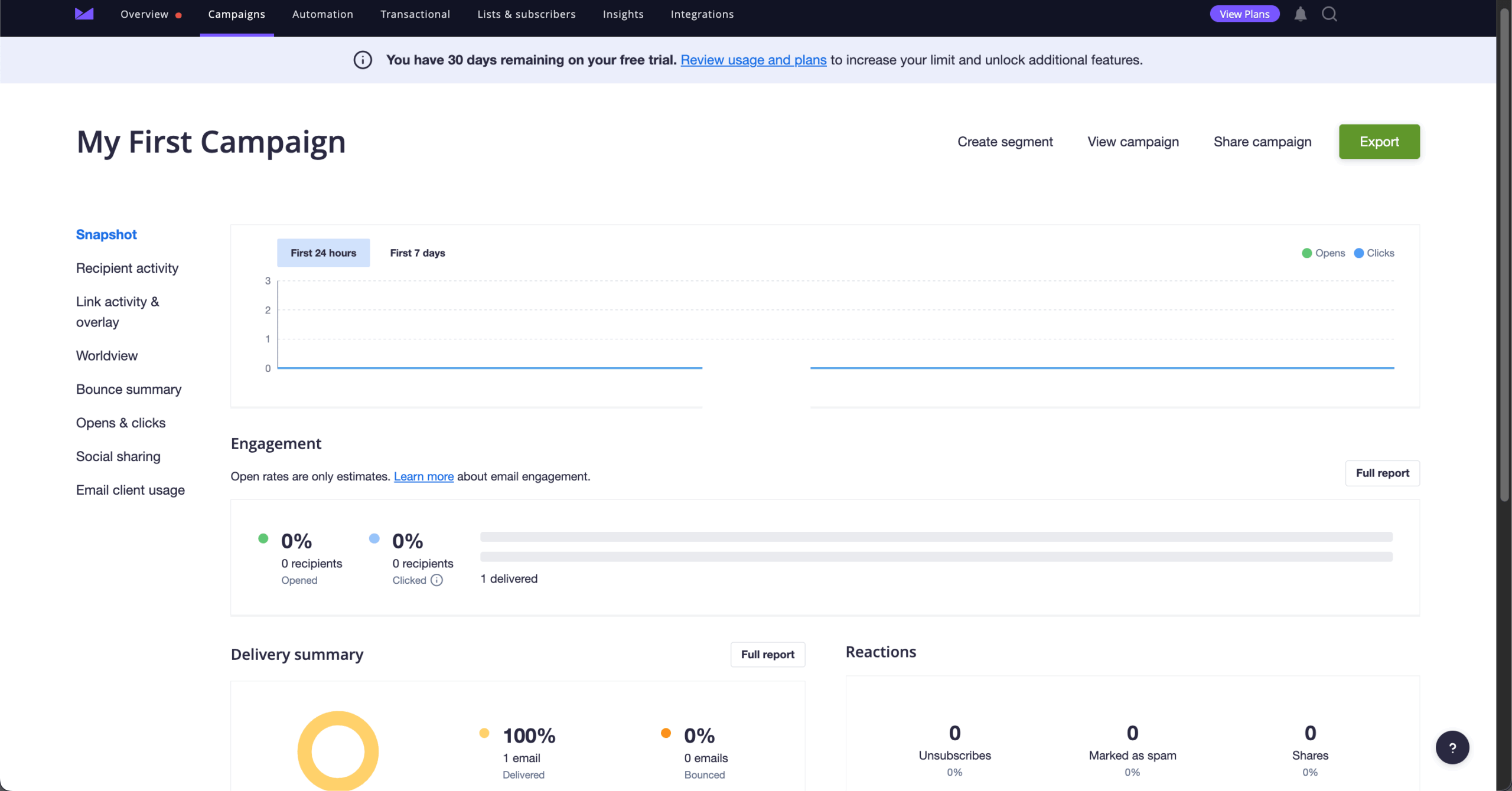
The Lite plan starts at $11/month for up to 500 subscribers, with send volumes and pricing varying by list size and region. The Essentials plan removes send limits, and the Premier plan adds advanced segmentation and send-time optimization.
Where CampaignMonitor falls short is in its automation capabilities. The journey builder covers basic sequences but does not support complex conditional branching.
EmailOctopus — Lowest Cost for Small Lists
For small businesses and early-stage projects managing lists under 10,000 subscribers, EmailOctopus offers basic email marketing at a price point that undercuts the market.

I tested EmailOctopus with a 2,500-subscriber list running a monthly newsletter and a three-step welcome sequence. The platform handled both without issues. The interface is minimal, which means less configuration time but also fewer options when campaigns become more complex.
EmailOctopus covers email campaign building with basic templates, automation for welcome sequences, drip campaigns, and date-based triggers, subscriber segmentation by tags and custom fields, a signup form builder, and Amazon SES integration for high-volume sending at reduced cost.
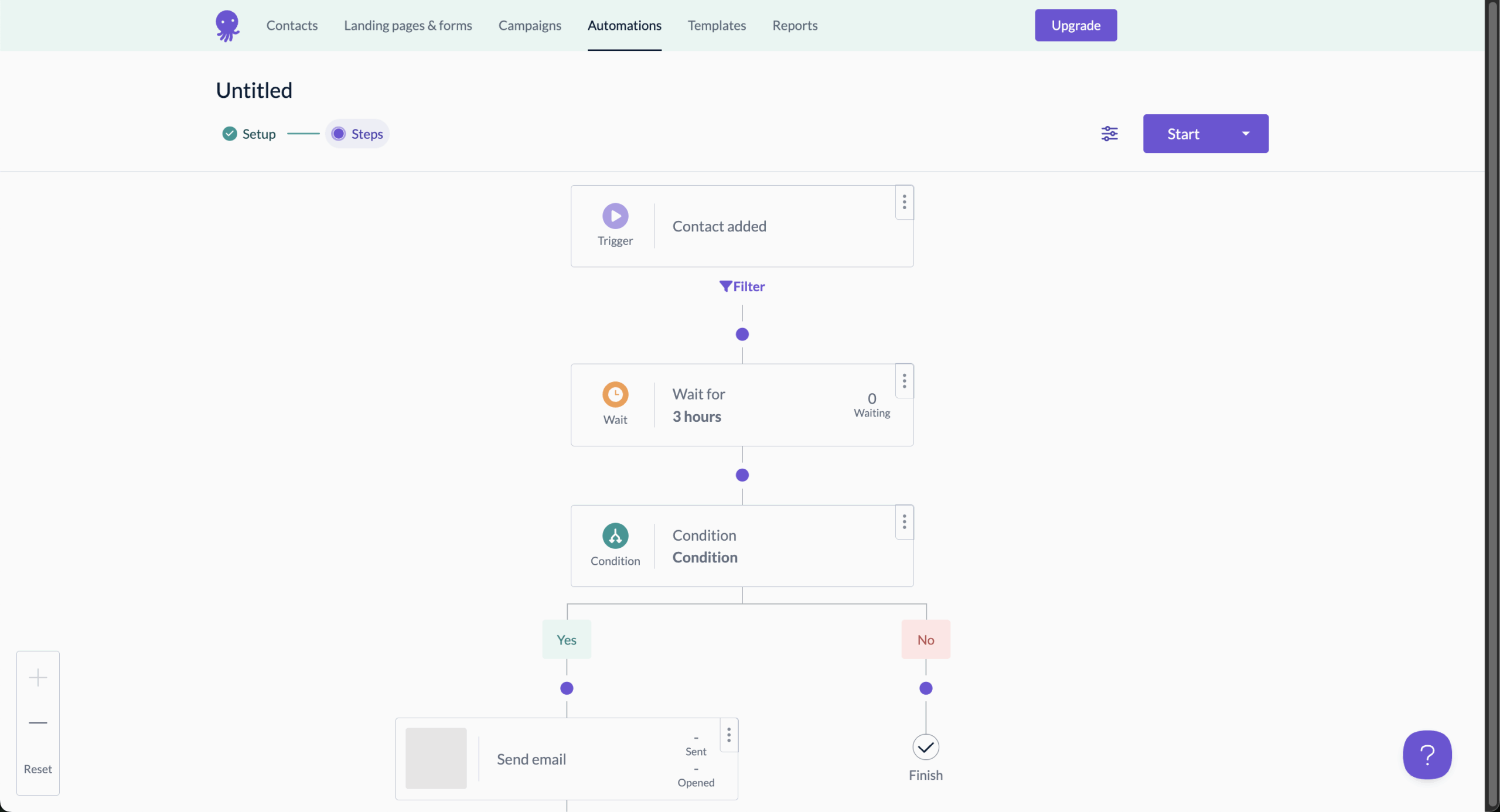
The free plan covers up to 2,500 subscribers and 10,000 emails per month and includes one landing page and one form. Paid plans start at $9/month for smaller lists; current pricing is approximately $18/month for up to 2,500 subscribers and $24/month for up to 5,000 subscribers. At comparable list sizes, it prices below Mailchimp and Brevo.
Where EmailOctopus falls short is significant. The automation builder is basic, with no site-tracking or custom event triggers. There is no native SMS, no full landing page builder, and no CRM. As list size and campaign complexity grow, most users will outgrow the platform.
GetResponse Alternatives: Conclusions and Next Steps
GetResponse is a capable platform, but its structure creates real friction for specific types of users: automation features that require a plan upgrade to access, an SMS offering limited to MAX-tier plans, a billing structure that favors annual commitments, and an interface that has not kept pace with more recently updated tools.
The nine alternatives in this list each address one or more of those gaps directly, and the right choice depends on what matters most to your business rather than which platform scores highest on a generic feature checklist.
Decision guide:
- If you need full automation on a free plan → Sender
- If you need email and SMS in one workflow → Omnisend
- If billing transparency and flexible contracts matter most → Brevo
- If you need automation that handles complex conditional logic → ActiveCampaign
- If you are new to email marketing and want a clean setup experience → Mailchimp
- If you want email, SMS, and push notifications from one platform → SendPulse
- If you run an ecommerce store on Shopify or WooCommerce → Drip
- If post-send analytics and reporting depth are a priority → CampaignMonitor
- If you have a small list and want to keep costs as low as possible → EmailOctopus
Most businesses switching from GetResponse will find what they need in Sender, Brevo, or Omnisend depending on whether automation access, pricing structure, or multi-channel capability is the primary pain point – but the best way to confirm fit is to test the free plan against your actual sending workflow before committing.

even on the free plan.